
TLDR: This update contains 6 new features and 11 bug fixes.
• Added: Scheduler now loads each day up to 4 times faster

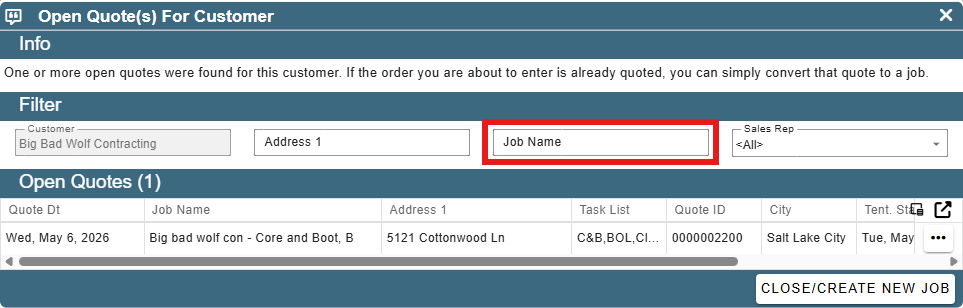
• Added: Open Quote(s) For Customer: Can now filter by job name when looking at open quotes to convert to a new job
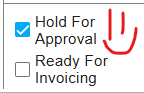
• Added: You can now preview an invoice from the FT when it's flagged as Hold for Approval
• Previously had to be flagged as 'Ready To Invoice' to preview
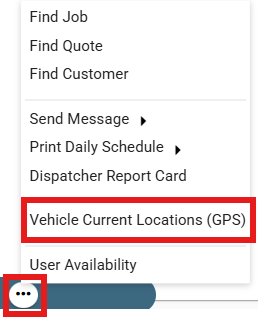
• Added: Scheduler: Vehicle Current Locations (GPS)
• Quickly see the locations of your vehicles in real-time
• Must have a GPS integration setup in order to use
• Added: Inventory reports now run faster and in session instead of spinning off a different thread and sending you an email when it's done
• Techy talk for you can watch it generate the report and get it in real time instead of waiting for an email

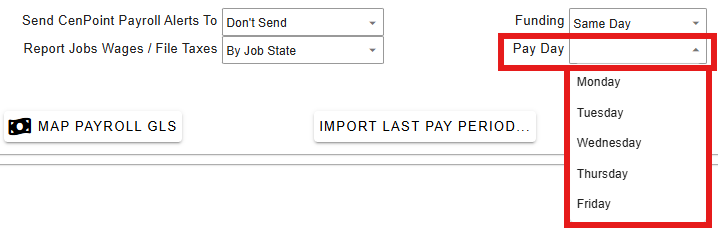
• Added: More -> Company/Branch Info -> Modify -> User Pay Tab: Can now set desired pay on date for CenPoint Payroll
- Added: Work Order: Adding Add'l Workers now tells you if the worker has a conflict as you go to select them

- Added: Quotes: Now show Avg. On Site Rate and Avg. Per Hr Rate
.png)
- Added: WO & FT Flow -> View All FT For Job: Now shows quote Avg. On Site Rate and Avg. Per Hr Rate next to the actuals for reference

• Fixed: WO assigned task time getting zeroed out if you modify the job task
• Fixed: Surplus refund of type 'Other' not working correctly
• Fixed: NSIs reporting under customer state instead of the job state when grouping by job state on the billed out report
• Fixed: System Admins unchecking their own security access and locking themselves out of the app
• Fixed: WOs on Saturday 'wrapping' if you hid the vehicle column in some scenarios
• Fixed: WH-347 form not including double time correctly
• Fixed: App not switching back-end servers automatically for certain errors like it should have
• Fixed: Adding an add'l worker on a FT and then immediately trying to move time to OT before a save causing an error
• Fixed: When exporting a grid, some columns exporting blank
• Fixed: Printing Time Card report from Clock In/Out Data only throwing an error
• Fixed: Weekly Schedulers not honoring your # of weeks when clicking <- & -> arrows to change week (was always going 1 week at a time)
• Fixed: Report to shop time not showing up correctly on the scheduler if the WO spanned midnight
• Fixed: Job terms not notifying on every job open (only on first) like they are supposed to if setup that way
• Fixed: Task price grid not updating until after you closed it and reopened it when modifying a task definition under list management
• F ixed: Scheduler not dragging to another monitor correctly in some scenarios
• F ixed: Simulate user always forcing to tech view even for office users
• Other minor fixes