
If you receive this message, you probably have a clock in, Field Ticket or Errand that did not get completed.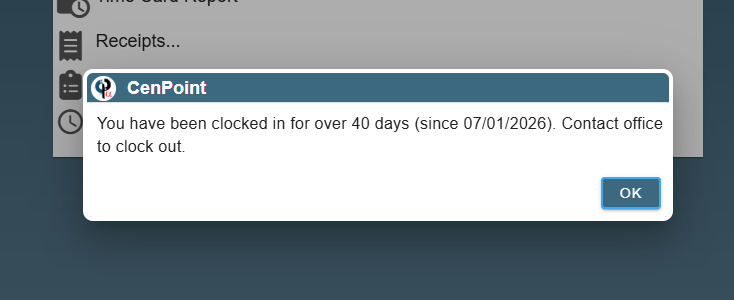
You will need to find the incomplete clock in record and complete it with an end time. This needs to be done by someone in the office.
First place to check is to go to clock in and out data and filter by the date the error message displayed, in this case 7-1-26.
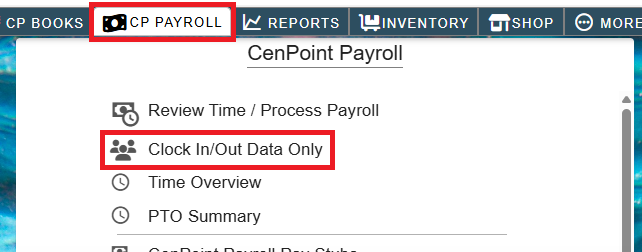
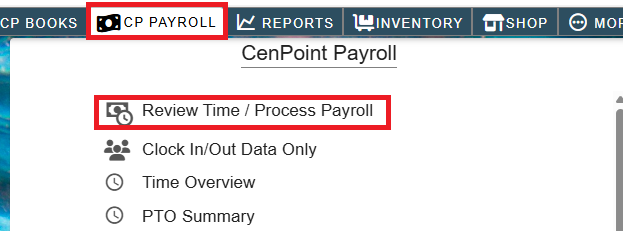
Go to clock in/out data by going to payroll->Clock in/out Data
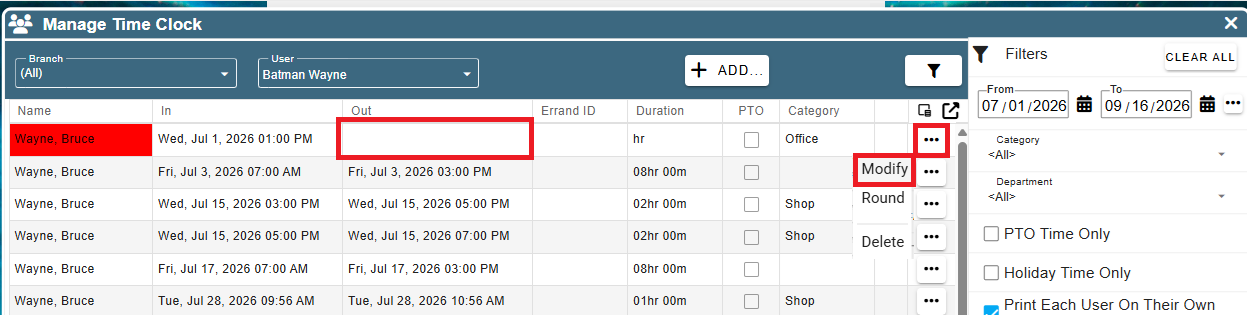
You will see the Out time missing from the record, click the ellipsis, click Modify
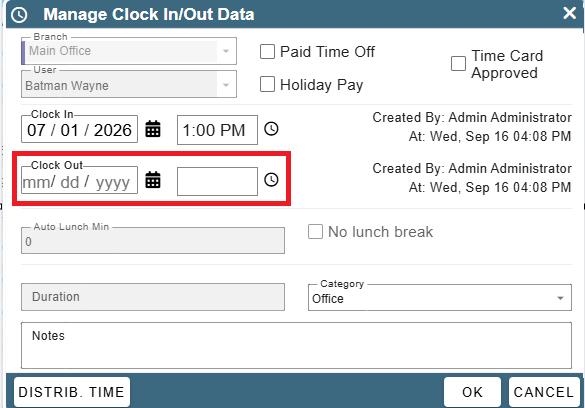
Then fill in the clock out date and time for that day.
If you do not find a clock in record the time may be on a Field Ticket or Errand. In that case go to Payroll-> Review Time/Process Payroll
Put in the date range from the error in this case 7-1-26. You are looking for a Field Ticket or Errand with a completed time of 12:00 AM.
This is the default time, that shows before the actual time is entered. You will need to click options->View-> FT (or Errand) and put in a completed time and date for that day.

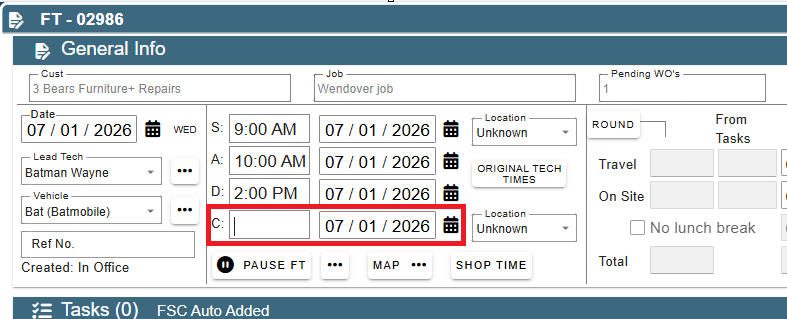
Once this is done you should be good to go, if not give us a call and we can help you out.