
This article will cover how to add an Equipment to a Vehicle
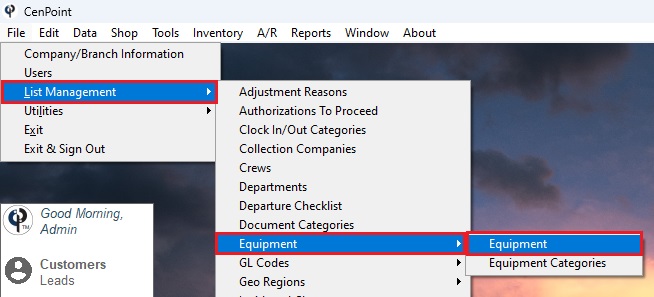
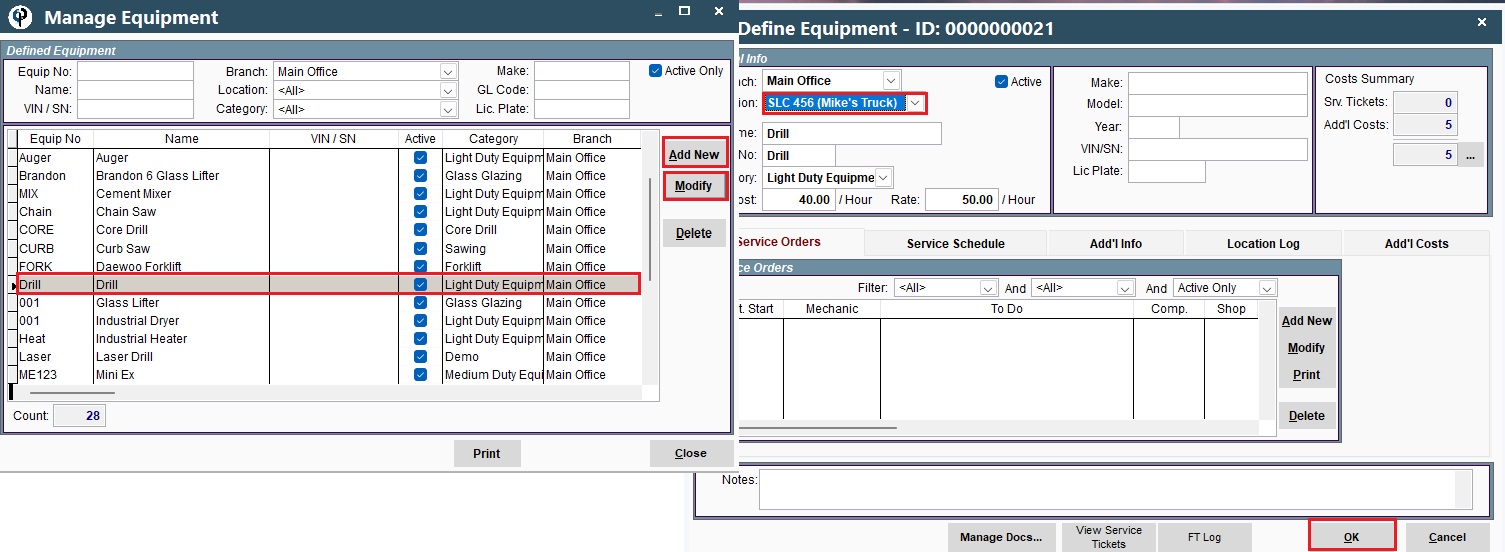
File -> List Management -> Equipment -> Equipment -> Select and Modify one on the list (or Add New) -> Change the Location -> Click OK
View Equipment in Your Selection
File -> List Management -> Vehicles -> Vehicles -> Select the vehicle and Click Modify-> View Inventory
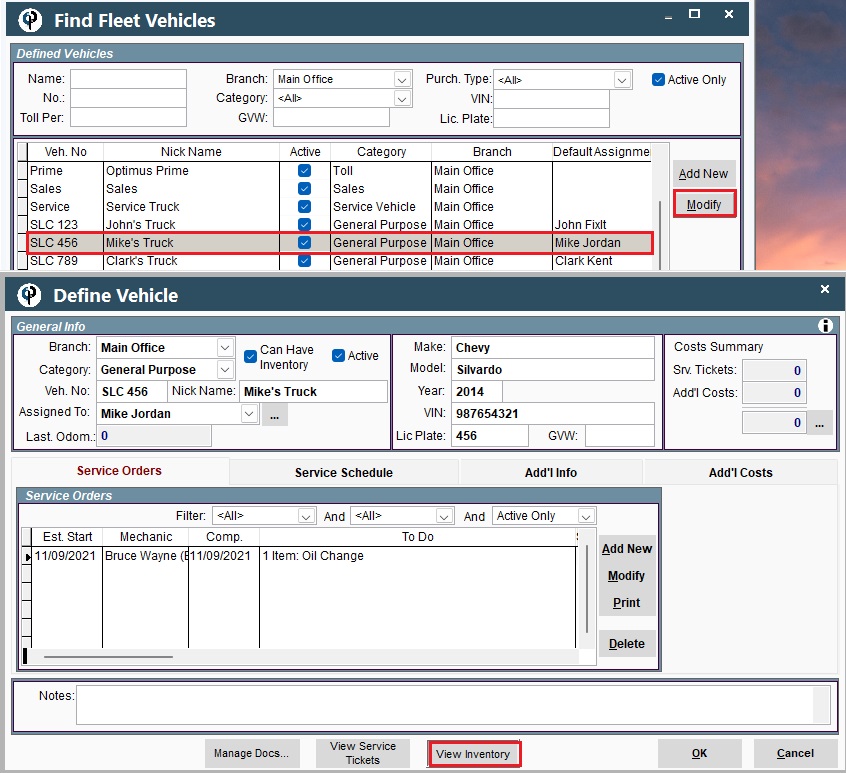
In View Inventory, you can see the part/material you added (in this case, we added the drill)
