
Big news! CenPoint has quietly slipped a little "AI Help" button into the corner of our screen, and it turns out it actually knows things. Wild concept, we know.
For those who haven't clicked the mysterious sparkly "AI" icon yet: it's a chat window that answers questions straight from the official CenPoint help docs — the ones that are "human created and human reviewed," which is corporate-speak for "someone actually wrote this on purpose." So no, it's not making things up. Probably.
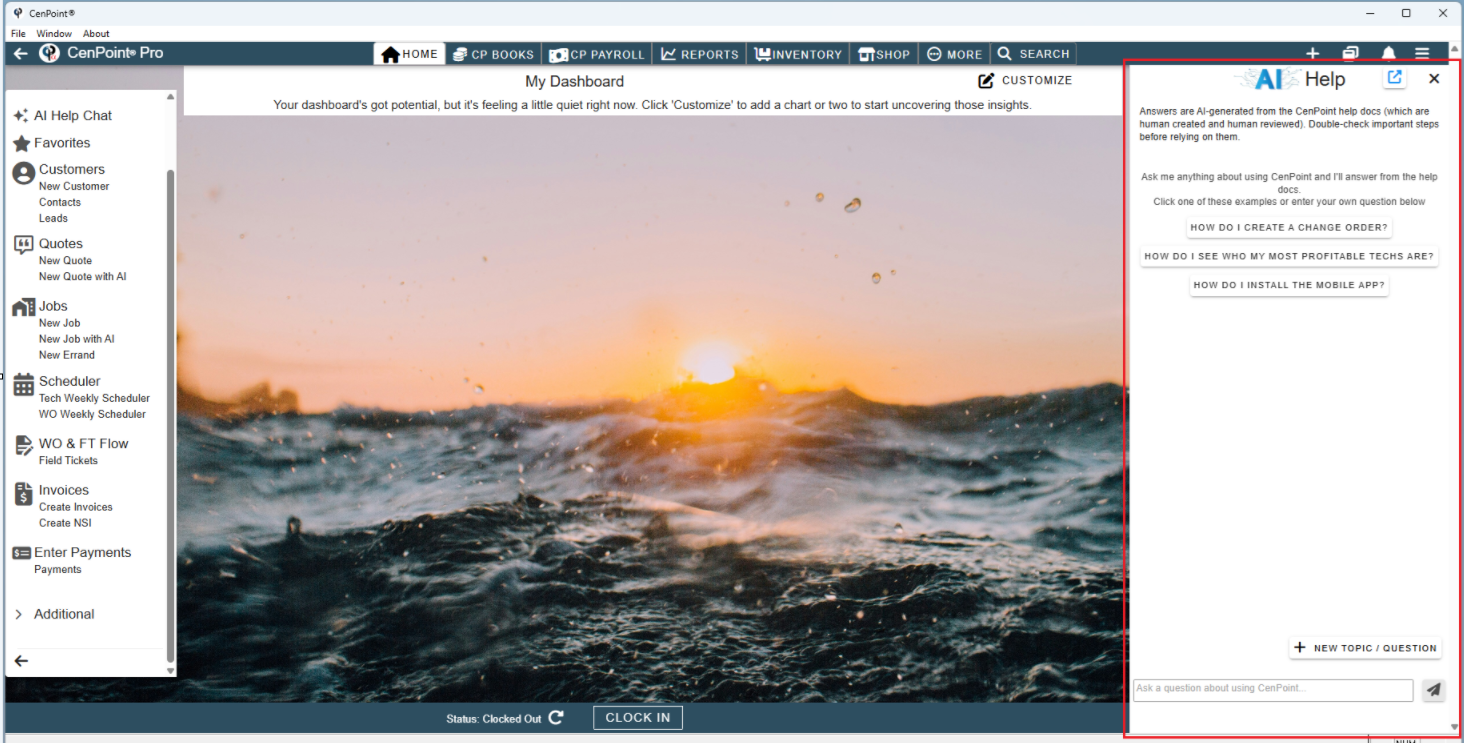
Right now it comes pre-loaded with softball questions like:
"How do I create a change order?" — for when you forgot again, no judgment.
But here's the plot twist: you don't have to pick from the menu. You can type your own question, like a person with agency and free will. 😮
Next time you're stuck, staring at CenPoint like it personally betrayed you, click the little AI icon, and ask it something. Worst case, it politely points you call support -and really is that a worst case scenario getting to talk to the friendly CenPoint Support staff? Best case, you look like a CenPoint wizard in front of your coworkers.
You're sold you say? How do I use the AI Help Chat?
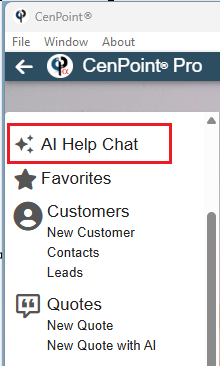
In CenPoint at the top of the side menu click AI Help Chat
AI Help Chat will open as a side panel for you to type your question into.
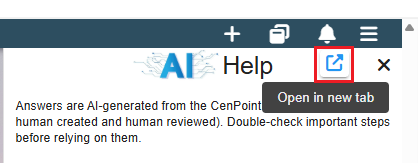
Is it blocking the view of that beautiful sunset background picture? Click the box with the arrow coming out if it to launch AI Help Chat in a new tab.
*Disclaimer: Use of AI features may result in additional charges.
See this for more details about AI Charges: https://help.cenpoint.com/docs/ai-credit-system