
AI Quick Add gives technicians a simpler way to create a field ticket. They can simply type or use speech-to-text to describe the work they completed that day—that's all it takes.
This feature is per tech enable AI Quick Add for Technicians by going to the Users->Modify ->User Preference ->use the dropdown FT Tech Mode to AI Quick Add.
*AI features in the Branch Settings must be turned on to use this. Use the following link for AI Branch Settings: AI Branch Settings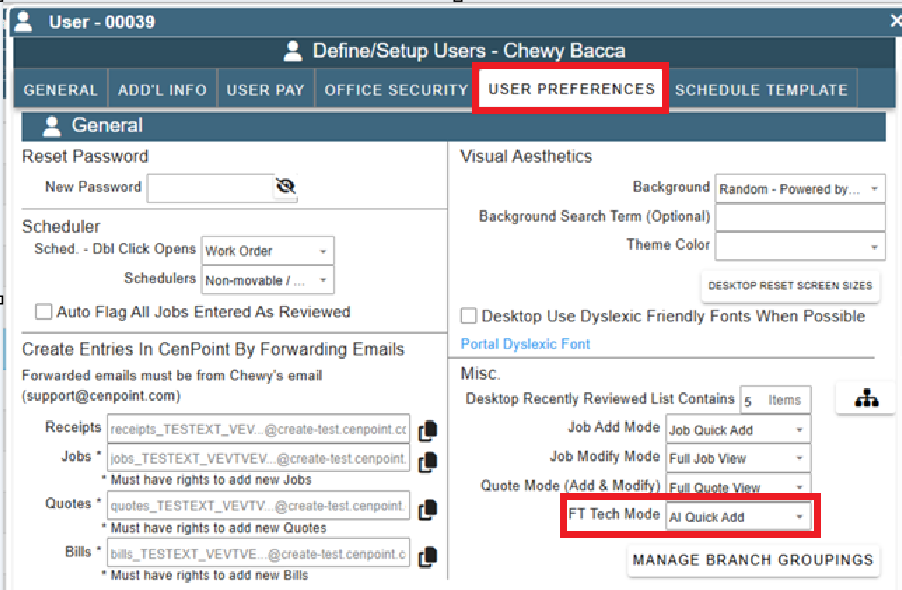
What does that do you may ask? It creates a more simplified way to enter information on the Field Ticket.
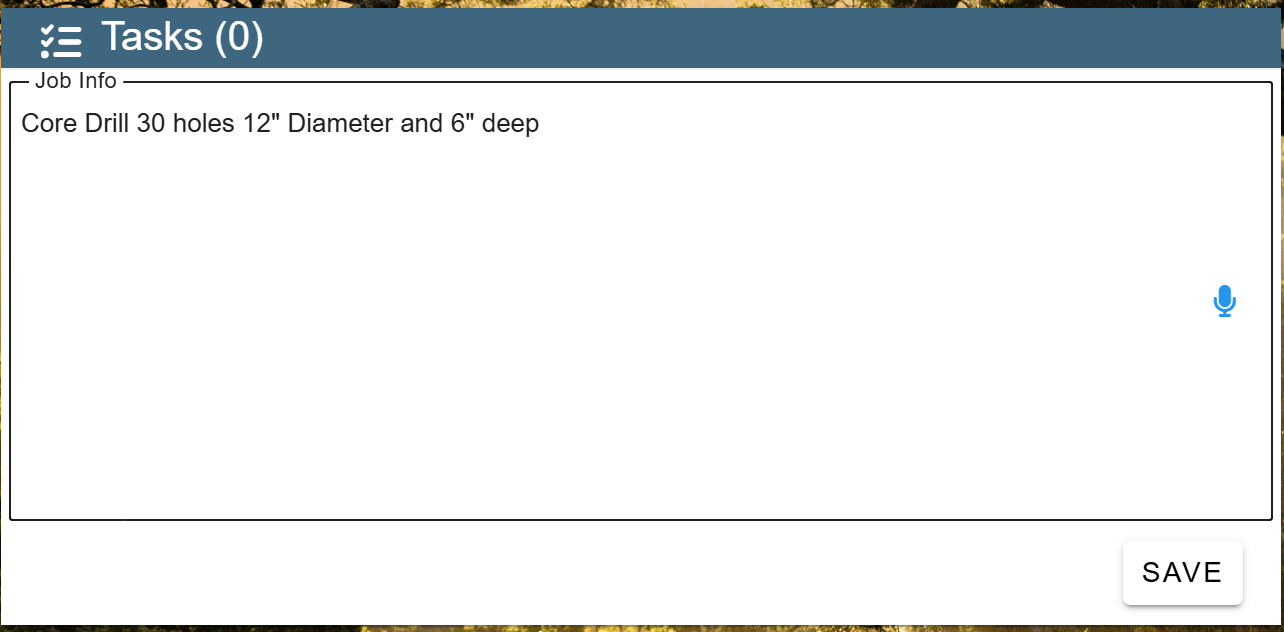
All the information for the tasks, parts, or whatever else happens the tech would enter in the task section as notes.
The technician can either type or use the microphone’s speech-to-text feature to enter all Field Ticket information.
.png)
The technician's type in the tasks they did in the notes field.
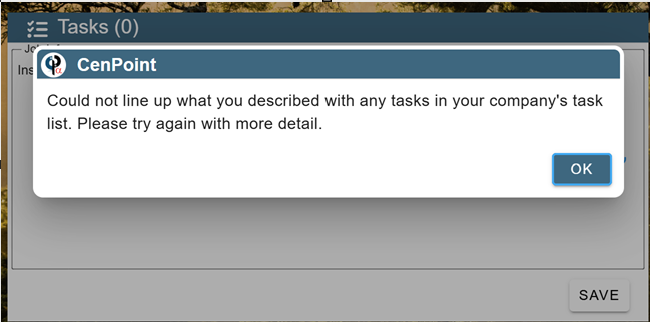
If a technician enters a task without enough information, they will receive a notification similar to the one shown below.
*Disclaimer: Use of AI features may result in additional charges.
See this for more details about AI Charges: https://help.cenpoint.com/docs/ai-credit-system