
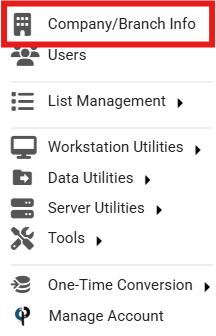
To enable AI Features for office staff, Go to More -> Company/Branch Info
.png)
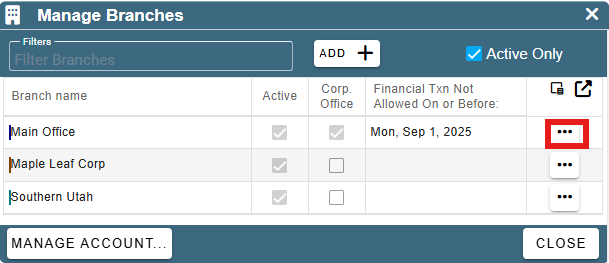
 From here, go to the desired branch and select the ellipsis next to the branch you want to edit and click Modify in the drop down.
.png)
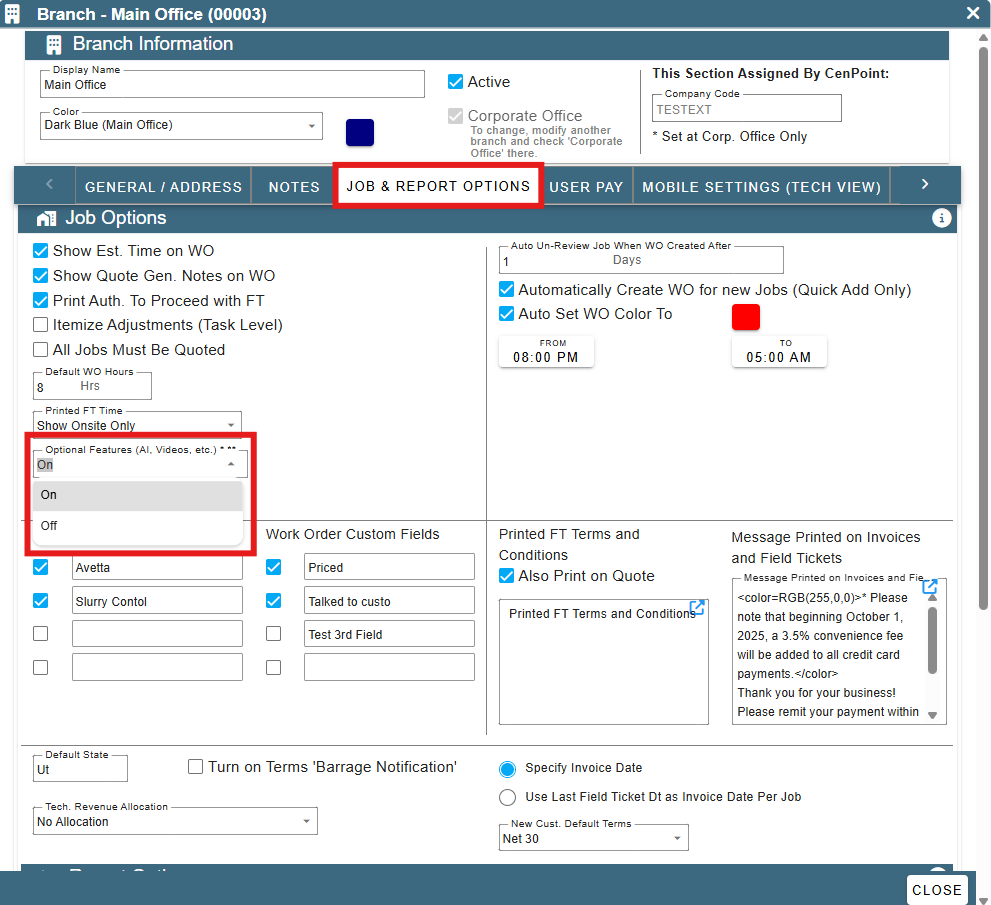
From here, go to JOB & REPORT OPTIONS from here, you can go down to the Optional Features (AI, Videos, etc.) and change that to be On.
Congratulations, you can now use AI features such as creating a job or quote and forwarding emails to CenPoint to create entries.
For more information on these features use the following links:
Using Email: https://help.cenpoint.com/docs/create-entries-using-email-forwarding
Creating a Job: https://help.cenpoint.com/docs/create-a-job-with-ai
Creating a Quote: https://help.cenpoint.com/docs/new-quote-with-ai
You may need to refresh your browse or restart CenPoint to see the new fields and selections for AI.