
Create Entries in CenPoint by forwarding emails
Create Entries in CenPoint by forwarding emails
Auto Create Receipts Via Email
To get to the place to get the link that you will need to create a receipt from AI, first you need to open the hamburger menu in the top right.
.png)
This opens the side menu. Here at the top, you can select the receipt option at the top.
.png)
Click that receipt icon and you will copy the link automatically.
IMPORTANT NOTE: Forwarded emails must be from the email listed under your User Preferences.
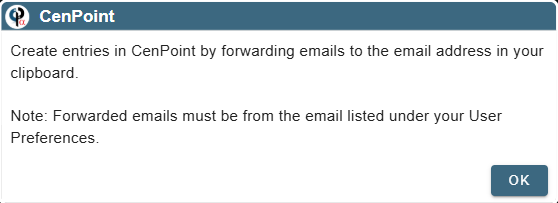
Now, navigate to your email associated with CenPoint, find the email you want to use as a receipt, click forward on the email and paste what you copied into your clipboard (Ctrl + v) into the "To" field. Then send it off and our AI will handle everything else.
Auto Create Jobs Via Email
Using the same beginning process as above, you can select the job option at the top.
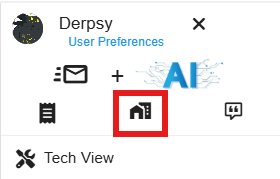
Click that job icon and you will copy the link automatically.
IMPORTANT NOTE: Forwarded emails must be from the email listed under your User Preferences.
Now, navigate to your email associated with CenPoint, find the email you want to use as a job, click forward on the email and paste what you copied into your clipboard (Ctrl + v) into the "To" field. Then send it off and our AI will handle everything else.
Auto Create Quote Via Email
Using the same beginning process as above, you can select the quote option at the top.
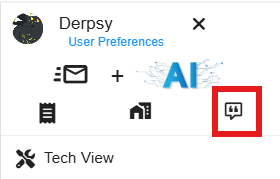
Click that quote icon and you will copy the link automatically.
IMPORTANT NOTE: Forwarded emails must be from the email listed under your User Preferences.
Now, navigate to your email associated with CenPoint, find the email you want to use as a quote, click forward on the email and paste what you copied into your clipboard (Ctrl + v) into the "To" field. Then send it off and our AI will handle everything else.
Auto Create Bill Via Email
Each of the above processes have two ways of getting to the link to email to our AI. Bills only has one way as of yet.
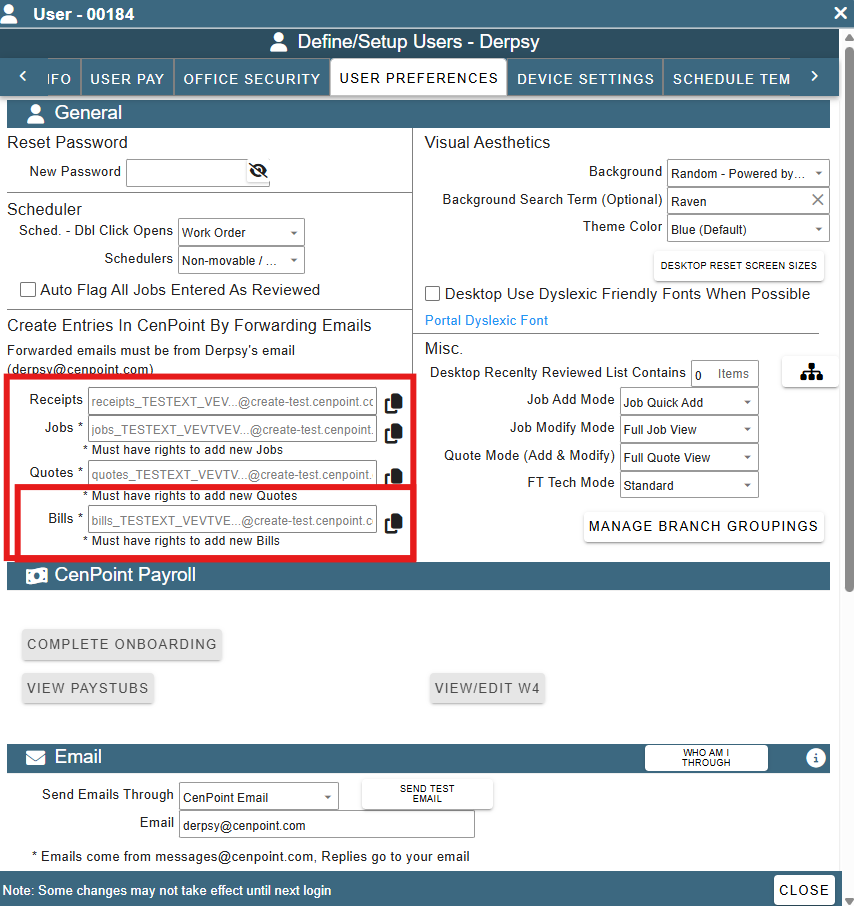
For Bills, go to user preferences by using the hamburger menu as before, then navigate to User Preferences.
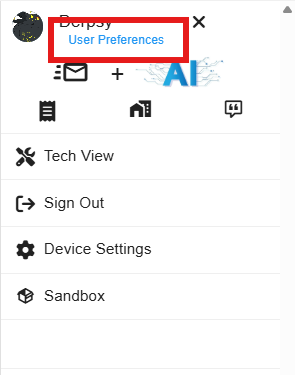
Now you can copy the link for bills, quotes, jobs or receipts to send to the AI via email.
*Disclaimer: Use of AI features may result in additional charges.
See this for more details about AI Charges: https://help.cenpoint.com/docs/ai-credit-system