
TLDR: This update contains 13 new features and 4 bug fixes.
• Added: Scheduler -> Unassigned WOs: Can now sort the list by date, job, est. duration, etc.
.png)
• Added: Scheduler -> Unassigned WOs: New option to filter the list by task abbreviation (e.g. 'CD' for Core Drill, etc.)
.png)
• Added: Scheduler: Incomplete & Contract/Ongoing Jobs
• Remember, if your Incomplete or Jobs To Review lists are long, you can use the dispatching assistant to help clean up your lists :)
.png)
• Added: Scheduler: Now shows a 'line' through today's schedule to indicate current time
• This helps you quickly see where you are in the schedule and what's coming up next vs what's in the past
.png)
• Added: Scheduler: Can now filter by task
.png)
• Added: Scheduler: Can now filter by WO Status (e.g. 'Hide Returned', 'In Progress Only', 'Not Started Only', etc.)
.png)
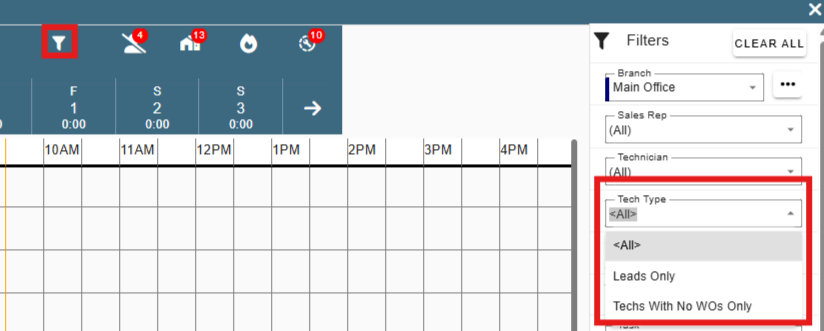
• Added: Scheduler: Can now filter by Tech Type (e.g. 'Leads Only', 'Techs With No WOs Only', etc.)
• Filter by techs with no WOs and drag from the unassigned WOs list to easily schedule your remaining techs until everyone has dropped off of the list
• Added: Tech Weekly Scheduler: Can now sort the unassigned WOs list by date, job, est. duration, etc.
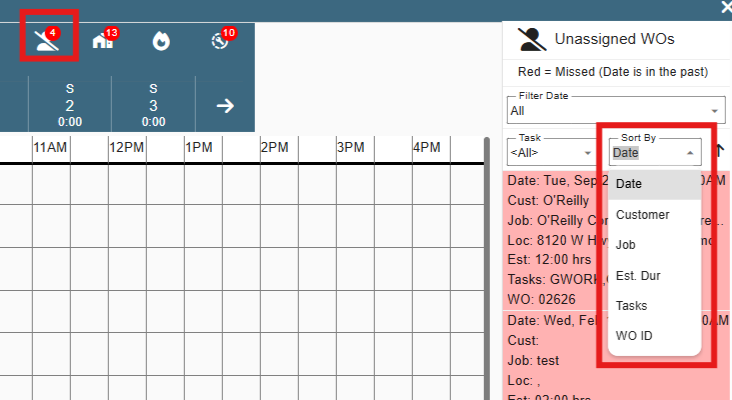
• Added: WO Weekly Scheduler: Can now sort the unassigned WOs list by date, job, est. duration, etc.
.png)
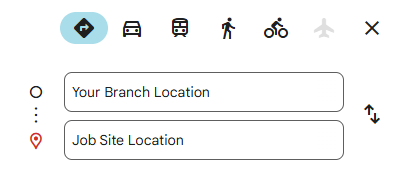
• Added: Jobs / Quotes: When mapping the job site address, now maps from the office address instead of current location if you are on a desktop computer
• This helps fix problems where the ISP is reporting your currently location up to 20-30 minutes away from your actual office
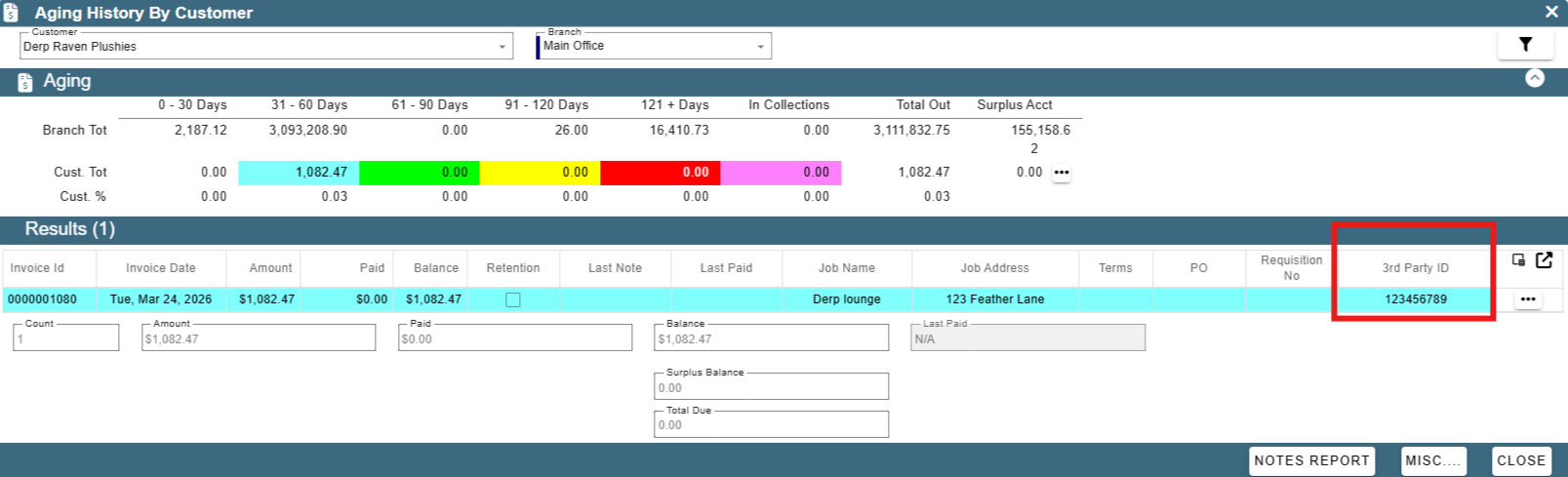
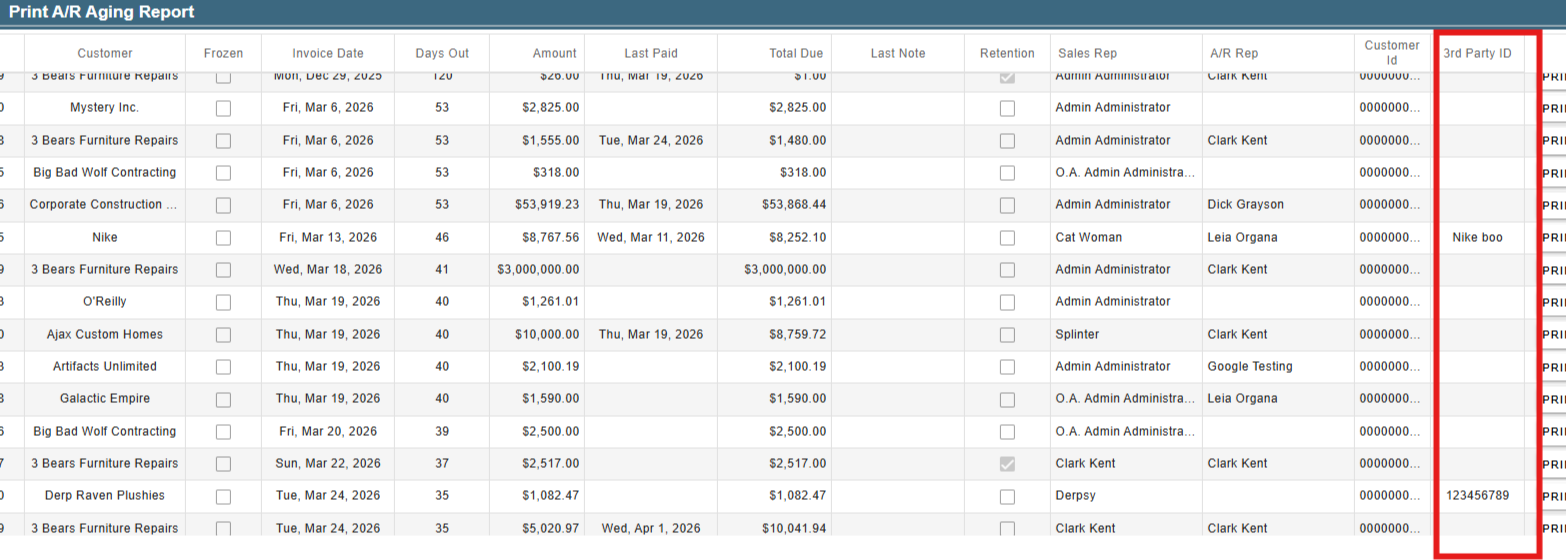
• Added: CP Books -> Aging History By Customer: New column for invoice 3rd Party Id
• This is helpful if billing out of another system and need to match up the invoice numbers in CenPoint to the other system
• Added: CP Books -> Print A/R Aging Report: New option to print the 3rd Party Id as the invoice id on the report (if applicable)
• This is helpful if billing out of another system and need to match up the invoice numbers in CenPoint to the other system
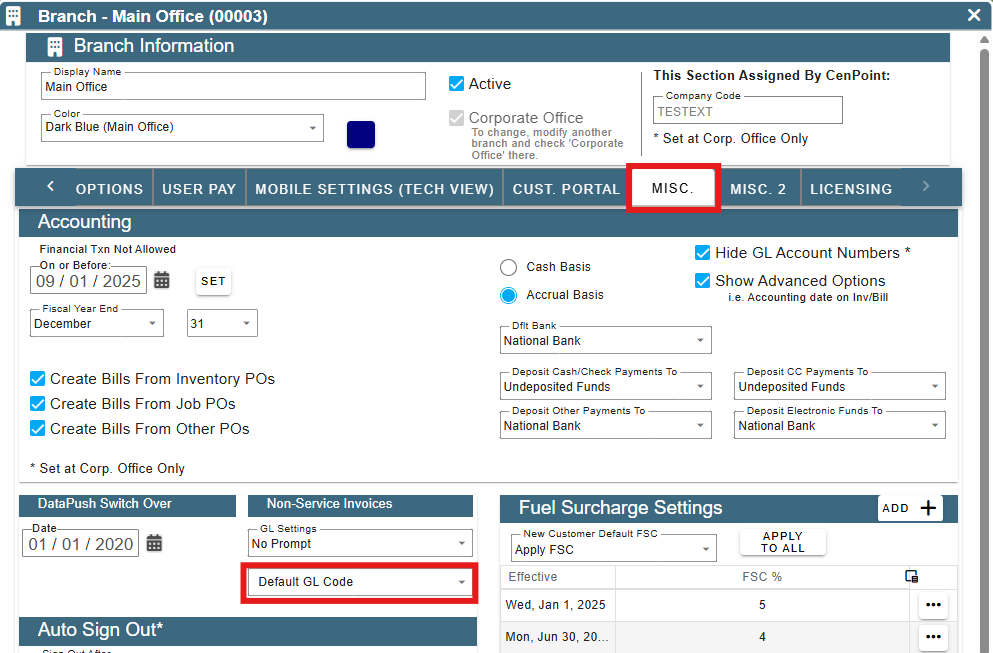
• Added: More -> Company/Branch Info -> Modify -> Misc. Tab: Can now set a default GL Code for Non-Service Invoice Line Items
• Fixed: Add Sales Rep Not in the List option missing on the job screen (ellipsis next to Sales Rep dropdown)
• Fixed: Qty column on itemize FT Part only allowing typing one number at a time
• Fixed: Vehicle list in Inspections was filtering by vehicle name instead of vehicle number
• Fixed: NSIs Gl Code list empty if you don't have CP Books
• Other minor fixes