
TLDR: This update contains 17 new features and 4 bug fixes.
• Added: AI Help Chat
• This is an AI powered help assistant that uses our help docs (human created and human reviewed) to answer your questions
• Use it to figure out how to do something or explain a feature
• We are still training the model so if you don't think your answer is right, let us know so we can improve it!
• We understand how important good support is. You are ALWAYS WELCOME to call or email us with any questions. That is not going away.
• This is just an additional resource for you to get help even faster
.png)
.png)
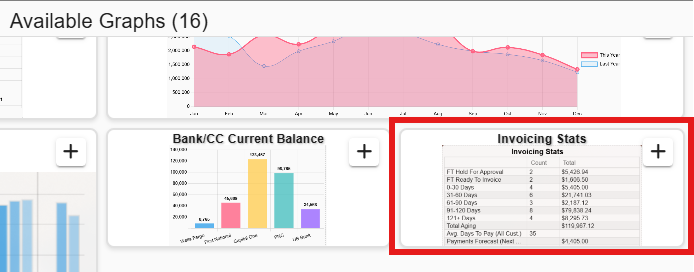
• Added: Dashboard: New 'Invoicing Stats' dashboard
• Keep an eye on how many invoices are past due, how many are due in the next 7 days, field tickets that need to be invoiced, etc. Even included a payments forecast for the next 30 days based on avg. days to pay for your company
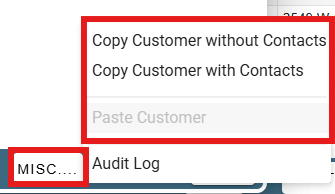
• Added: Customers -> Misc. Button: Can now copy/paste customer info
• This is useful if most of the customer info is the same and just need to tweak 1 or 2 things
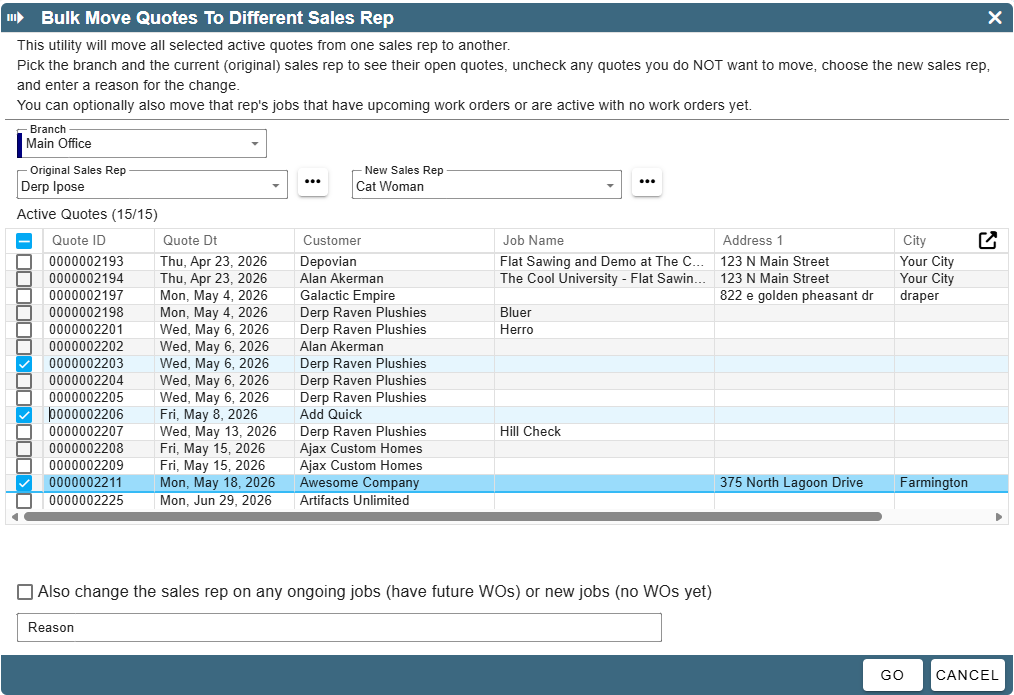
• Added: More -> Data Utilities -> Move Quotes To Different Sales Rep: New utility to move quotes from one sales rep to another in bulk
• This is useful if a sales rep gets promoted or leaves the company and you need to move their quotes to another sales rep
• Added: Errands: Now support named addresses
.png)
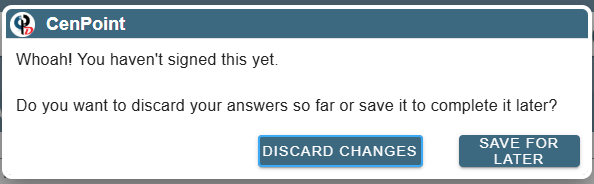
• Added: Tech View: Vehicle Inspections: Now prompts you to discard or sign the inspection when you fill out part of it and try to leave the screen
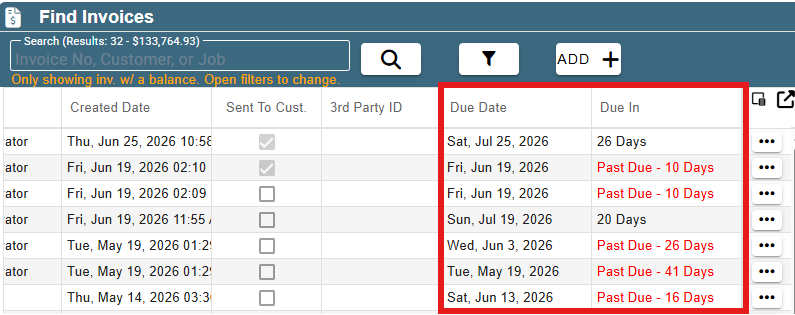
• Added: Find Invoices: 2 new columns for 'Due Date' and 'Due In'
• Can also filter by 'Due Within'
• This is useful if you want to find invoices that are due in the next week, focus on invoices that are past due, etc.
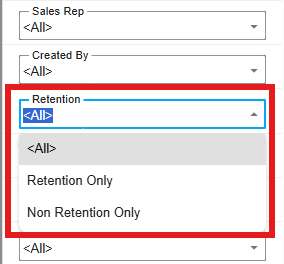
• Added: Find Invoices: Can now filter by 'Retention' / 'Non Retention' invoices
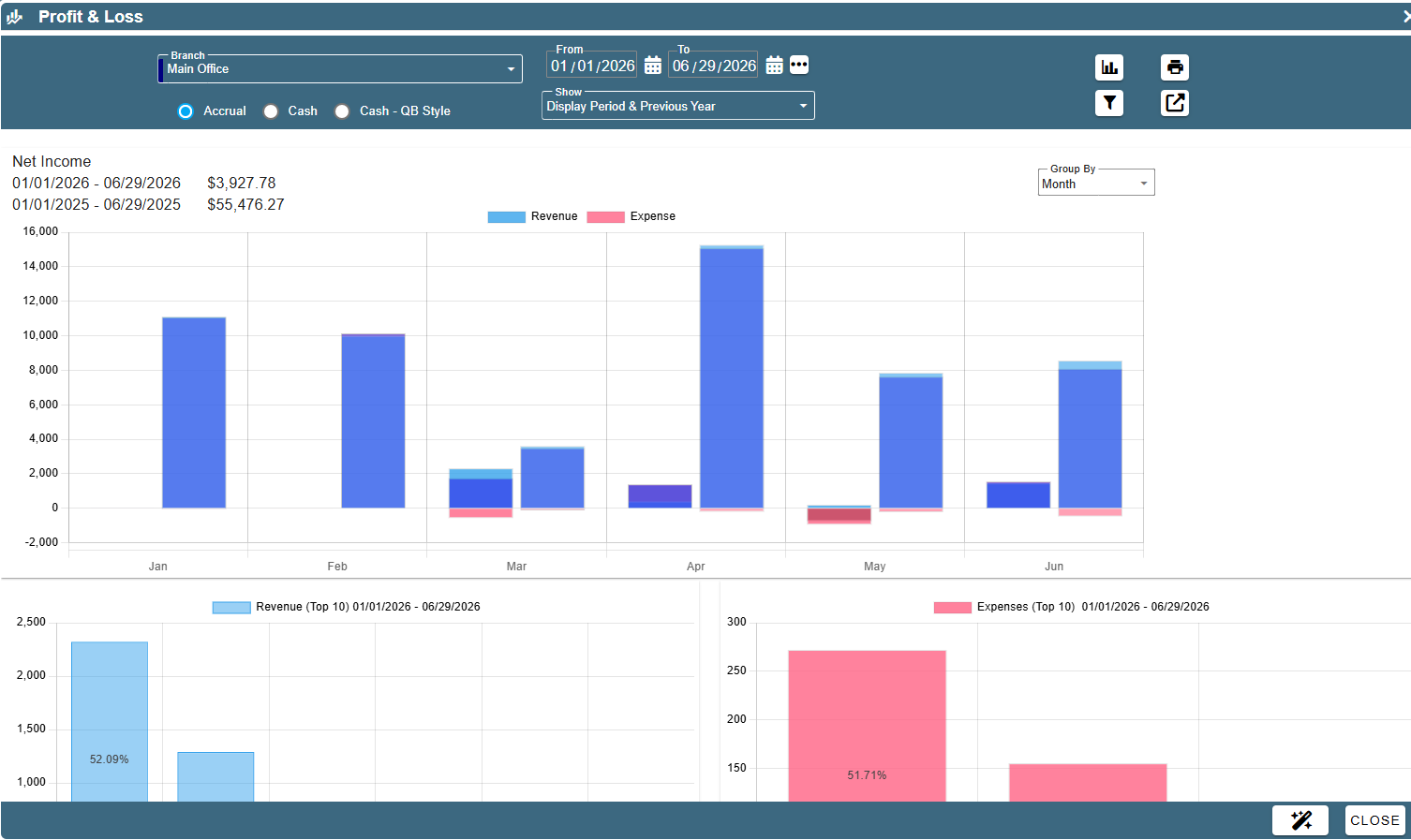
• Added: CP Books -> Financial Reports: Profit & Loss: Can now use AI to analyze your P&L report and get insights on how to improve your business
• Added: CP Books -> Financial Reports: Balance Sheet: Can now use AI to analyze your balance sheet and get key metrics investors often look at or areas of concern
.png)
• Added: Reports -> Job Reports -> Job Costing: Can now use AI to analyze your job costing report and get insights on jobs that are doing well or have areas of concern

• Added: Reports -> Report Cards -> Tech Report Card: Can now use AI to analyze your tech report card and get insights on techs that are doing well or have areas of concern
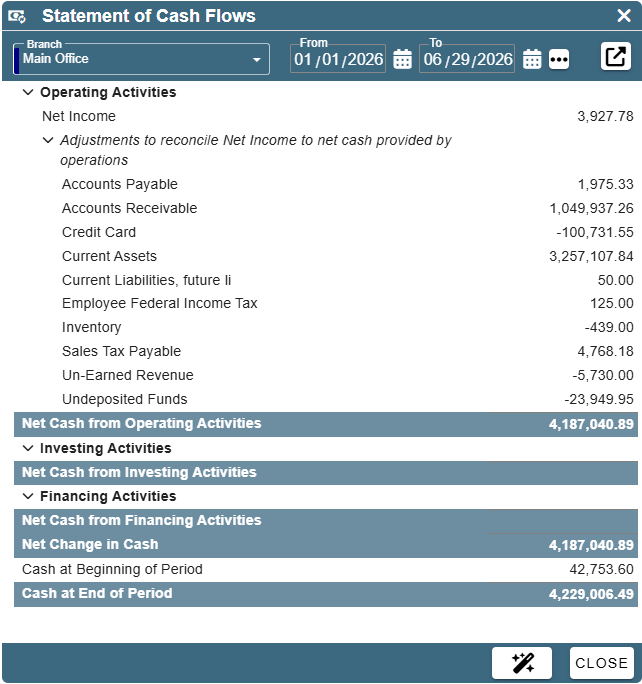
• Added: CP Books -> Financial Reports: Statement of Cash Flows
• You guessed it, you can also use AI to analyze your statement of cash flows and get insights on how to improve your cash flow
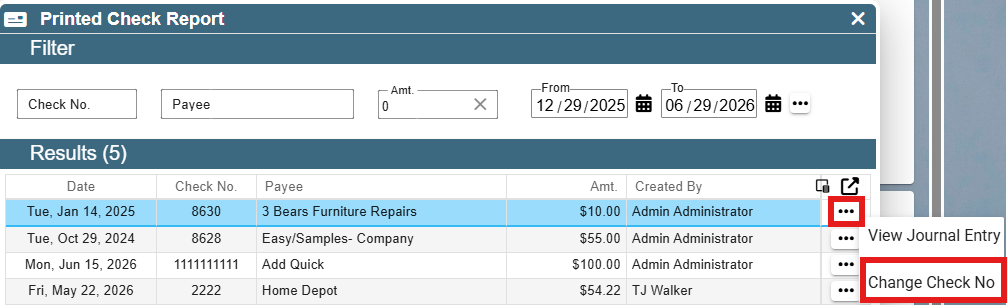
• Added: CP Books -> Checks -> Printed Check Report
• If you are a system admin, you can also change the check number on a printed check if it was entered incorrectly
• Added: Payroll -> PTO Summary Report
• This report shows you how much PTO each employee has accrued, used, and has remaining
.png)
• Added: Reports -> Clock In Status
• This report shows you the current status of each user in the system (clocked in, on site, on a FT, etc.)
• You can also get to this report from the scheduler(s)
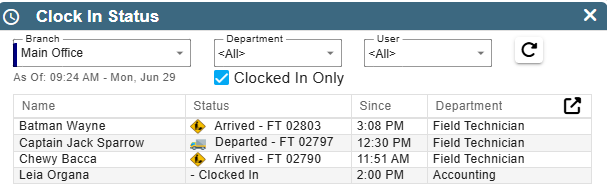
• Added: Dashboard: Clock In Status can be added as a dashboard widget to see the current status of each user in the system (clocked in, on site, on a FT, etc.)
.png)
• Fixed: When scheduling a WO, task previously scheduled hours not showing correctly
• Fixed: Find Job task filter not working correctly
• Fixed: Job Add'l Costs grid not showing the duration or notes
• Fixed: Printing Time Card Details for a large number of users timing out
• Other minor fixes