
TLDR: This update contains 3 major changes, 10 new features, and 7 bug fixes.
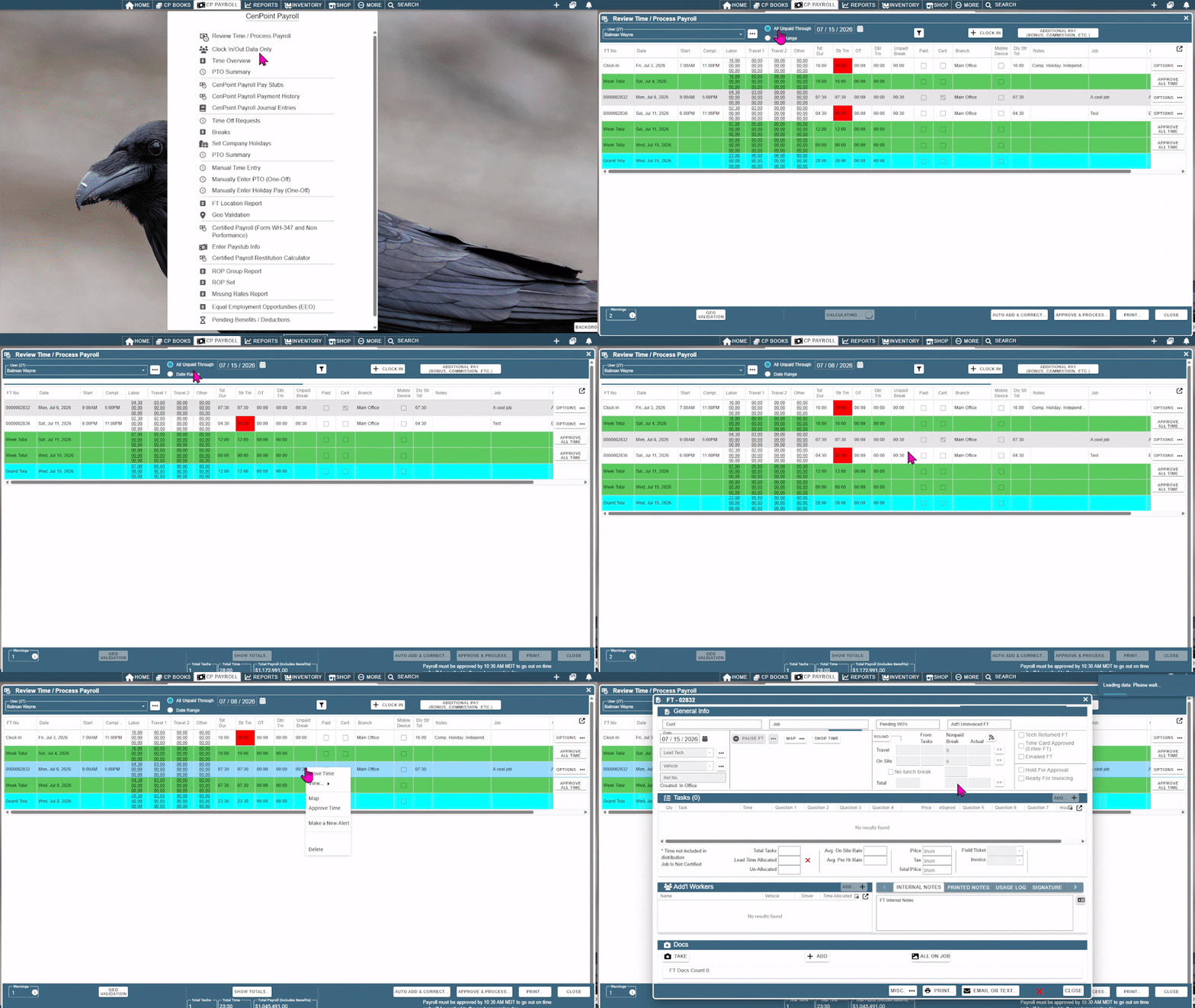
• Major Change: Payroll now behaves differently!
• CenPoint is now tracking if a record is 'paid'
• FT & Clock Ins are automatically flagged as paid when payroll is exported
• The default for the Review Time / Export Payroll screen has changed to filter to all unpaid records through the pay week end date
• This helps you easily see if you had to add hours for last week that haven't been paid yet
• All FT & Clock in before July have been automatically flagged as paid
• Note: To clear out any records that are already paid (so users aren't double paid), change the 'All Unpaid Through' date to your last paid through end date and then export payroll again to flag those records as paid
.gif)
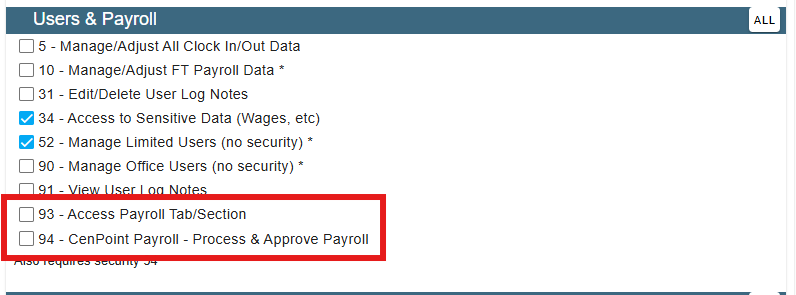
• Major Change: Users-Security: Added security level 93 (Access Payroll Tab/Section)
• Major Change: Users-Security: Added security level 94 (CenPoint Payroll - Process & Approve Payroll)
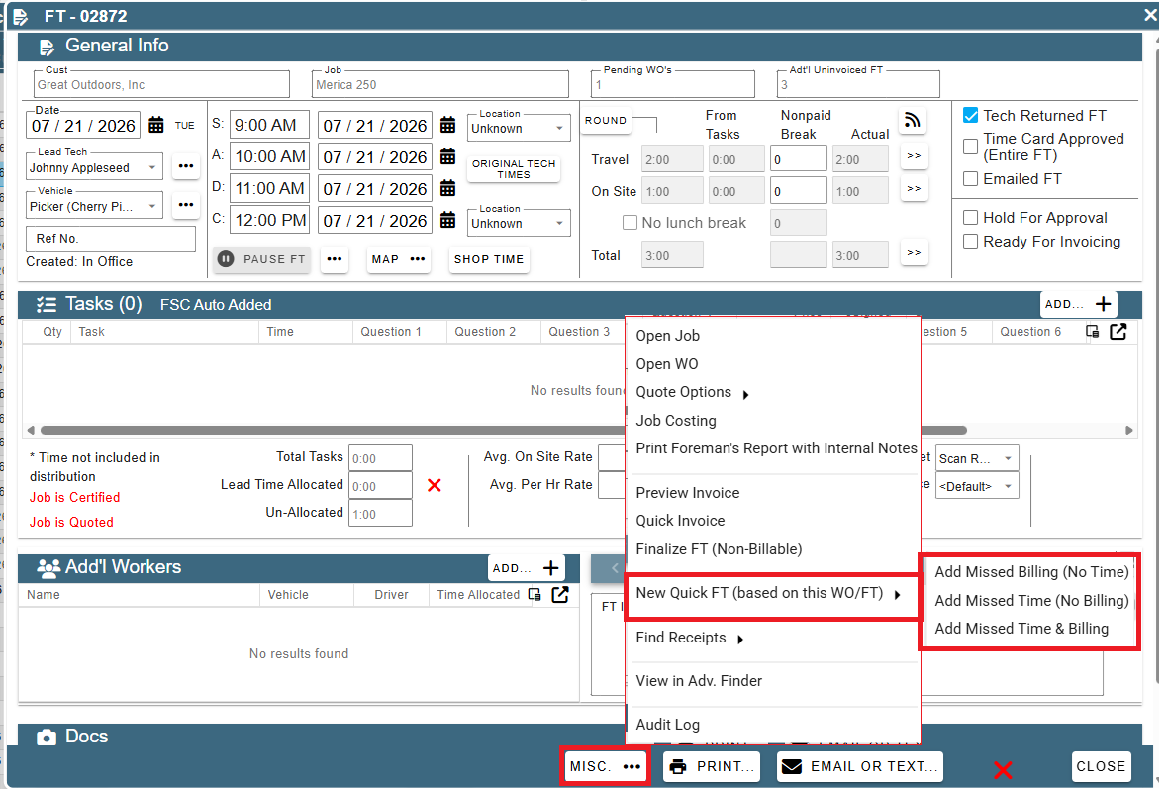
• Added: Field Ticket -> Misc. Button: Can now create a 'Quick FT' to add missed payroll hours or missed billing
• This creates a fully functional FT that can be used to add missed payroll hours or missed billing. Edit times / tasks / pricing just like you would the original FT
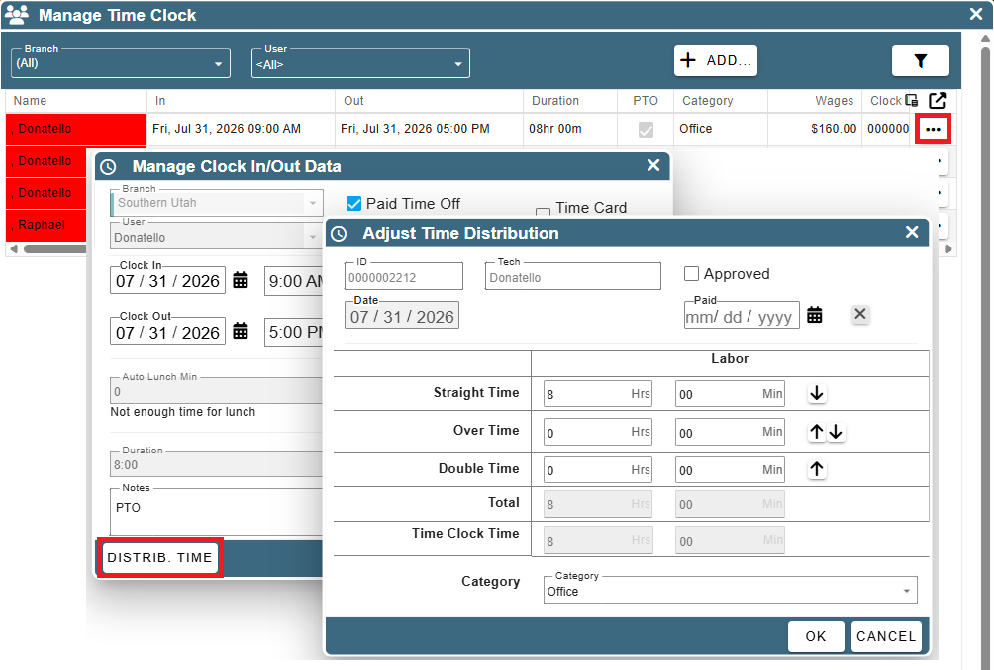
- Added: Adding Clock In Records From A Manage Screen: Can now distribute time (i.e. OT, Dbl) directly from the clock in screen.
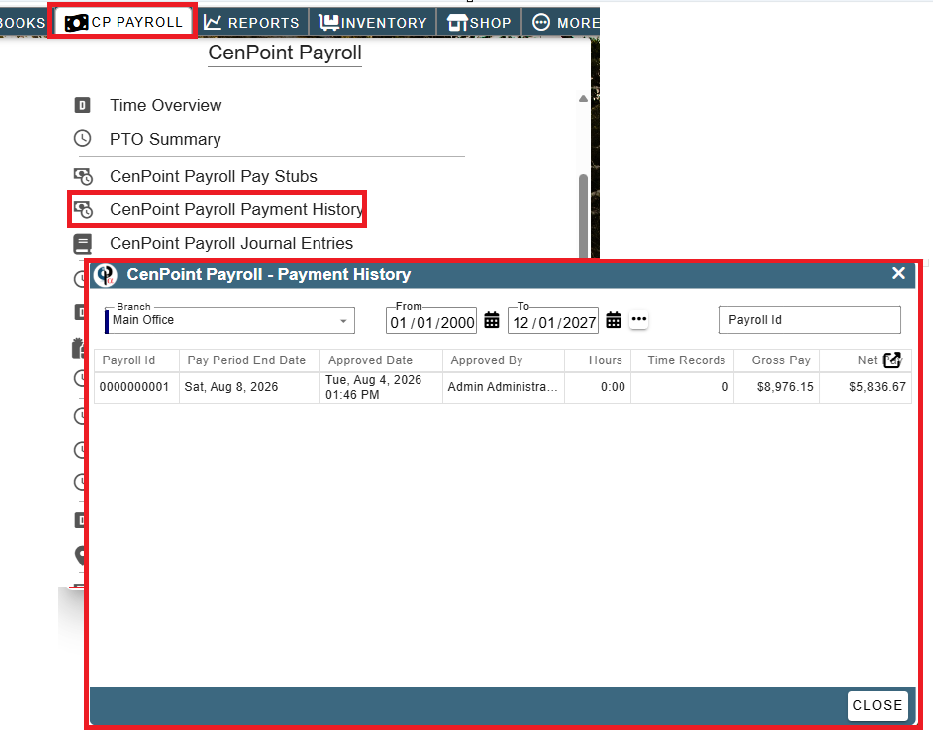
- Added: CenPoint Payroll -> Payroll History: See a list of who approved payroll and when, including total hours, gross & net pay
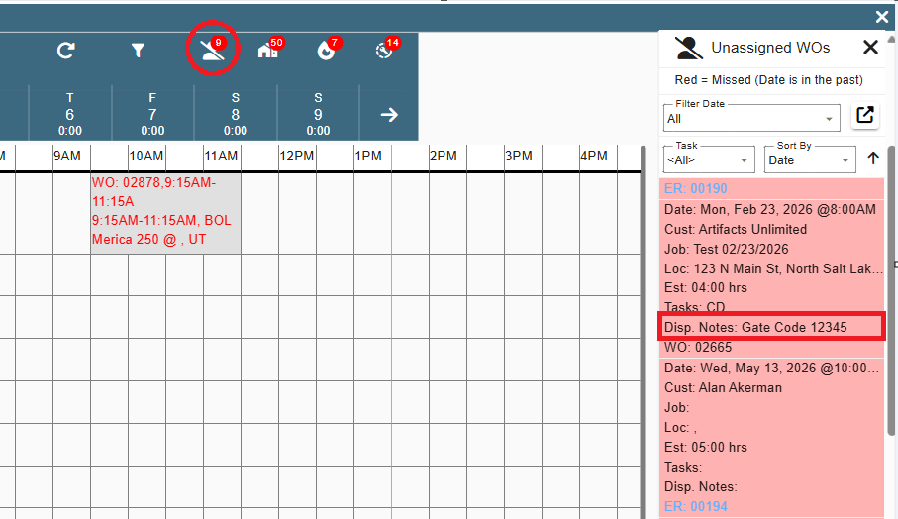
- Added: Scheduler -> Unassigned WOs: Now shows the Dispatch Note
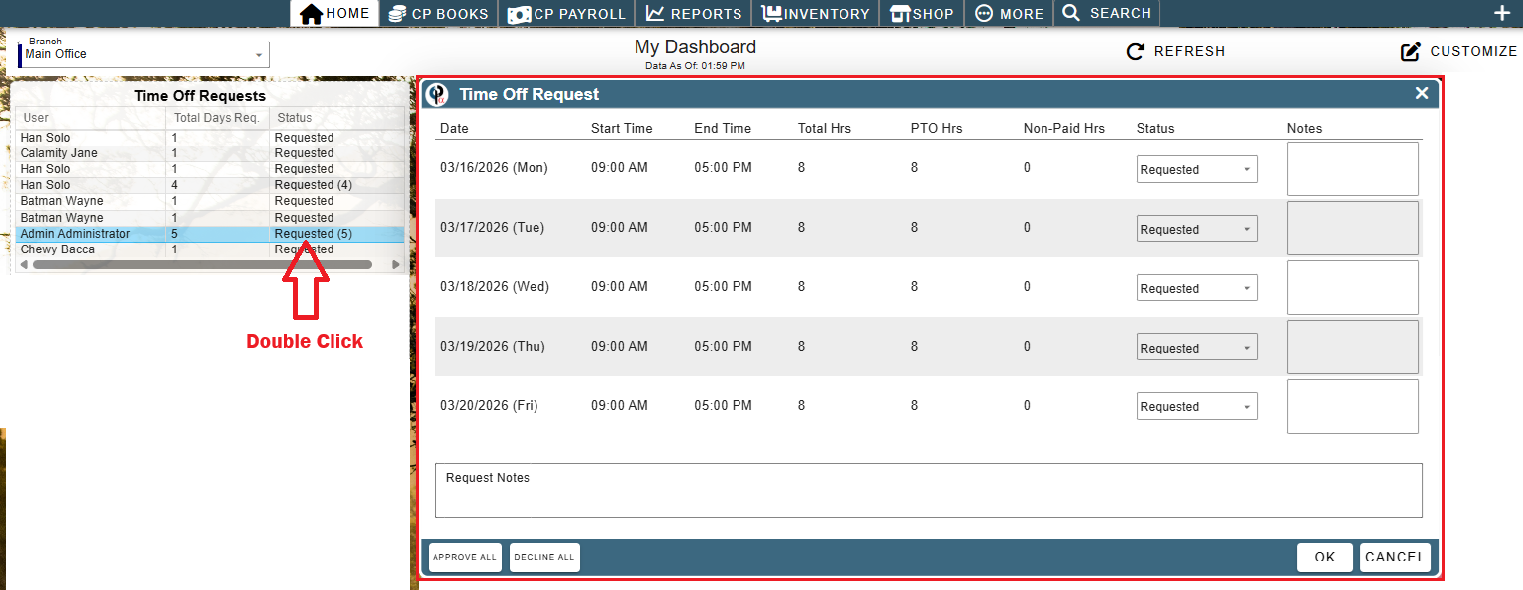
- Added: Dashboard: New 'Time Off Requests' dashboard
• Allows you to see all time off requests that have not been approved or declined yet
• Hint: Double click on a time off request to open it and approve or decline it
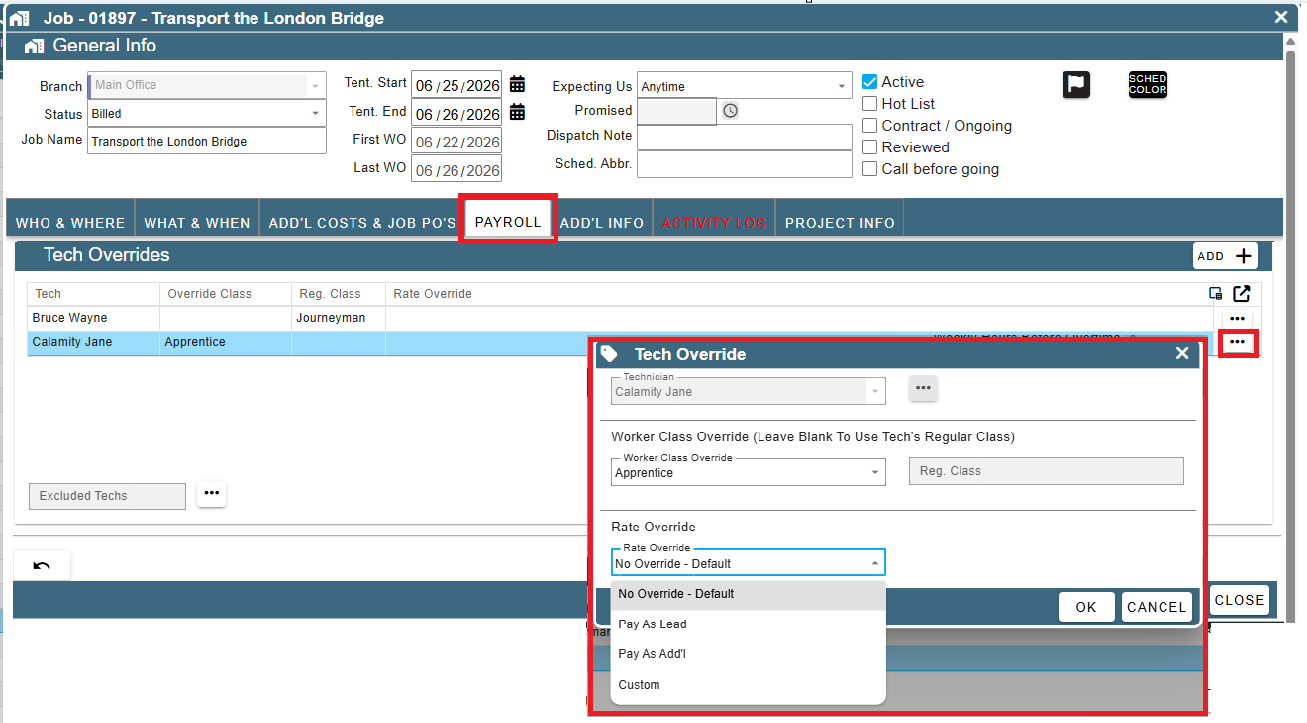
- Added: Job -> Payroll Tab: Worker Class Override has been enhanced / renamed to 'Tech Overrides'
• You can now override the rate of pay for each tech in addition to the worker class on a job
• You can override the rate to always pay them as a lead, an add'l worker, or set a custom rate
• If you set it to 'Lead' or 'Add'l Worker', it will honor that instead of looking if they are the lead / add'l worker on each FT
• Note: CenPoint still honors / compares against the tech's default rate and uses the higher of the two rates
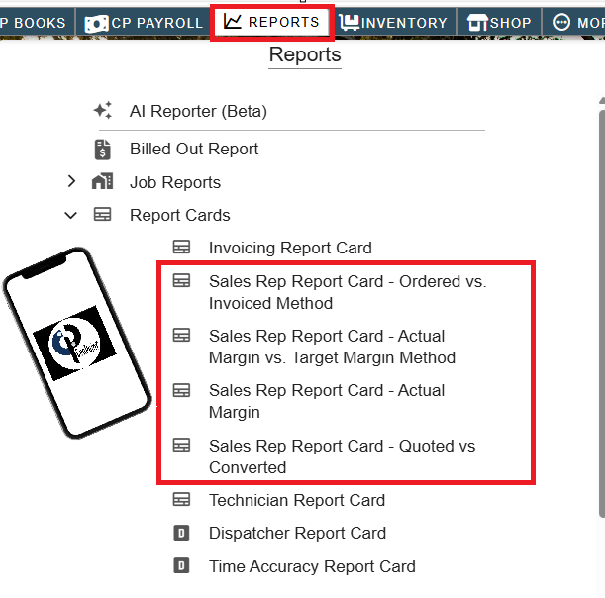
Added: Reports -> Report Cards: The 4 Sales Rep Report Cards now runs on a Mac and your phone!
• That's right, you can now run Sales Rep Report Cards from any device, not just the windows client
• Includes: Ordered vs. Invoiced Method, Actual Margin vs. Target Margin Method, Actual Margin, & Quoted vs Converted
• Any of the report cards that call job costing in auto mode behind the scenes now include any fixes in job costing that were not in the legacy view so numbers may vary slightly from the legacy view
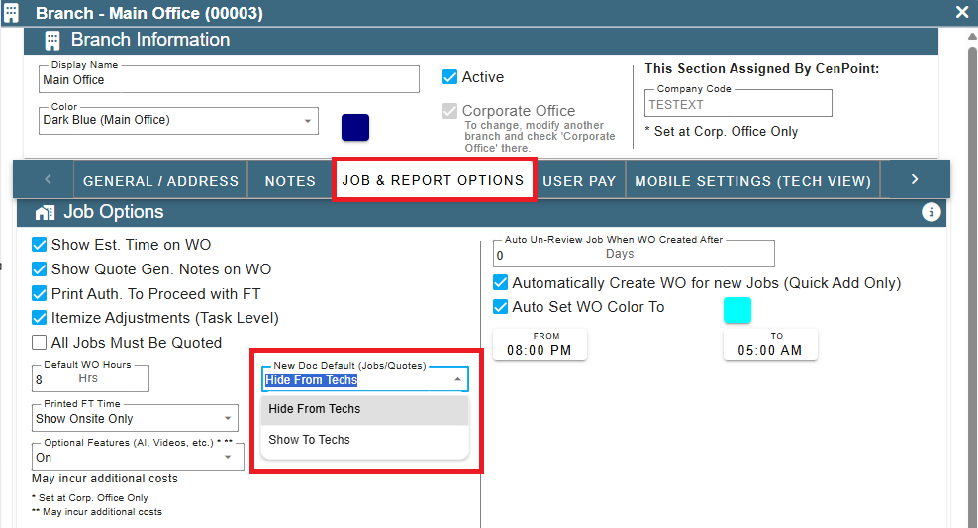
- Added: More -> Company/Branch Info -> Job & Report Options Tab: New setting to hide or show new docs to the techs by default
• This is a default value only. You can always override it per document
• The default has stayed the same (hide from techs) so pricing isn't inadvertently shown to techs
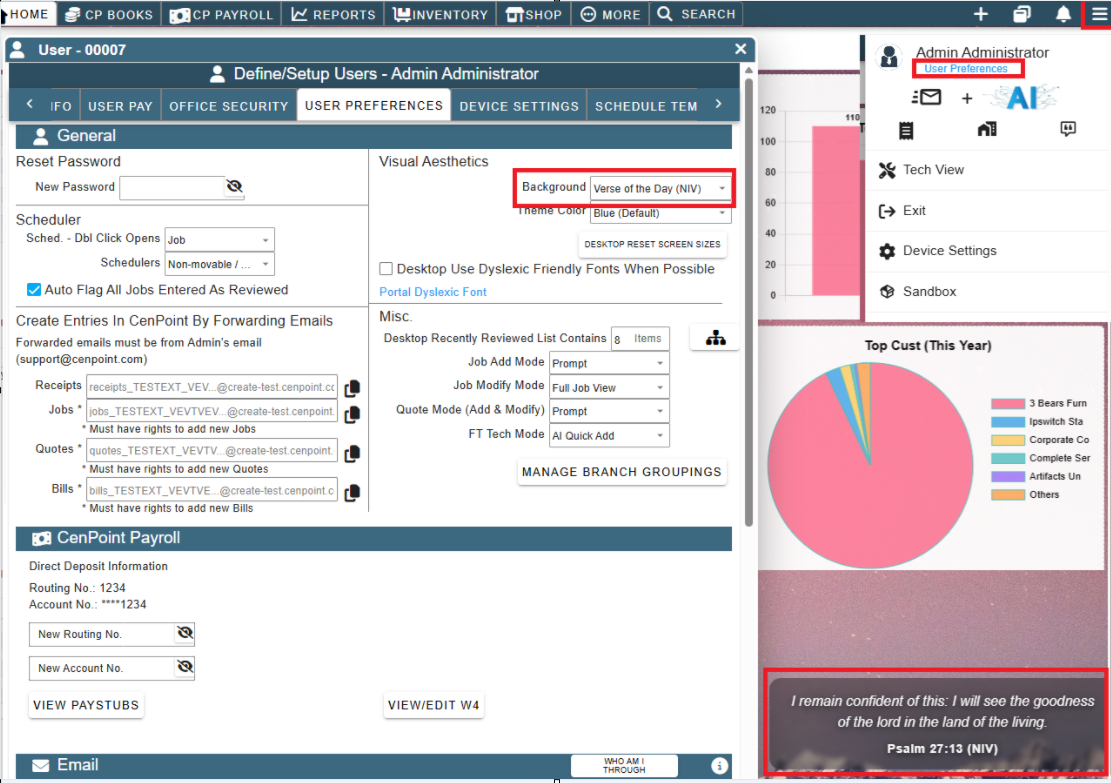
- Added: Menu -> User Preferences: Can now set a 'Verse of the day' option as your background (still shows a nature background, just overlays a verse of the day on top of it)
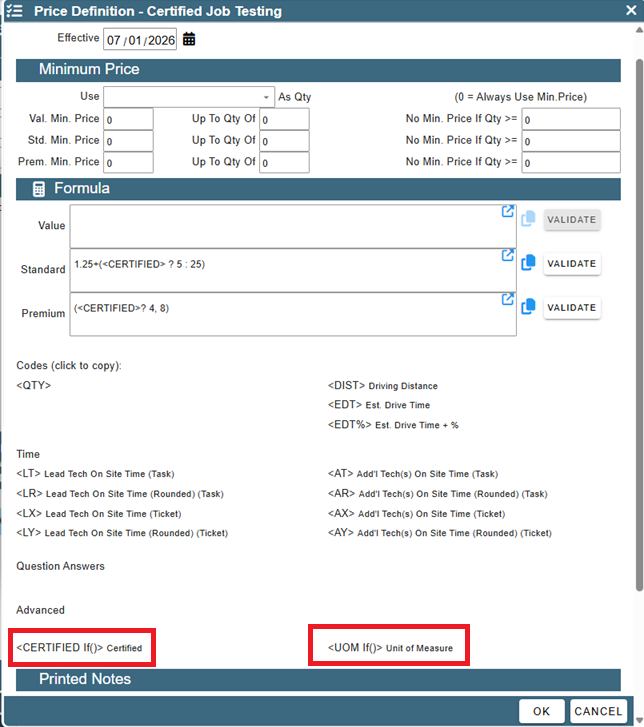
- Added: Tasks -> Formula Pricing: New codes for <CERTIFIED> (If the job is certified, add ___ to the price) & <UOM> (Change pricing for inch foot vs sq. yards, etc.)
• Fixed: Gmail emails not sending correctly in some scenarios
• Fixed: Duplicate lines being shown on the 'Who' dropdown when doing a manuel journal entry
• Fixed: Scheduler(s) not opening in a seperate monitor correclty in some scenarios
• Fixed: Invoice info was letting you add tax to an invoice tied to a tax-exempt job. This has now been locked down.
• Fixed: Trainings not correctly honoring year when prompting to retake a training that was taken in a previous year
• Fixed: Foreman option missing on the WO screen (was present on the Field Ticket screen but couldn't pre-set it on the WO)
• Fixed: Tech View: When clicking on 'View Inspections', it was opening up the inspections for the last job you were on instead of the vehicle inspections in some instances
• Other minor fixes