
TLDR: This update contains 18 new features and 31 bug fixes.
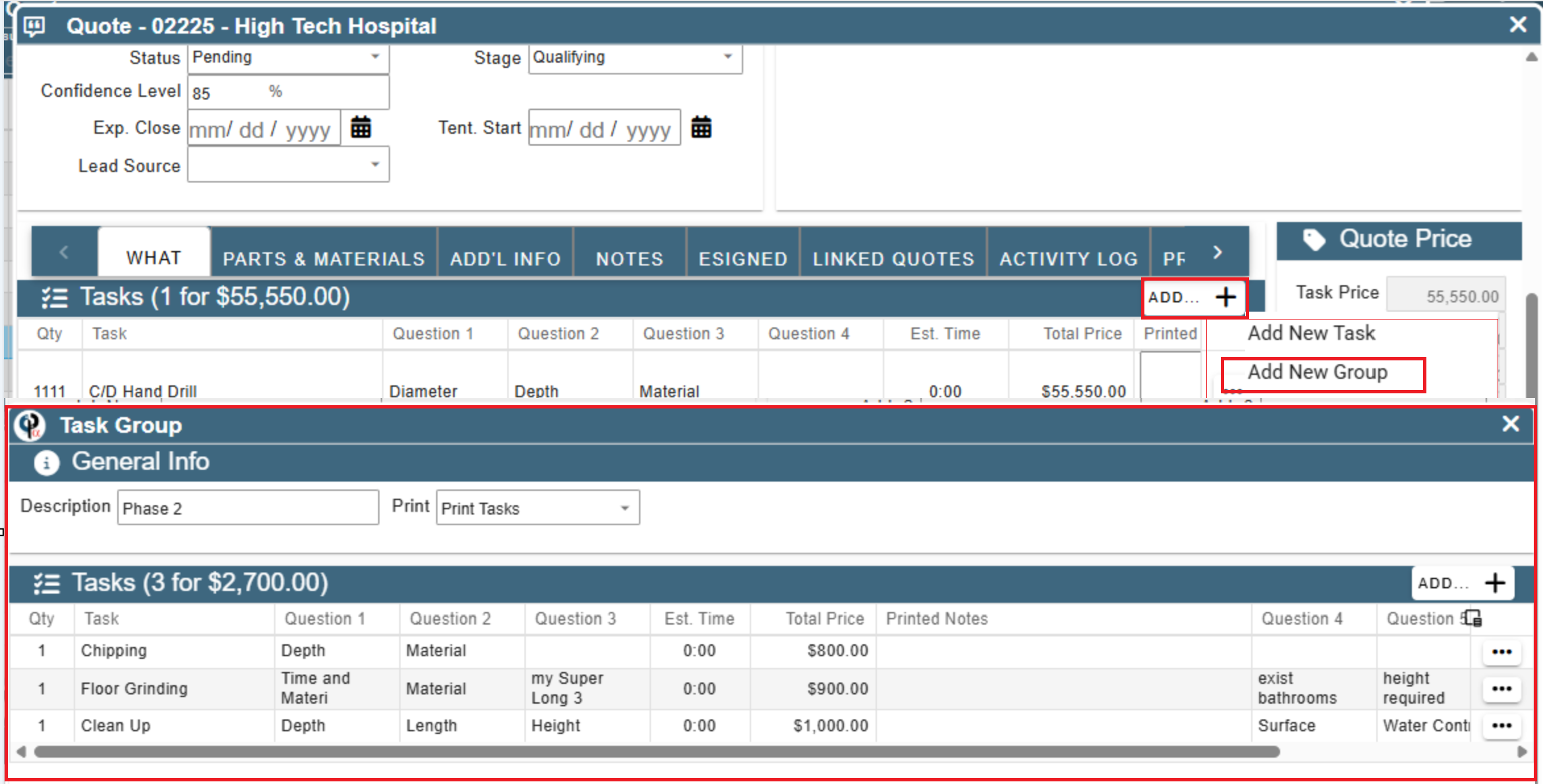
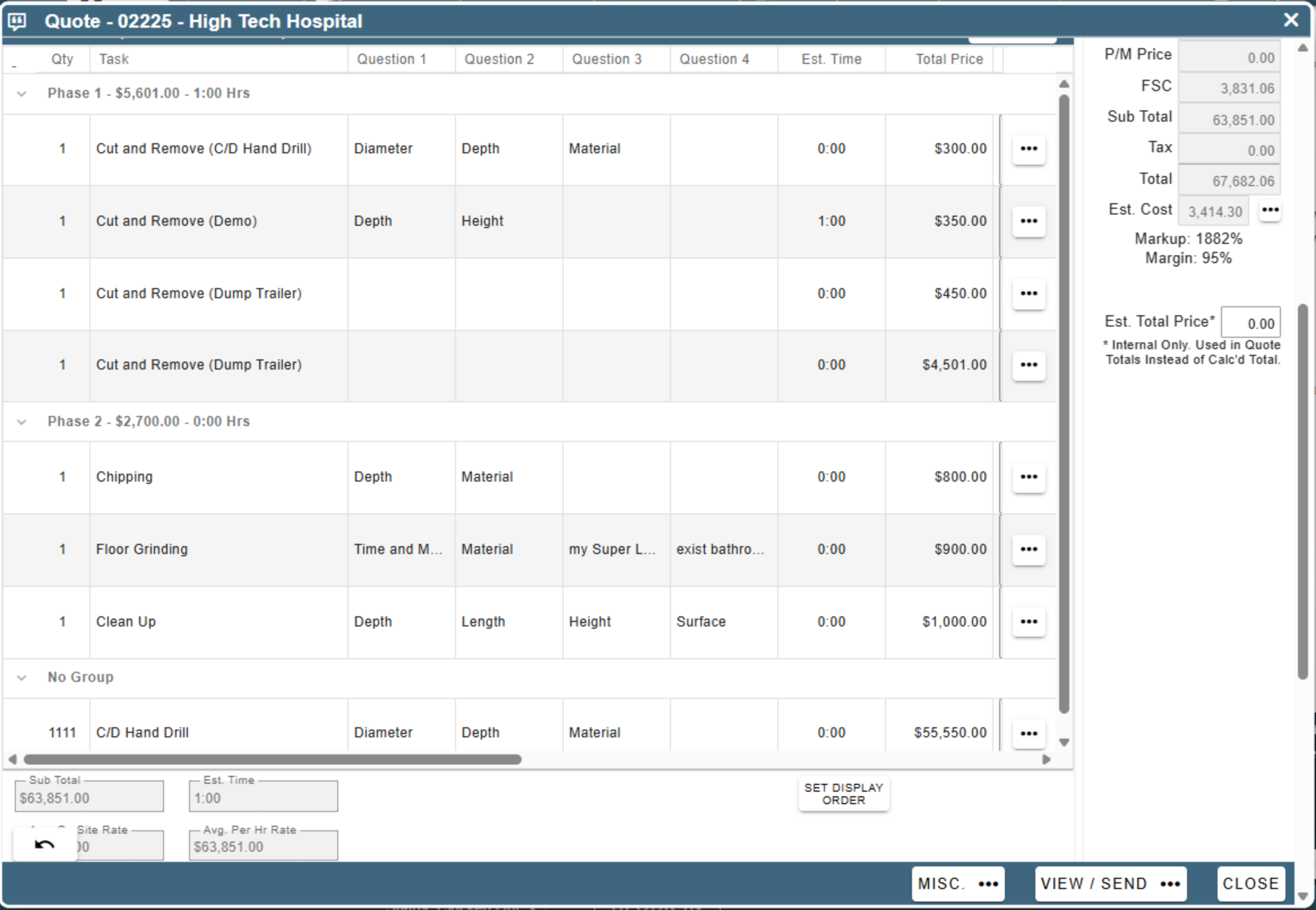
• Added: Quotes / Jobs: Task Groups
• Group tasks on quotes / jobs by things like location, phases, optional add-ons, etc.
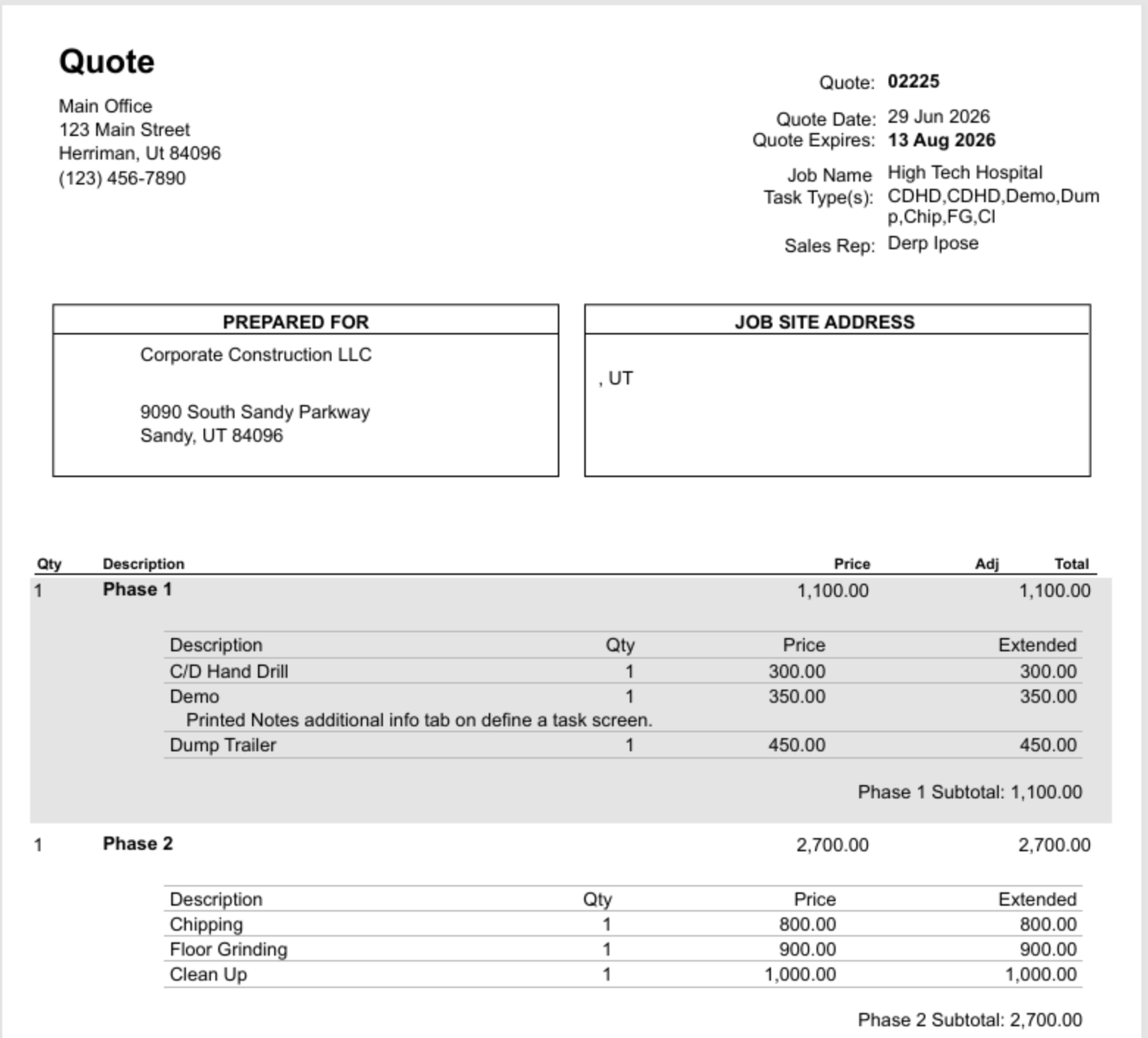
• Prints out inside of the group for easy viewing by your customer
• Requries the new quote format / engine. Please contact support to have your quote converted to the new format if it hasn't been yet
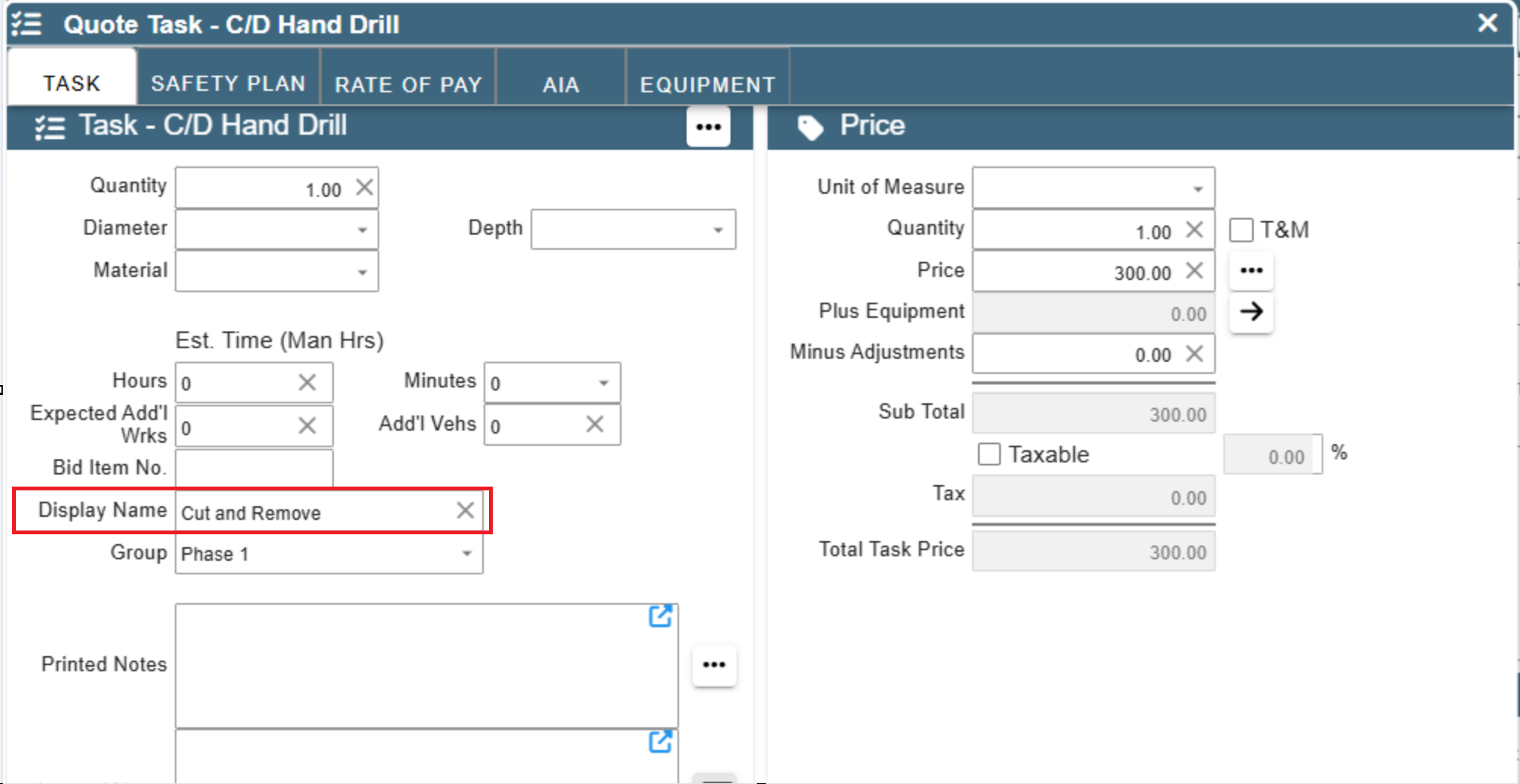
• Added: Quotes / Jobs -> Task: Can now enter a 'Display Name'
• Your customer sees the display name on the printed quote, field ticket, and invoice
• Requries the new quote format / engine. Please contact support to have your quote converted to the new format if it hasn't been yet
• Internally, we show you both the display name and the original task name
• This allows you to be able to re-use tasks in CenPoint without creating job specific tasks
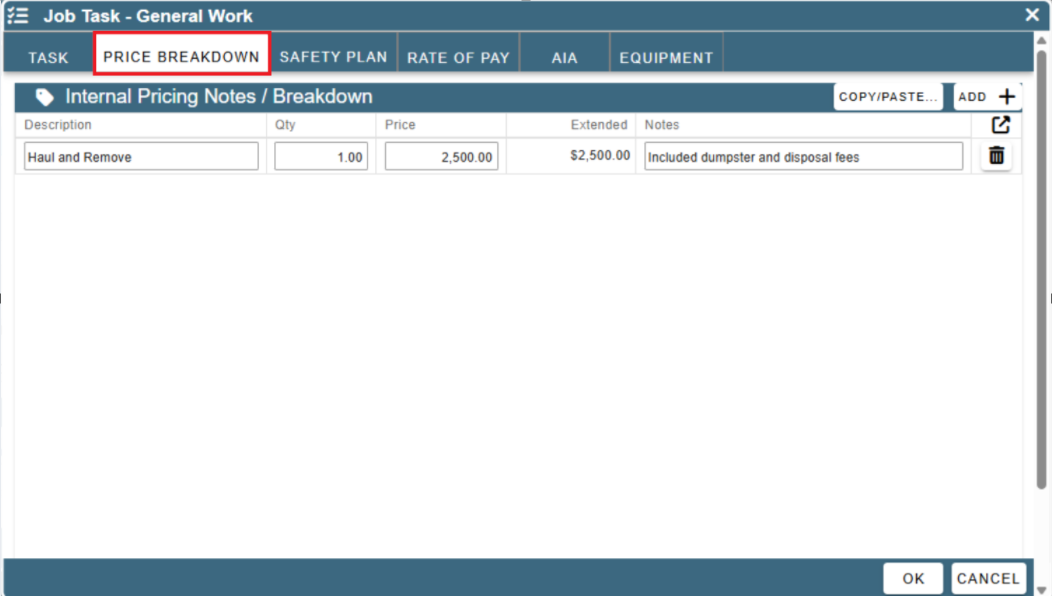
• Added: Quotes / Jobs -> Task: Price Breakdown
• Allows you to easily track how you came up with your price
• Added: Quotes: Task grid now grows as you add more tasks to help you more easily manage larger quotes
• Added: Reports -> Job Reports -> Job Notes: Now runs on a mac or your phone
• Added: A/R -> Aging History By Customer -> Notes Report: Now runs on a mac or your phone
• Added: Payroll -> FT Location Report: Now runs on a mac or your phone

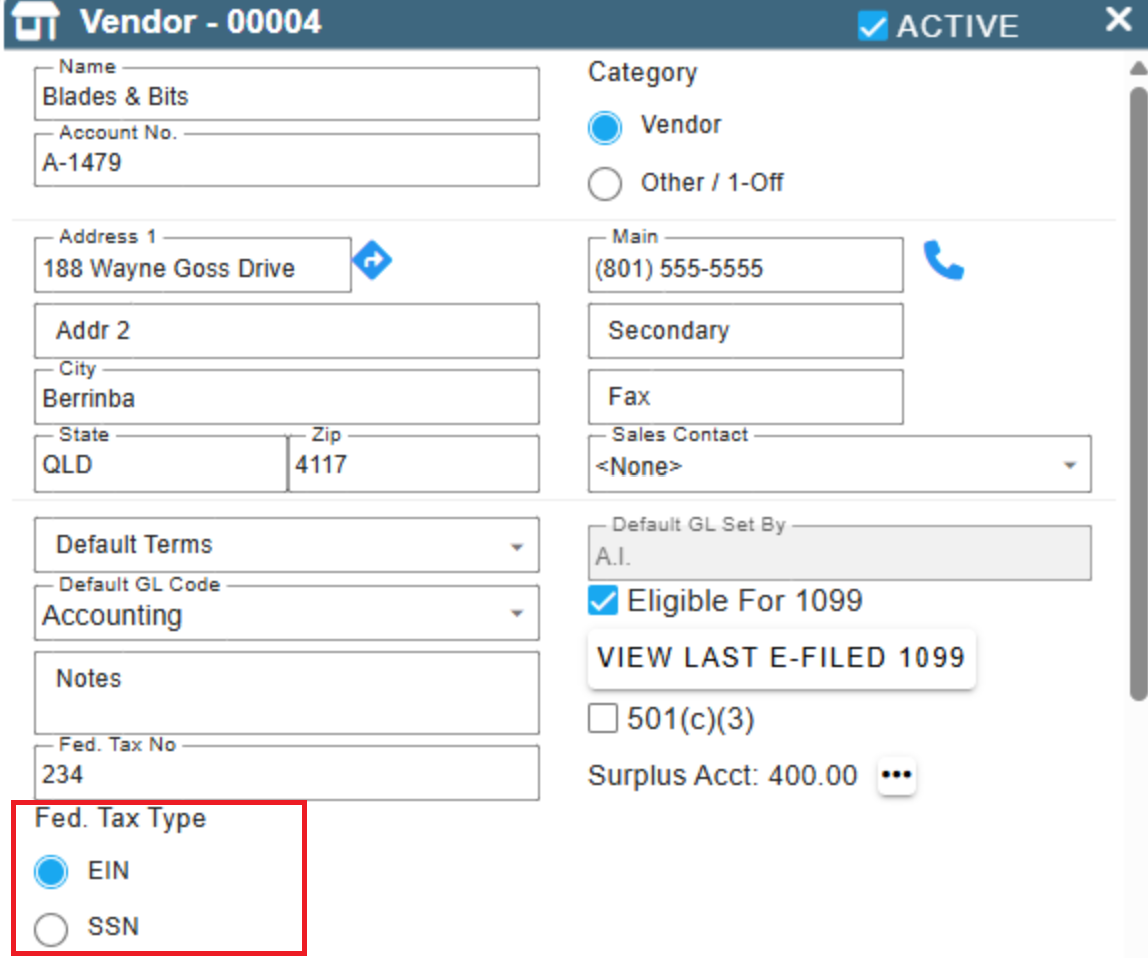
• Added: Vendors: New Fed. Tax Type (EIN / SSN). 1099 e-filing now files SSN vendors as individuals
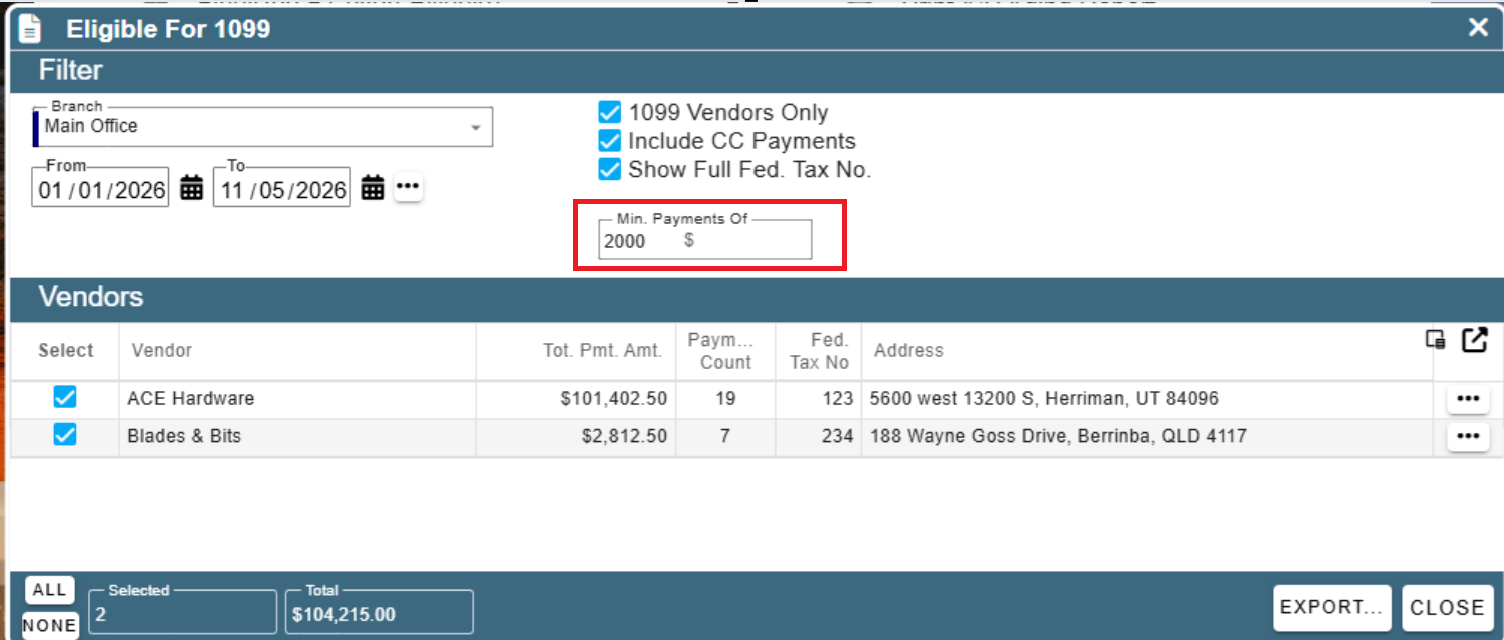
• Added: A/P -> Eligible For 1099: e-filing updated for tax year 2026
• The minimum payment now defaults to $2,000 for 2026 on (new IRS limit), used to be $600
• Accepted / rejected e-file statuses now show up as alerts, including why it was rejected
• Added: Better error handling
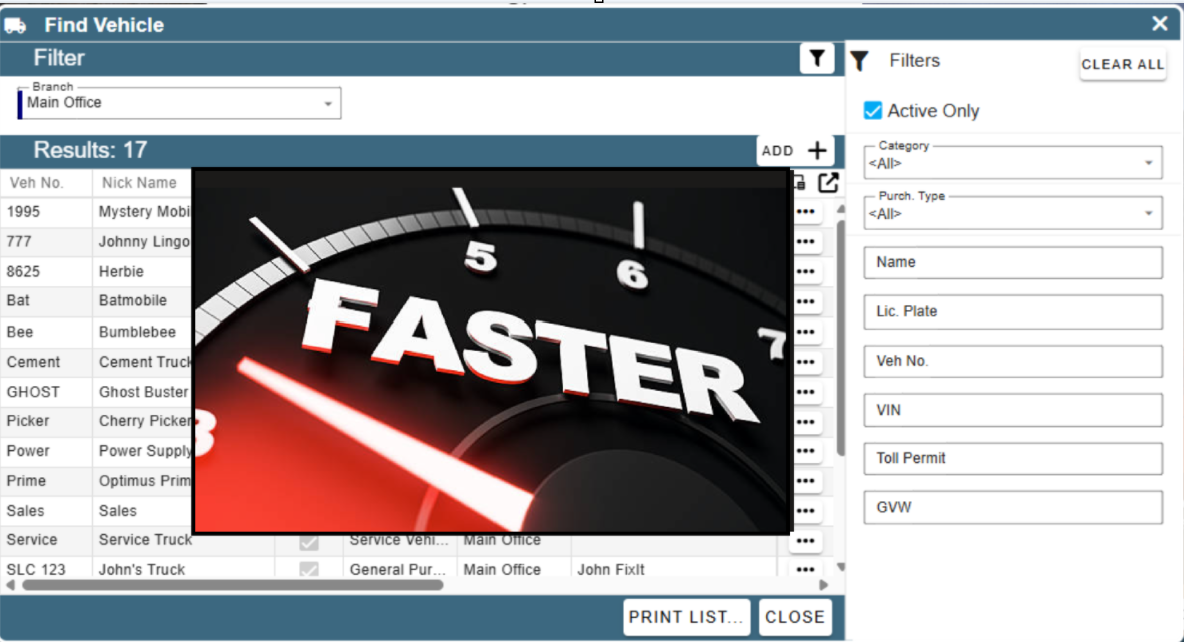
• Added: Equipment, Vehicle, Training and Incident screens open faster
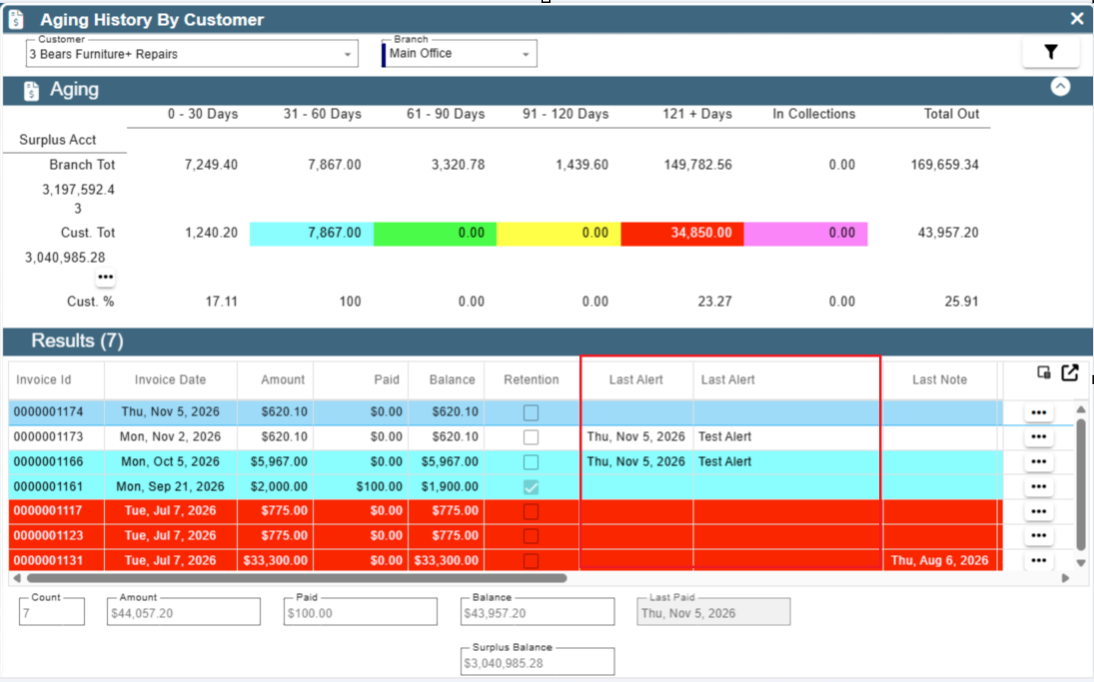
• Added: A/R -> Aging History By Customer: New Alert Functionality
• Alerts are now tied directly to the invoice you choose instead of the just the job for the invoice
• Last Alert now shows in the grid so you can use it as a pseudo note
• If the invoice is paid before the alert is scheduled for, it will be auto marked as completed to help with what you need to follow up on
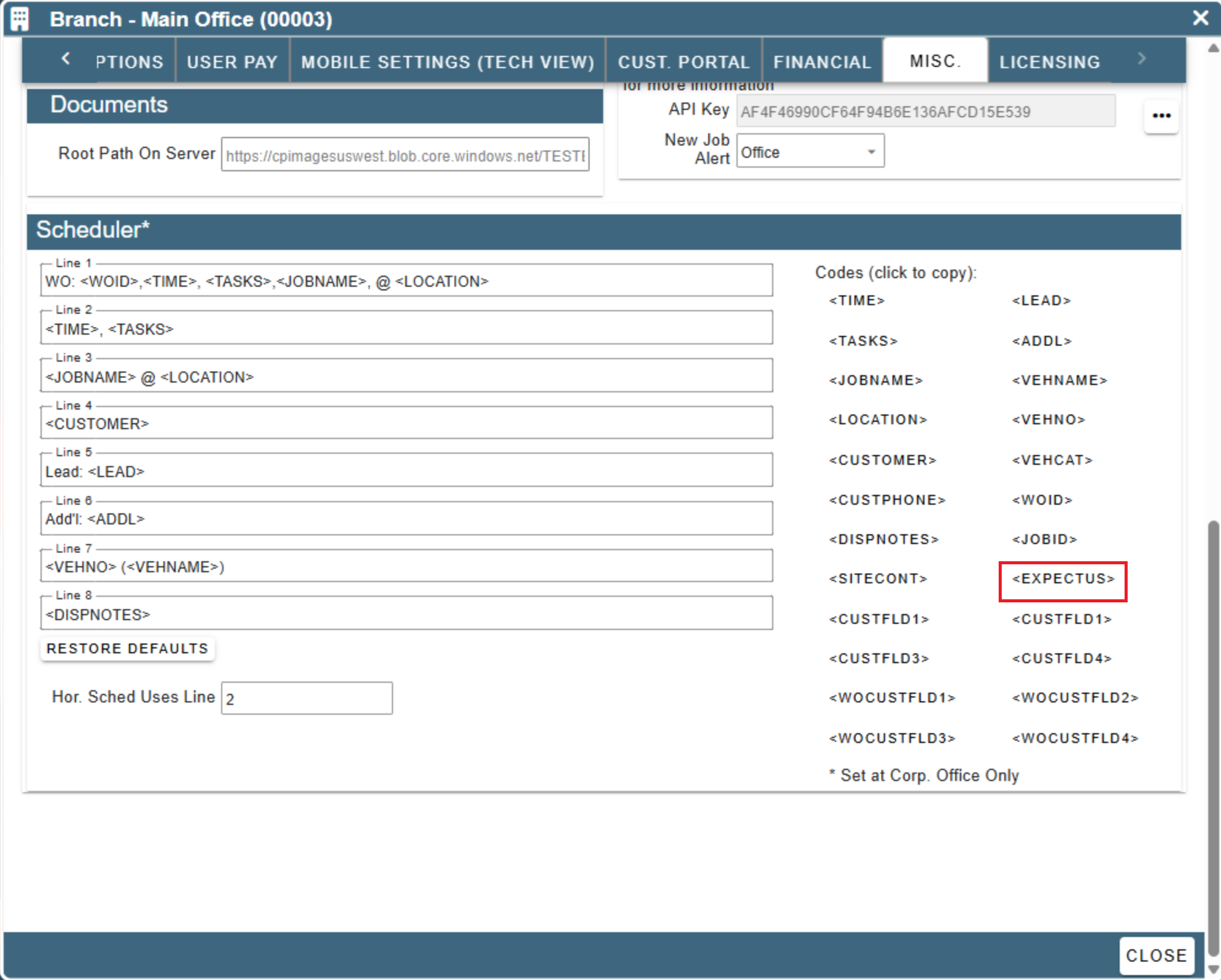
• Added: Company/Branch Settings -> Scheduler: New <EXPECTUS> code shows the WO's Expecting Us on the scheduler
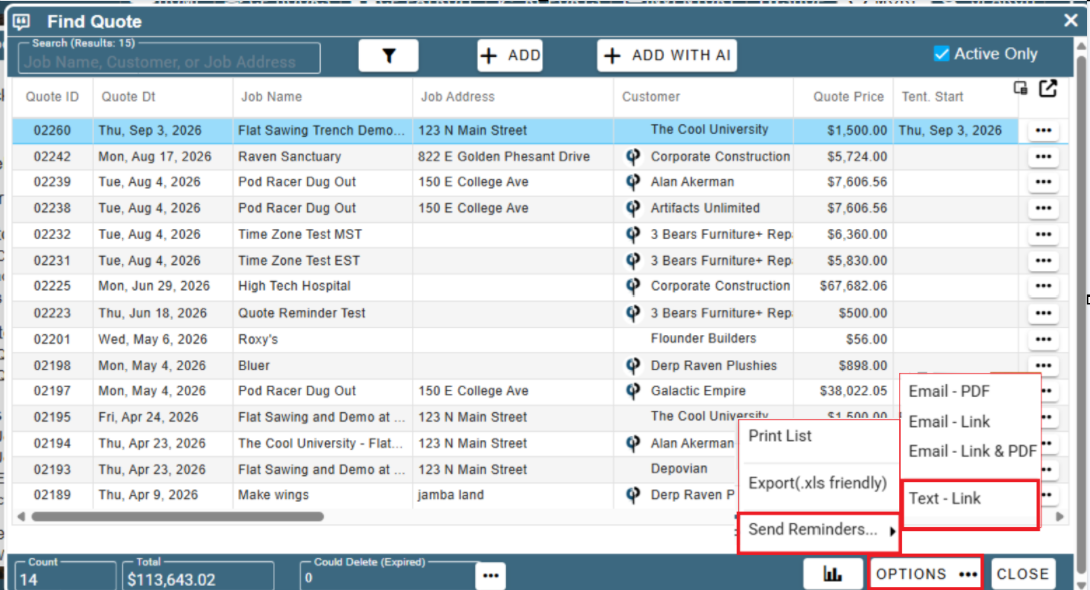
• Added: Quotes -> Find Quotes -> Send Reminders: New Text - Link option
• Skips quotes that are signed, lost, won / converted or expired and tells you why each one was skipped
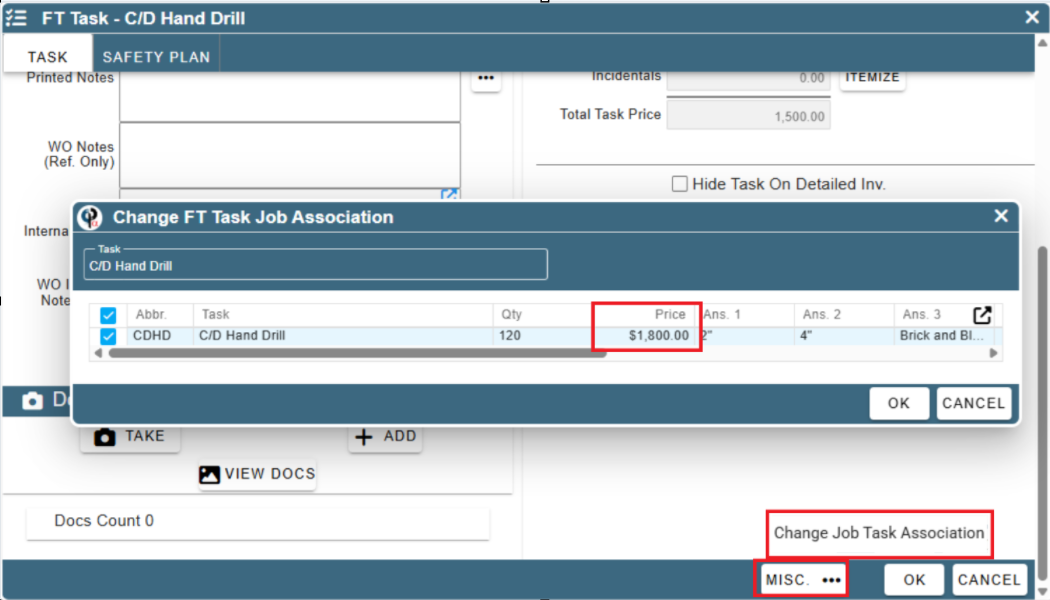
• Added: Field Tickets -> Task -> Change Job Task Association: Shows each job task's total price
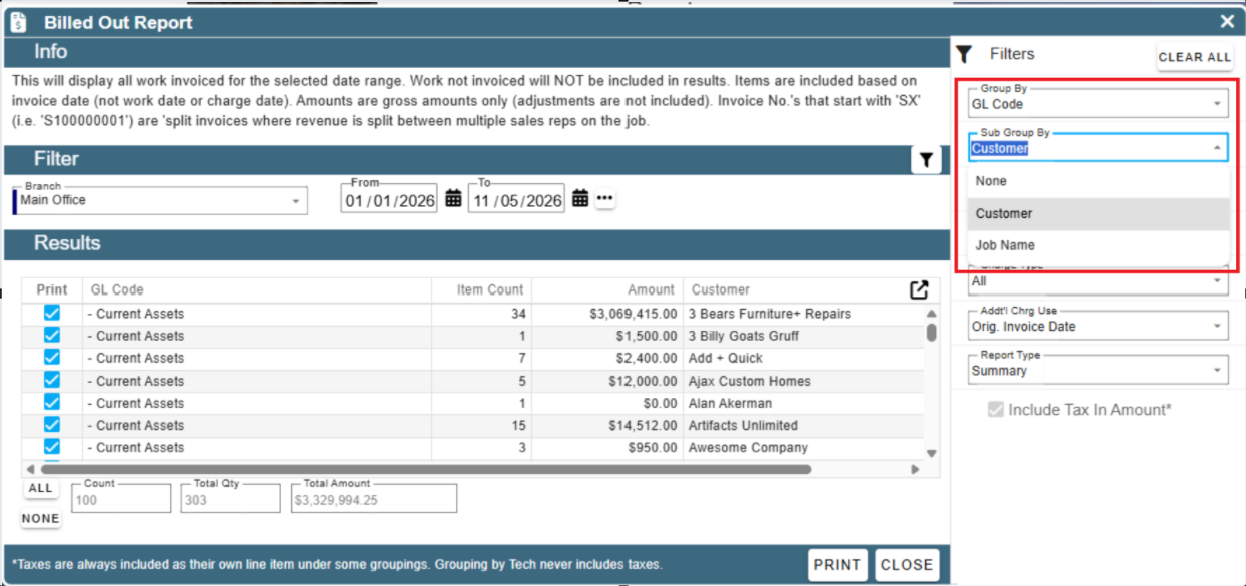
• Added: Reports -> Billed Out Report: Group By GL Code can now sub group by Job Name or Customer
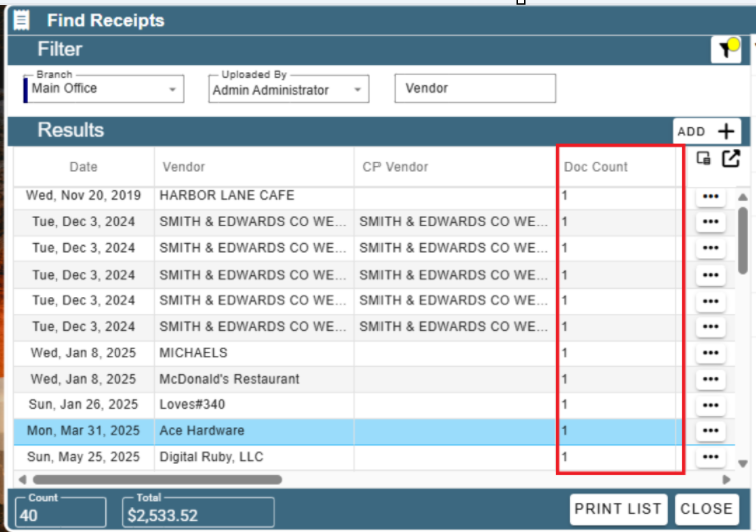
• Added: Find Receipts: New Doc Count column
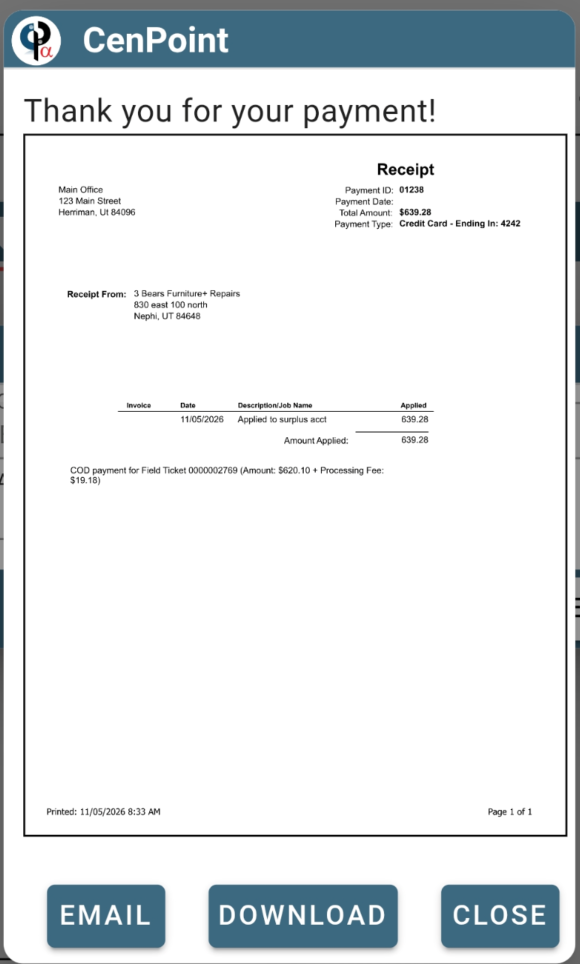
• Added: Customer Portal: The receipt for a COD / prepay payment now shows the payment and the card fee separately
• Fixed: CP Books: Remove Tax posted a $0 journal entry and left the tax on the books
• Fixed: CP Books: Add Tax didn't post the tax on add'l charges added after the invoice
• Fixed: CP Books: Remove Tax on an invoice with an adjustment took the adjustment's share of the tax off twice. It now moves to the adjustment's GL (and back if the tax is added back)
• Fixed: Add Fee: Unticking Taxable still charged tax, and a taxable fee sometimes came through without tax
• Fixed: CP Books -> Bank Register: Editing an entry after clearing a filter gave an error
• Fixed: CP Books -> Bank Register: The GL Code filter missed split entries
• Fixed: Weekly Scheduler: The inactive job legend had no label
• Fixed: Payroll -> Manual Time Entry: Picking a job never loaded its tasks
• Fixed: List Management -> Terms: Due In days were never saved
• Fixed: List Management -> Crews: Clicking OK with no branch said to pick one but saved anyway
• Fixed: List Management -> Tax Rates: A rate added and then deleted before clicking OK was still saved
• Fixed: List Management -> Task Lists: A display order typed in was saved as 0
• Fixed: List Management -> Departure Checklist: The search box never found anything
• Fixed: A/P -> Vendor Refunds: Saving a refund a second time cleared its created date
• Fixed: Import Vendors (CSV): Large files timed out, and imported contacts didn't show on the vendor
• Fixed: Some saves failed with 'too big to fit into field' when a number had more decimals than the field holds
• Fixed: Texted links to a document with an apostrophe in its name showed an error instead of the document
• Fixed: Errand links didn't open the errand
• Fixed: A WO starting after 11:30 PM showed as all day on the scheduler
• Fixed: Quotes: The Tasks grid now grows and shrinks with the screen
• Fixed: The E-Signed date range on find quotes was searching the Expires dates
• Fixed: Recent Jobs was not remembering the Limit To months you chose
• Fixed: Journal Entries: Clicking the invoice on a reversal opened Deleted Invoices even when the invoice still exists
• Fixed: Billed Out Report (Group By GL Code): Equipment and parts were missing from the detailed print, and ones with no GL code showed with a blank name
• Fixed: Printing Invoice & FT's for an invoice with 10 or more field tickets didn't wait for the PDF
• Fixed: Email: Attaching an invoice whose PDF didn't come back sent the email with a blank attachment
• Fixed: QuickBooks Online -> Data Push: Payments, surplus payments and adjustments could time out and get pushed twice
• Fixed: QuickBooks Online -> Import GL Codes (with purge): GL codes used on an adjustment reason are no longer deleted
• Fixed: Bank Feed: A sync that failed part way through could lose the transactions it had already downloaded
• Fixed: Work Orders: Custom HTML work order reports wouldn't print
• Fixed: When an add'l filled out an inspection, the lead tech was not listed under Other Signatures
• Other Signatures: The lead tech is now listed so an add'l tech can get the lead's signature
• Other minor fixes