
TLDR: This update contains 22 new features and 22 bug fixes.
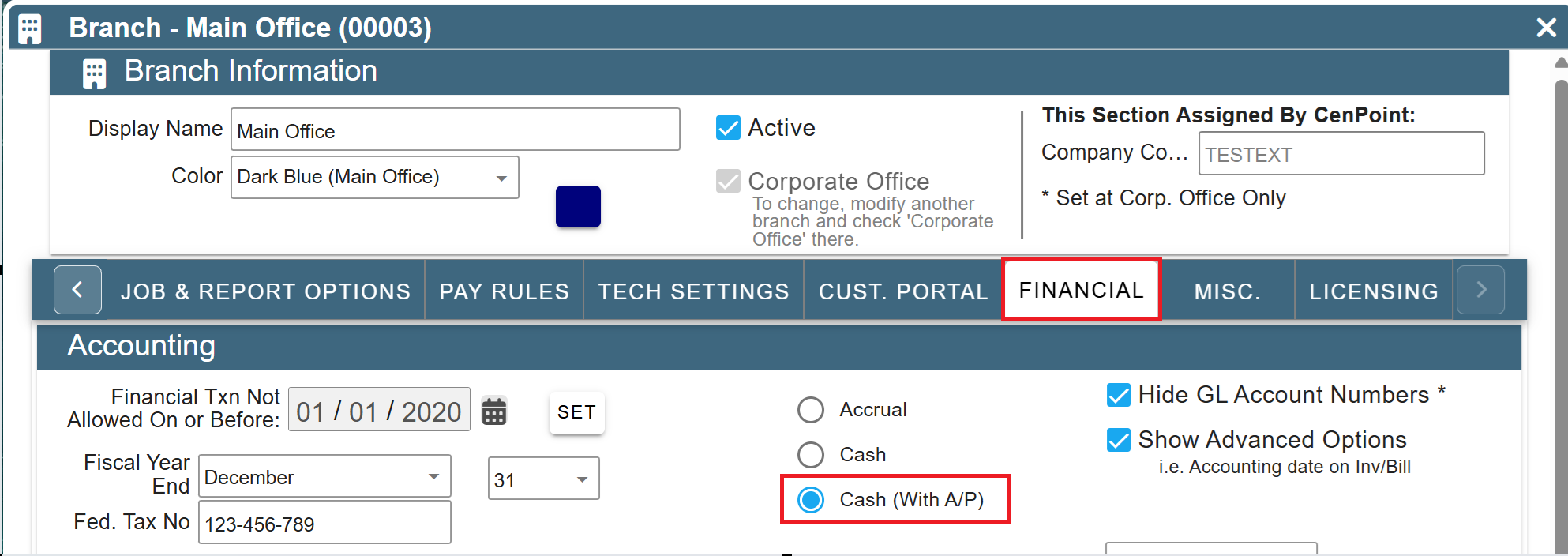
• Added: CP Books -> Financial Reports: Cash accounting basis renamed
• 'Cash' => 'Cash (With A/P)'
This is what QB Desktop did (and consequently our import followed the same logic) but it is not a true cash basis
• 'Cash - QB Style' => 'Cash'
QB Online is more of a true cash basis and so we are renaming it accordingly
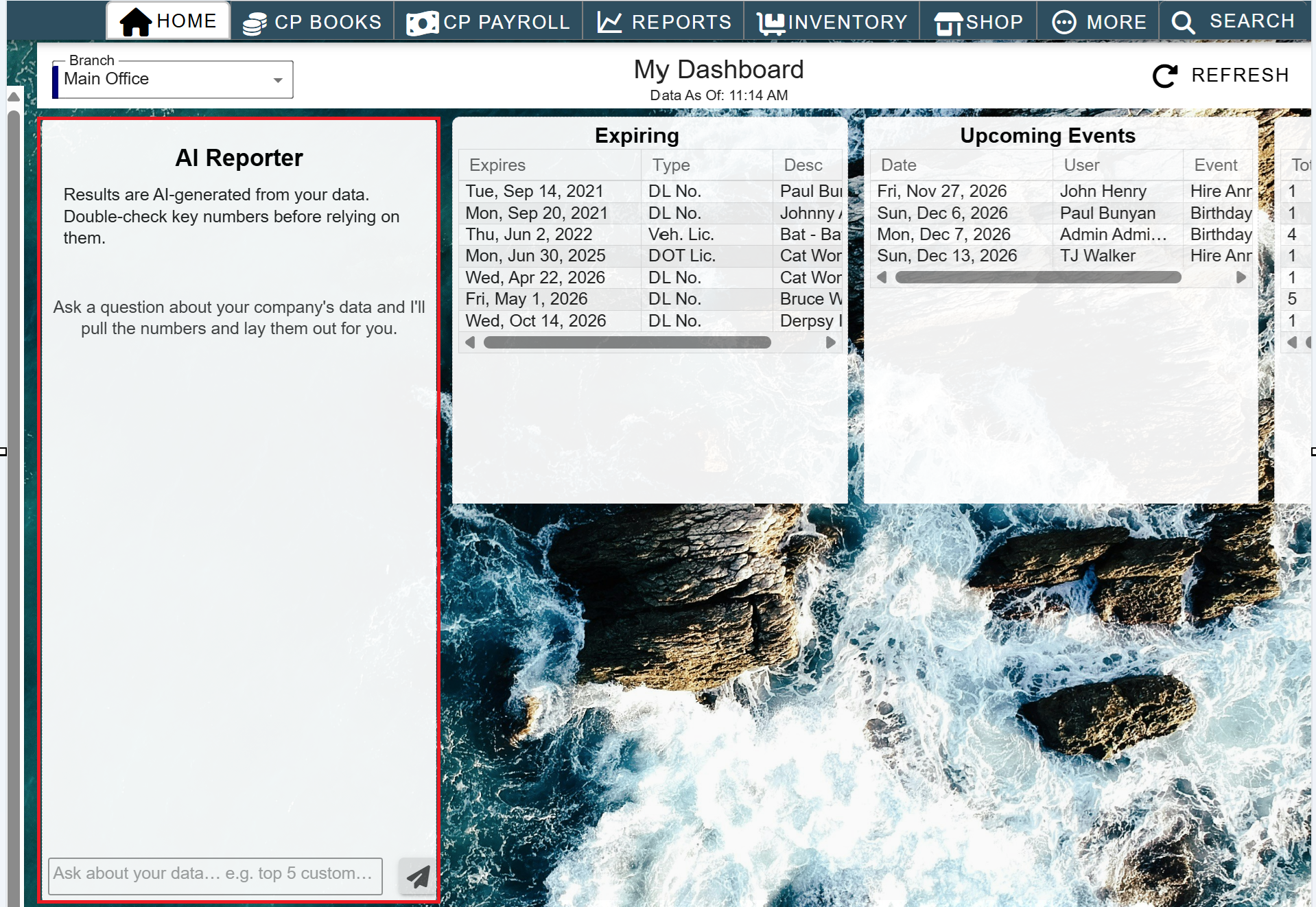
• Added: Reports -> AI Reporter: No longer in beta. Give it a whirl and let it answer your questions
• You can also add the AI Reporter tile to your dashboard for quick access
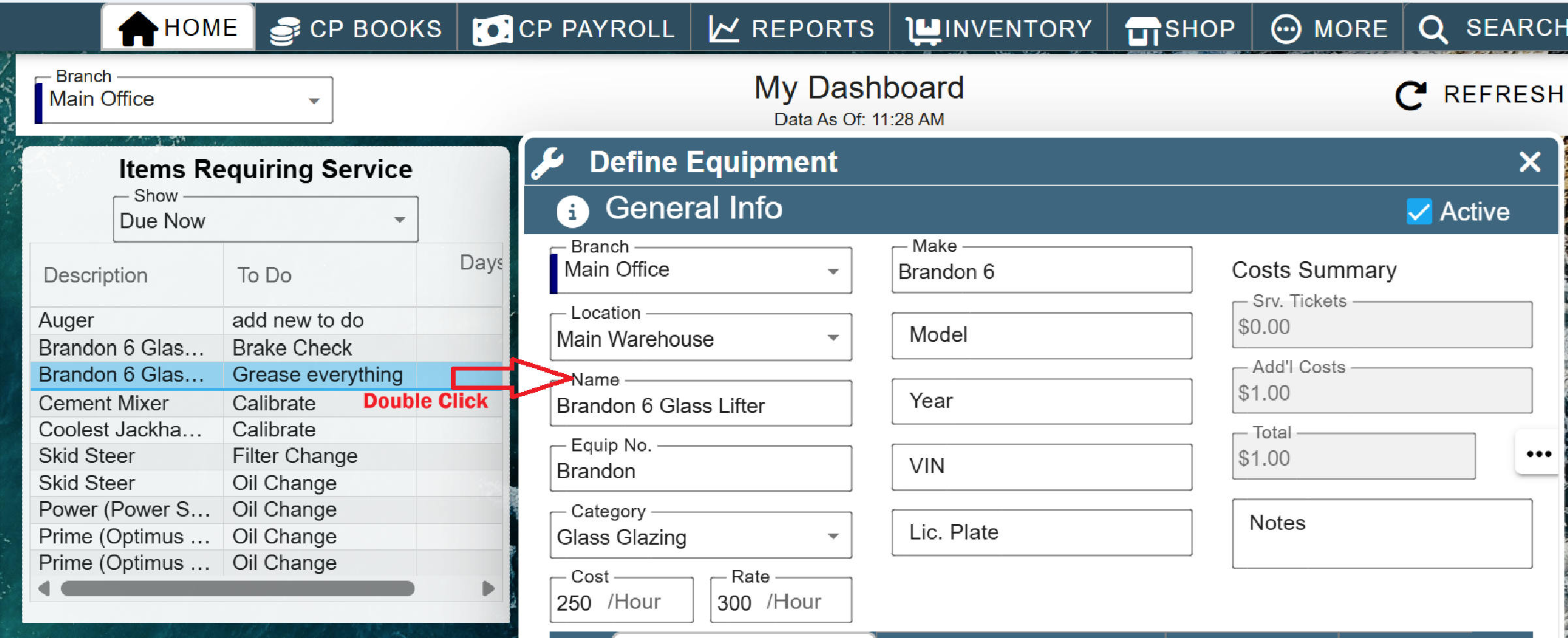
• Added: Dashboard -> Customize: New 'Items Requiring Service' tile
• Lists the vehicles and equipment that are due for service (Due Now, or 5% - 20% or less remaining)
• Also includes items from vehicle inspections that were flagged as 'Needs Repair'
• Double-click a row to open the vehicle or equipment
• Added: Reports -> Inspections: Now loads up to 6x faster

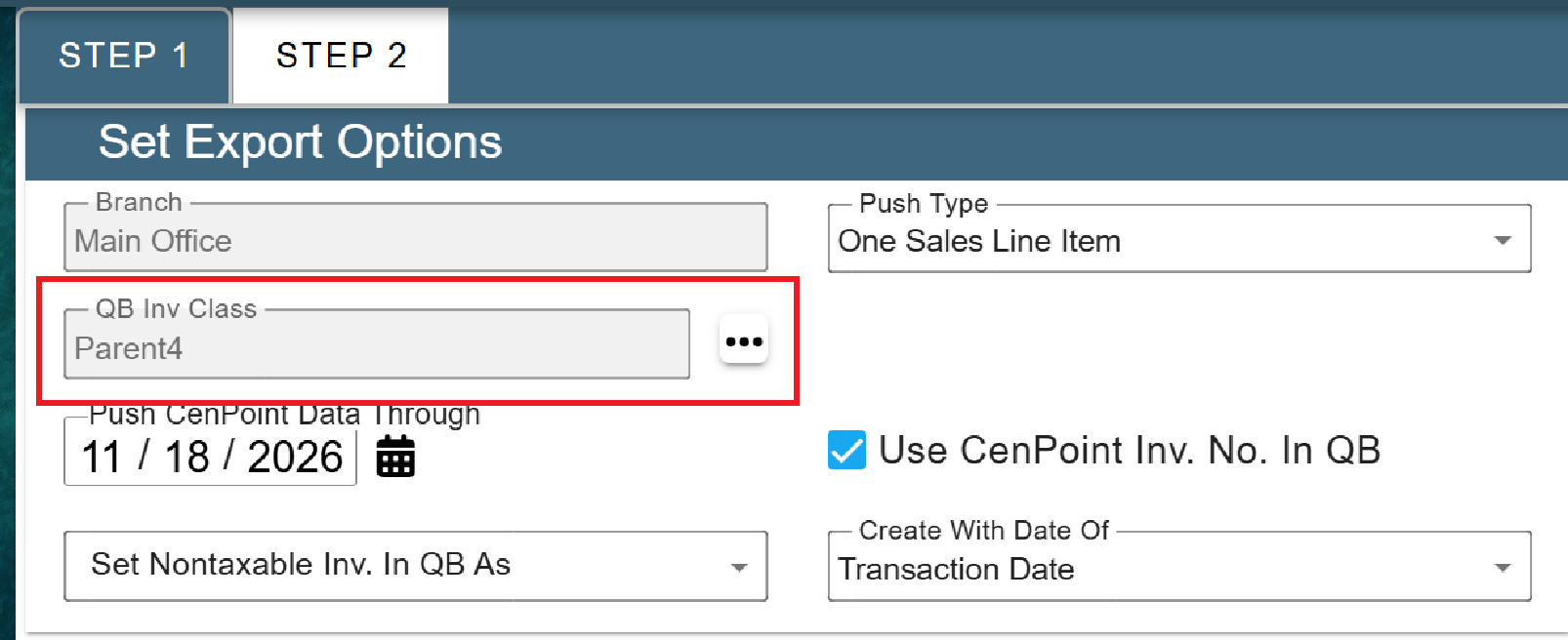
• Added: A/R -> Data Push -> QuickBooks® Online: Invoices now push with the branch's QB Invoice Class
• Added: Shop section now works on a mac or your phone
• Added: Reports -> 3rd Party Exports -> Cosential: Now runs on a mac or your phone
• Added: Reports -> 3rd Party Exports -> Levelset (.csv): Now runs on a mac or your phone
• Added: Reports -> 3rd Party Exports -> Salesforce (.csv): Now runs on a mac or your phone
• Added: A/R -> Data Push -> Intacct: Now runs on a mac or your phone
• Added: One-Time Conversion -> Import From Excel -> Equipment: Now runs on a mac or your phone
• Added: One-Time Conversion -> Import From Excel -> Inventory: Now runs on a mac or your phone
• Added: Customers -> Modify -> Recurring Jobs: Now runs on a mac or your phone
• Added: Customers -> Phonetic Search: Now runs on a mac or your phone

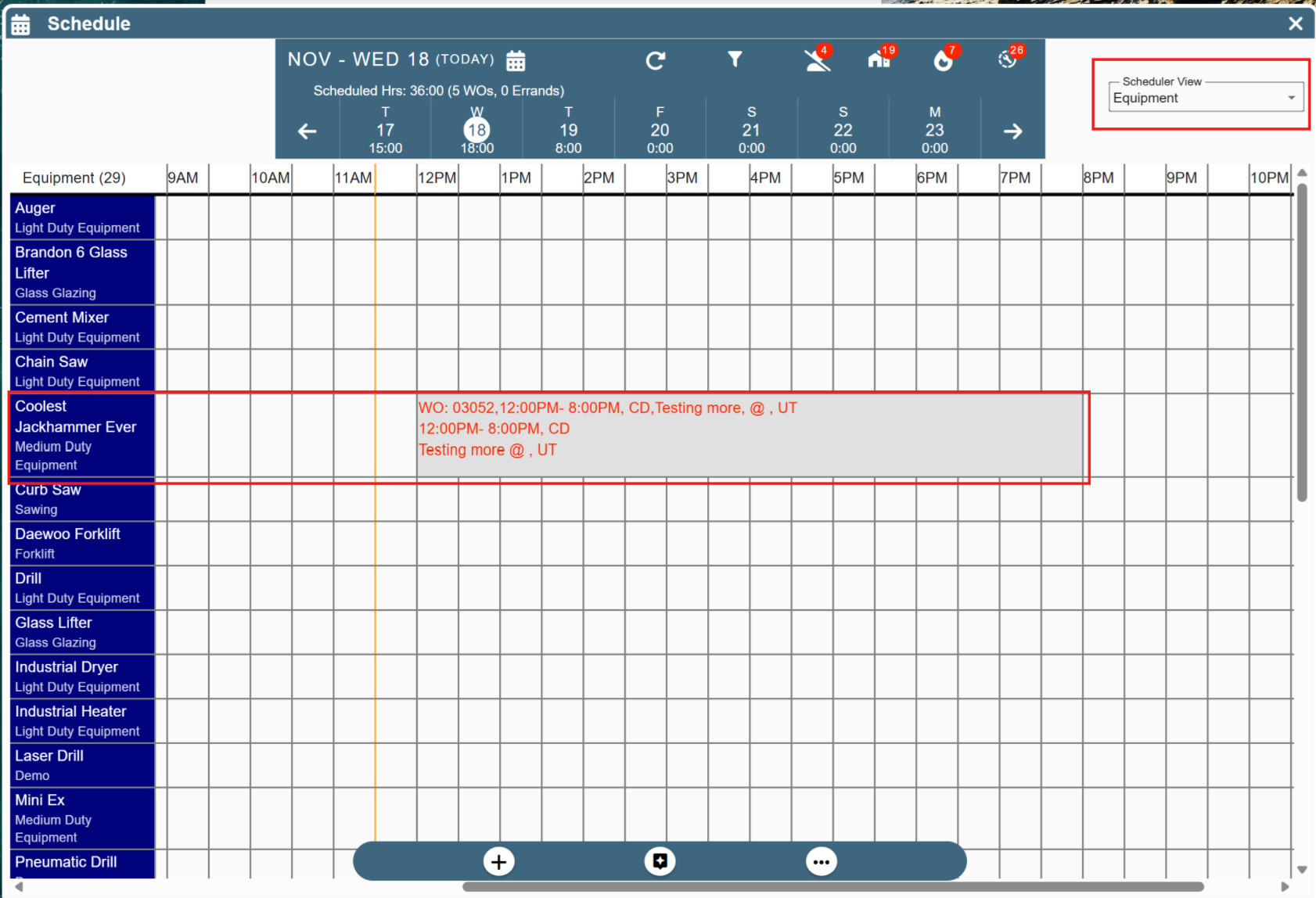
• Added: Scheduler -> Scheduler View: New 'Equipment' view shows each piece of equipment's bookings for the day
• Right-click a booking: Set Status To, Open Job, Edit Schedule, Print Work Order, Create New Schedule For This Job
• Double-click a booking to open its job, or the equipment's name to open the equipment
• View only (no drag and drop)
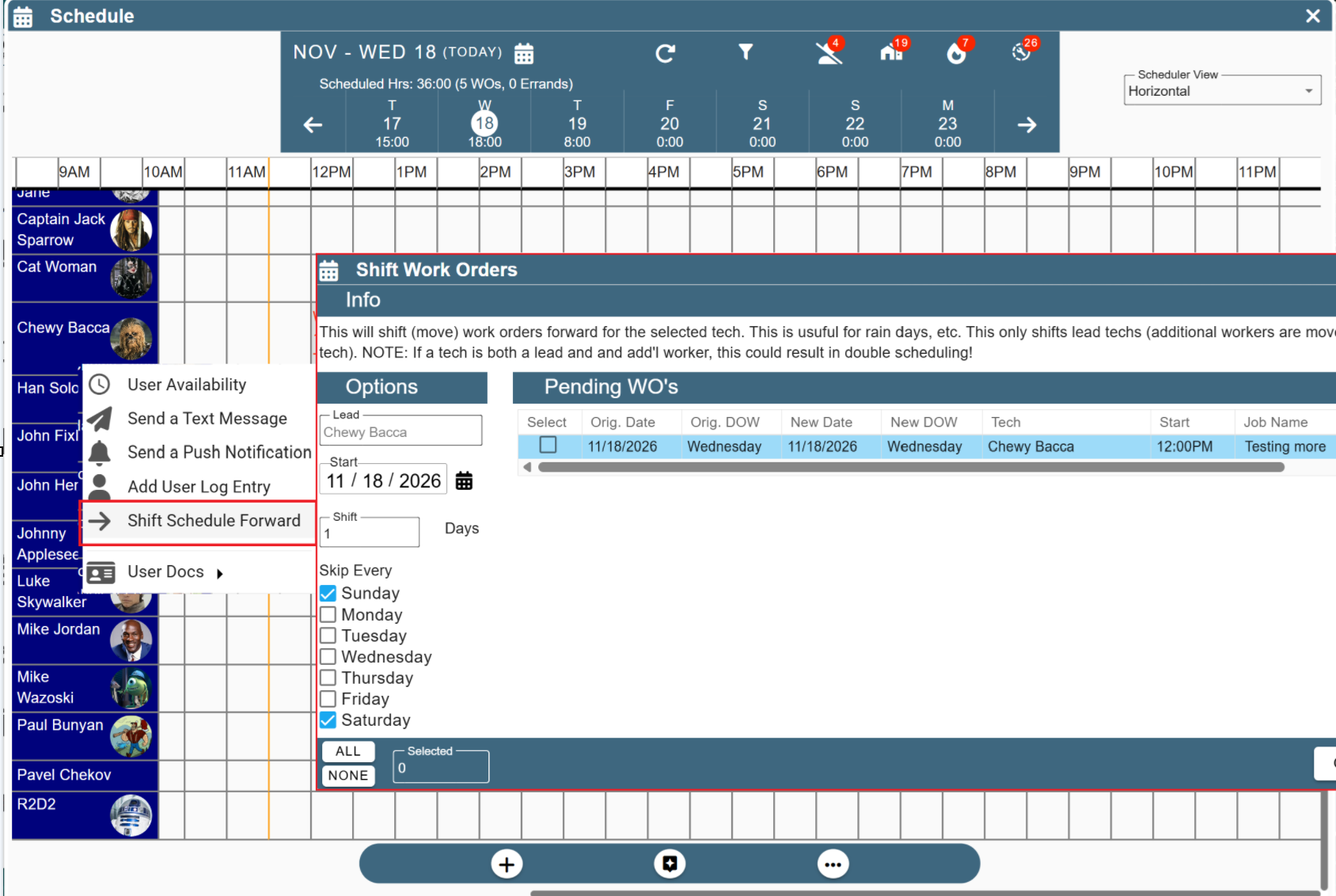
• Added: Scheduler, WO Weekly Scheduler & Tech Weekly Scheduler: Click a tech's name -> Shift Schedule Forward
• Moves the tech's pending WOs forward a number of days (i.e. for a rain day): pick which WOs to move, skip certain days of the week, and change the tech on any of them
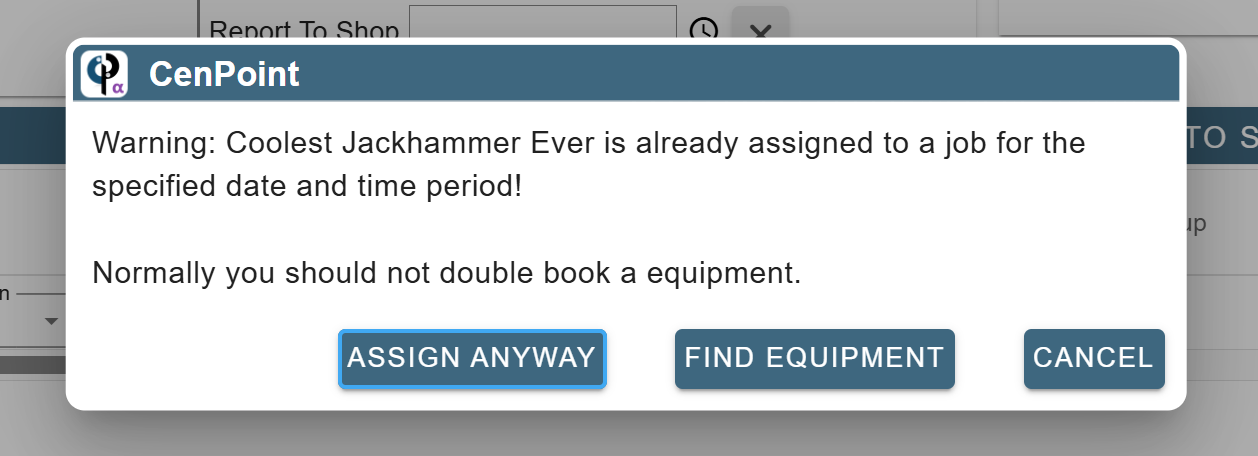
• Added: WOs: Now checks for double booking equipment too
• If the equipment is already booked: Assign Anyway, Find Equipment (lists the equipment that's free for that time) or Cancel
• Checking a task on the WO now brings in that task's equipment from the job (unchecking the task takes it back off)
• Repeat W.O. now puts the WO's equipment on the repeated WOs too
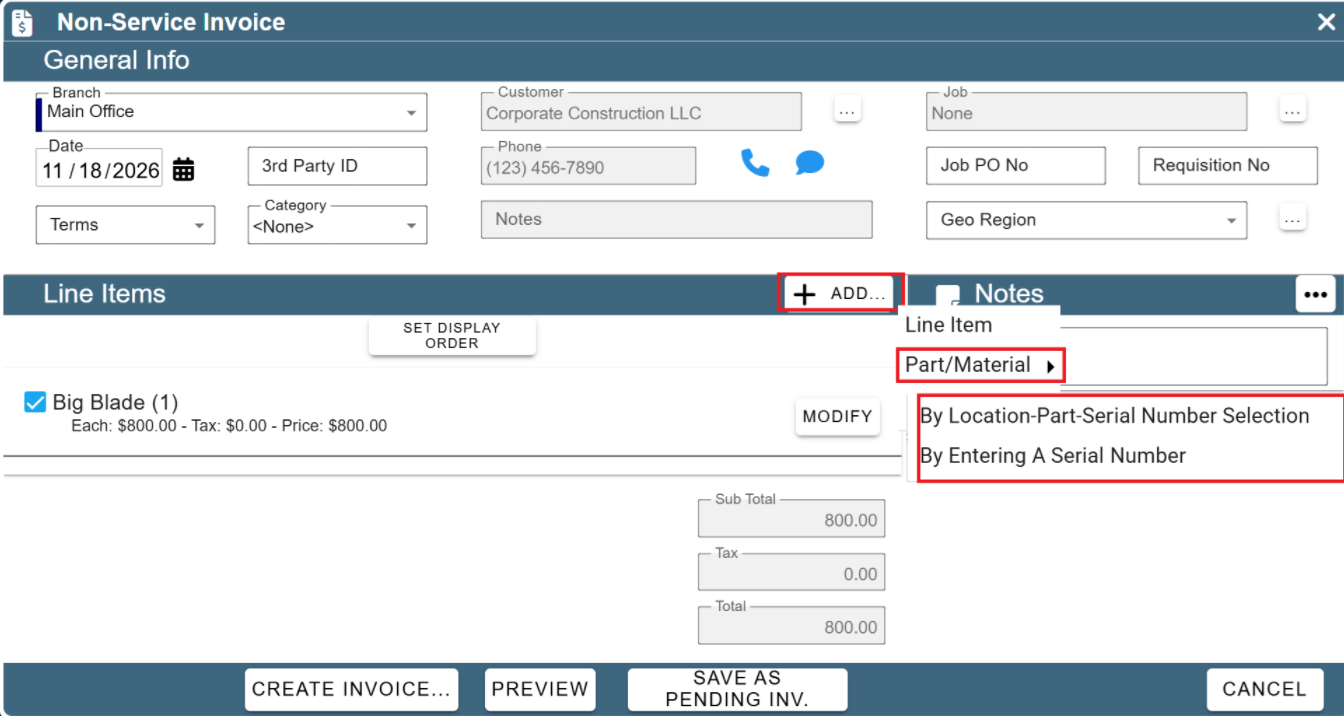
• Added: A/R -> Invoices -> Create NSI: Can now add parts / material (Line Items -> Add... -> Part/Material)
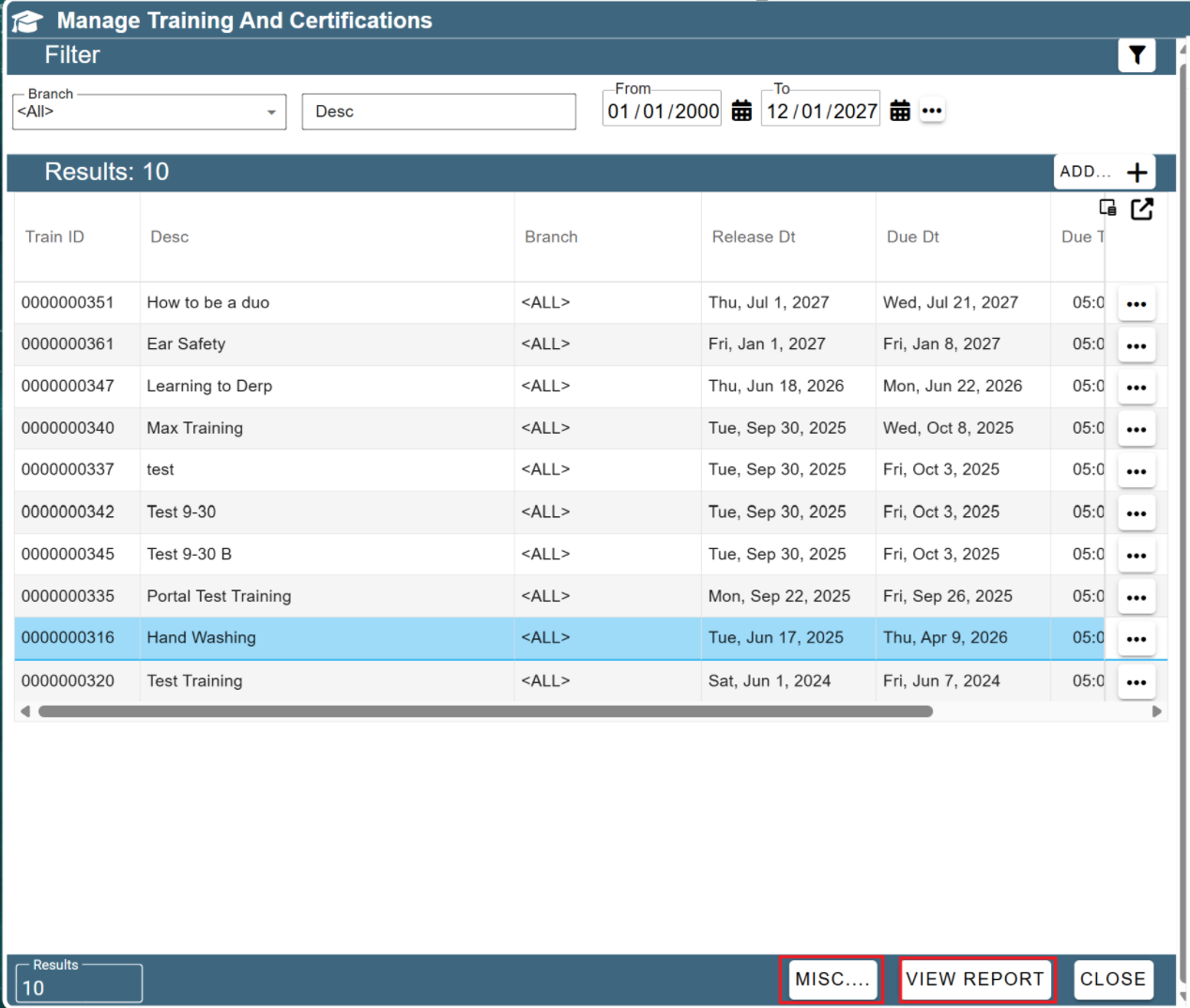
• Added: List Management -> Training And Certifications: New Misc... and View Report buttons
• View Report: shows the report for the highlighted training
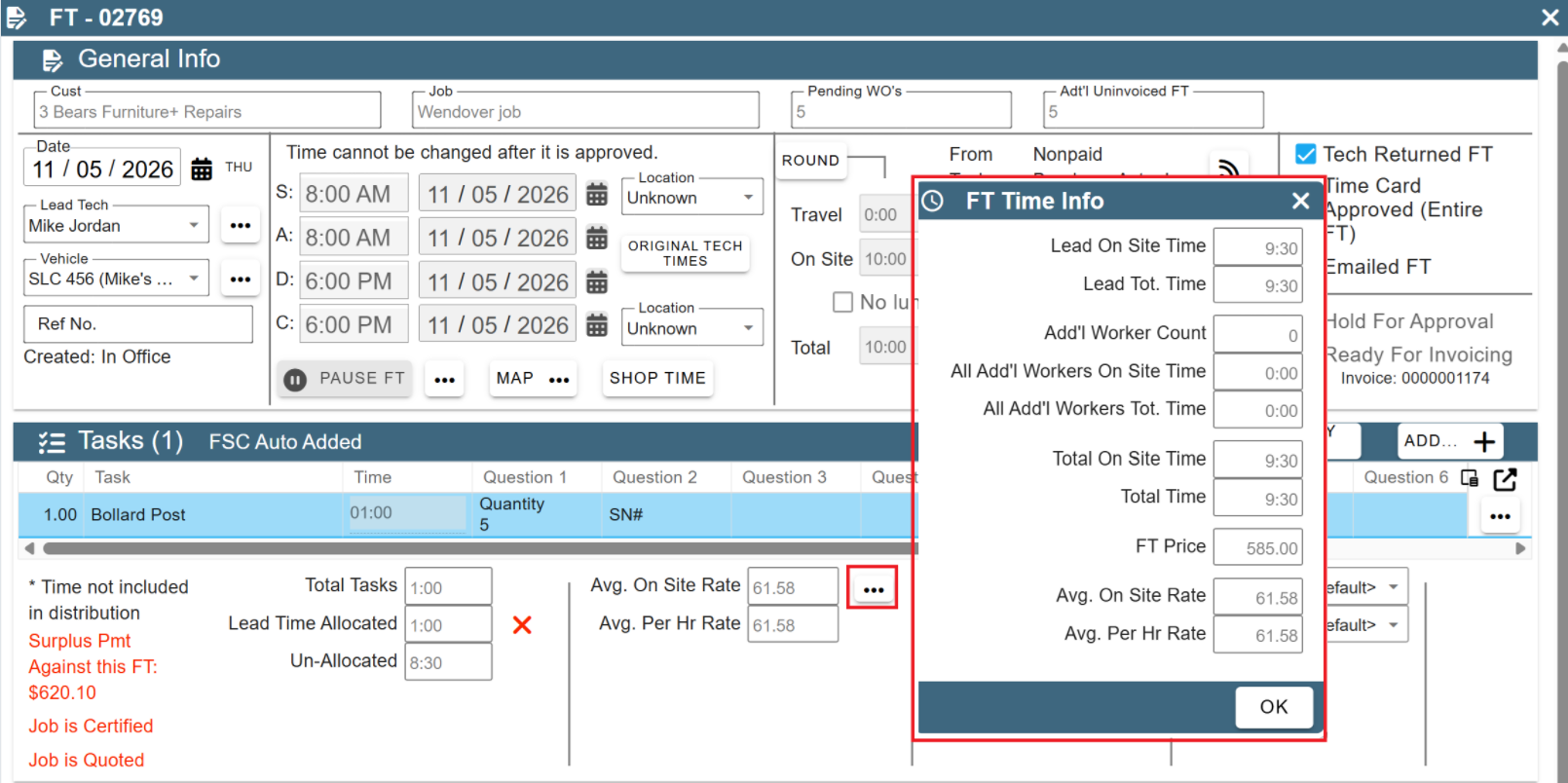
• Added: Field Tickets -> Task: New 'Task Hrly Rate' with a '...' button that shows how it's figured (task time x workers, task price)
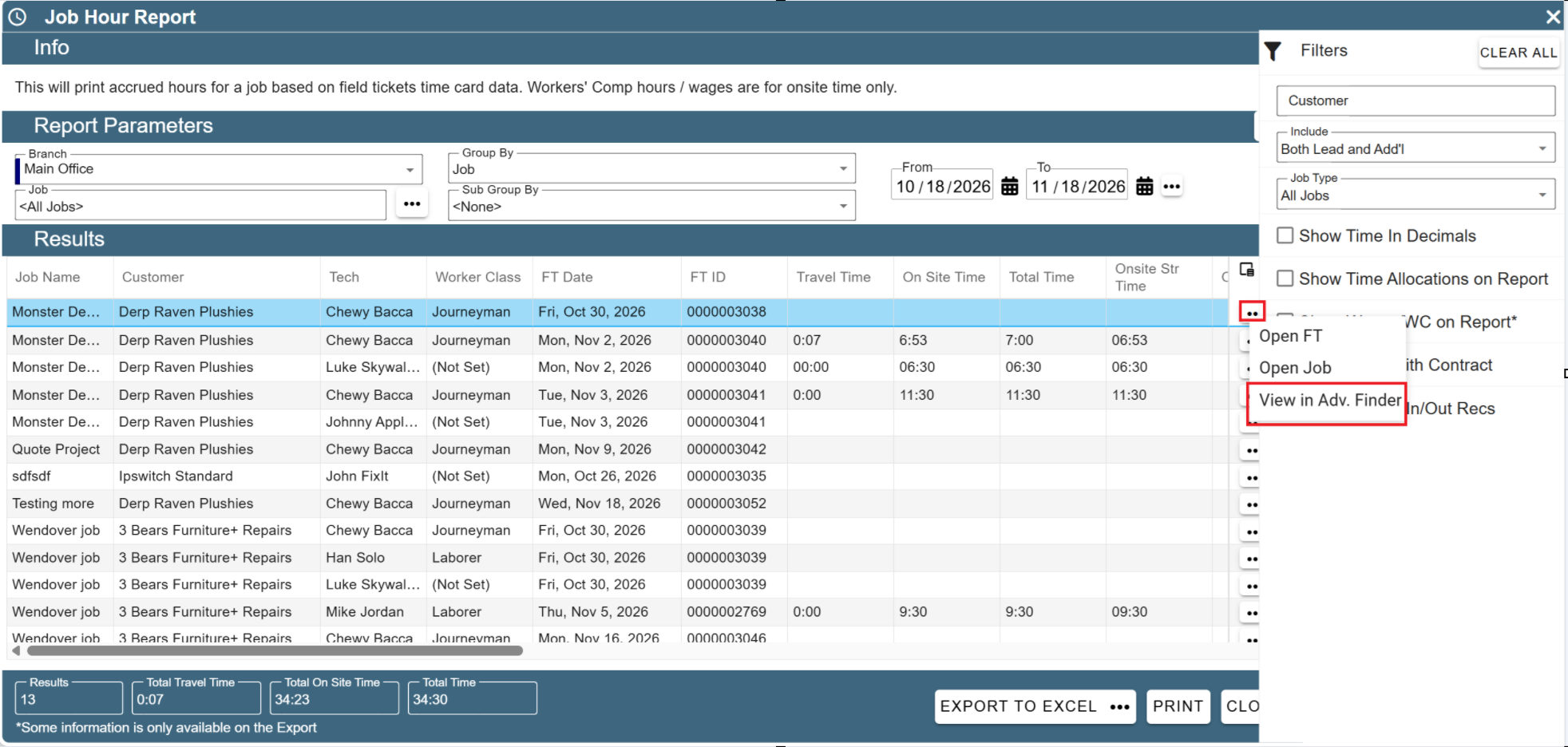
• Added: 'View in Adv. Finder' now works on more screens
• Inventory -> Reports -> Inventory Used (lists the field tickets the part was used on)
• Reports -> Job Reports -> Job Hour Report (and OCIP/CCIP)
• A/R -> Aging History By Customer (on each invoice's menu)
• A/R -> Invoices Not In FT Date (on each row's menu)
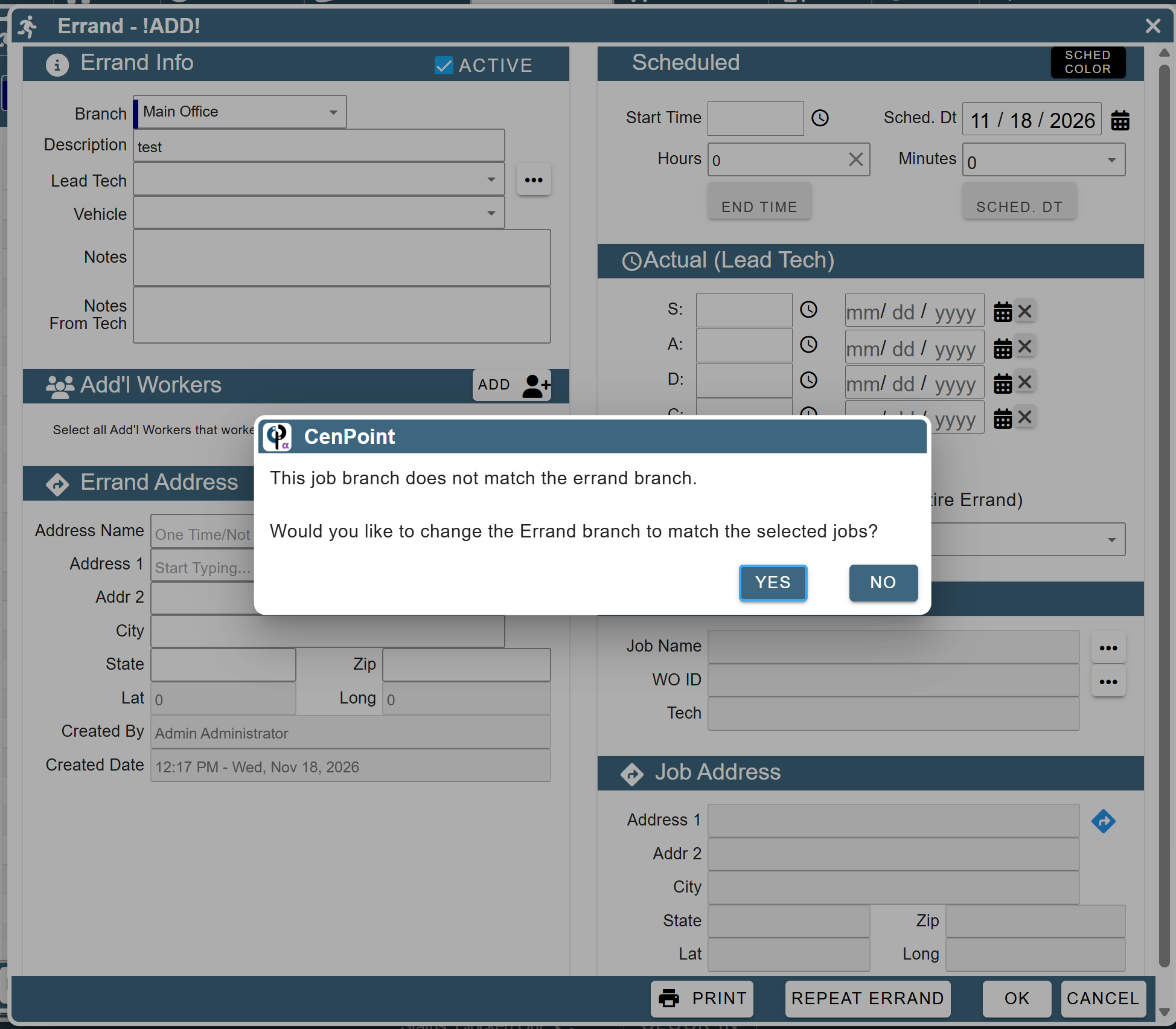
• Added: Errands: Picking a job from a different branch now asks if you want to switch the errand to the job's branch ('No' unlinks the job)
• Fixed: Some Certified Payroll (WH-347) reports wouldn't print
• Fixed: Automatic CenPoint Payroll JE runs could fail to start
• Fixed: A field ticket or quote wouldn't print if its signature couldn't be found. It now prints without it
• Fixed: A user drop-down on an older record showed blank after that user was made inactive
• Fixed: A date typed right before clicking a button (i.e. OK or Save) sometimes wasn't picked up
• Fixed: Tech view: Opening an errand with no job could show a training heads up that didn't apply
• Fixed: Service orders, service schedules and costs added to new equipment before it was saved were lost
• Fixed: Choosing <Default> as a field ticket's custom report didn't save
• Fixed: Downloading a picture from a field ticket, a training or the docs viewer saved it as 'image.image' instead of its real file name
• Fixed: Downloading several documents at once opened a separate browser window for each one
• Fixed: Importing a bank / credit card statement (.csv) with the column letters typed in lowercase stopped with 'Date cannot be empty'
• Fixed: The Yearly Sales Comparison grid could shrink to a sliver on shorter screens
• Fixed: Opening a quote link that uses a custom quote layout could fail with a 'customqt.htm' error
• Fixed: Changing a user's Login Type when the branch was out of licenses still showed the new type even though it wasn't saved
• Fixed: Vehicle Tracking Log on FTs not opening
• Fixed: Changing an errand's branch not reloading the lead tech and vehicle lists
• Fixed: Equipment added to a job task and then removed before clicking OK was still saved
• Fixed: Deleting a job's WOs (i.e. from the scheduler or Find Work Orders) didn't update the job's First WO date
• Fixed: The Inventory Used report showed every part as 'Internal Use'
• Fixed: Quotes and jobs made with AI (typed in, or from an email) were saved with no tax area or geo region, so their tasks weren't taxed
• Fixed: Sorting the Scheduler's Work Order Grid by Start Time or Duration sorted them as text (i.e. 10:00 AM came before 8:00 AM)
• Fixed: In the field ticket 'Export List with Tasks', every task row after an FT's first one showed Active as FALSE
• Other minor fixes