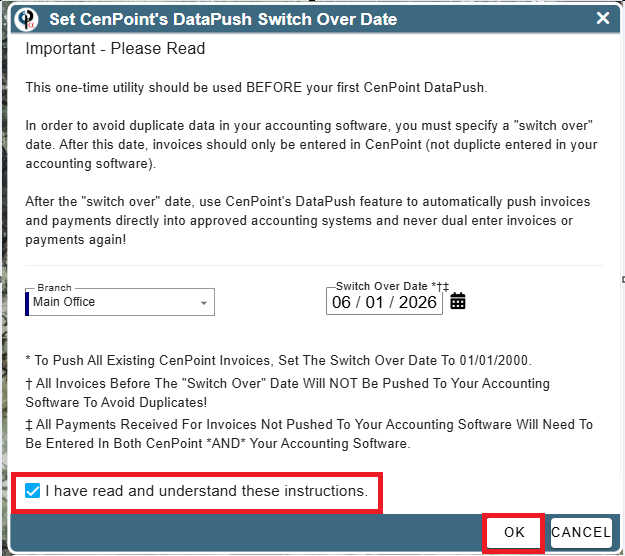
Set a Data Push Switch over date before you do your first CenPoint Data Push
In order to avoid duplicate data in your accounting software, you must specify a "switch over" date. After this date, invoices should only be entered in CenPoint (not duplicte entered in your accounting software).
After the "switch over" date, use CenPoint's DataPush feature to automatically push invoices and payments directly into approved accounting systems and never dual enter invoices or payments again!
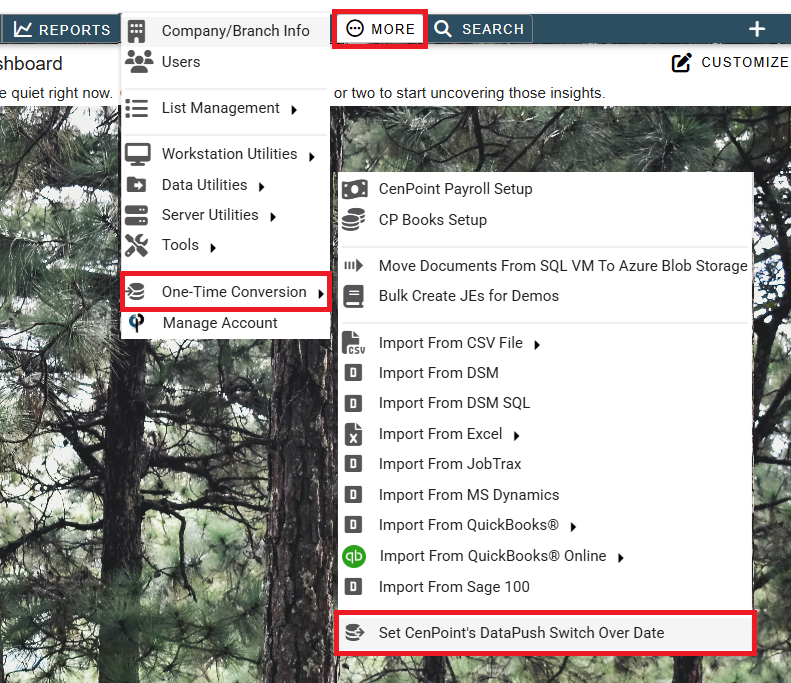
To get to the one time utility go to More-> One Time Conversion-> Set CenPoint's Data Push Switch Over Date
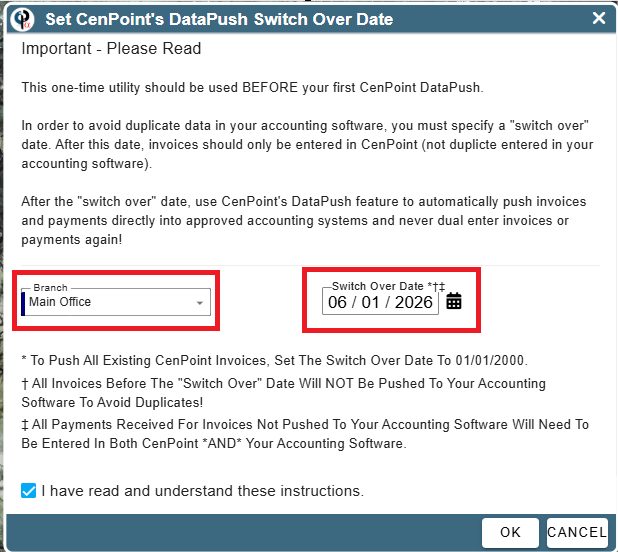
On the Switch Over Date screen select the branch and the switch over date.
A few things to consider:
To Push All Existing CenPoint Invoices, Set The Switch Over Date To 01/01/2000.
All Invoices Before The "Switch Over" Date Will NOT Be Pushed To Your Accounting Software To Avoid Duplicates!
All Payments Received For Invoices Not Pushed To Your Accounting Software Will Need To Be Entered In Both CenPoint *AND* Your Accounting Software.
Once you have selected your branch and date and read the instructions click I have read and understand these instructions and click OK