
Changing The Background
Finding the user through the user list
Go to More -> Users
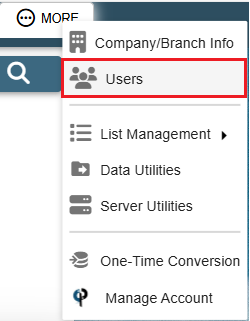
Find your user and then double click on them or click the Ellipsis -> Modify
.png)
Finding the user through the menu
First, go to the hamburger menu in the top right corner of CenPoint
.png)
This opens a side menu
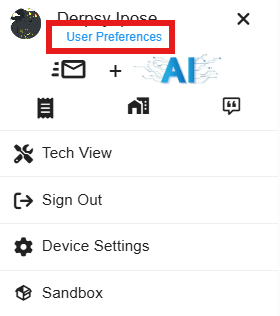
Navigating to the User Preferences
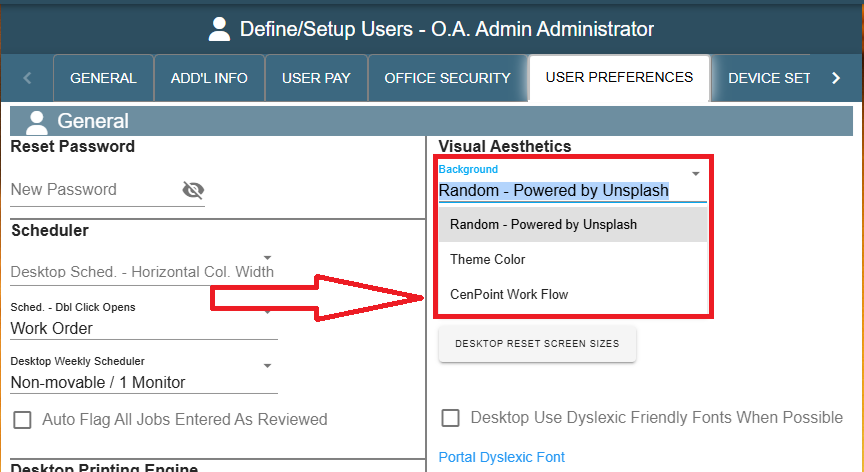
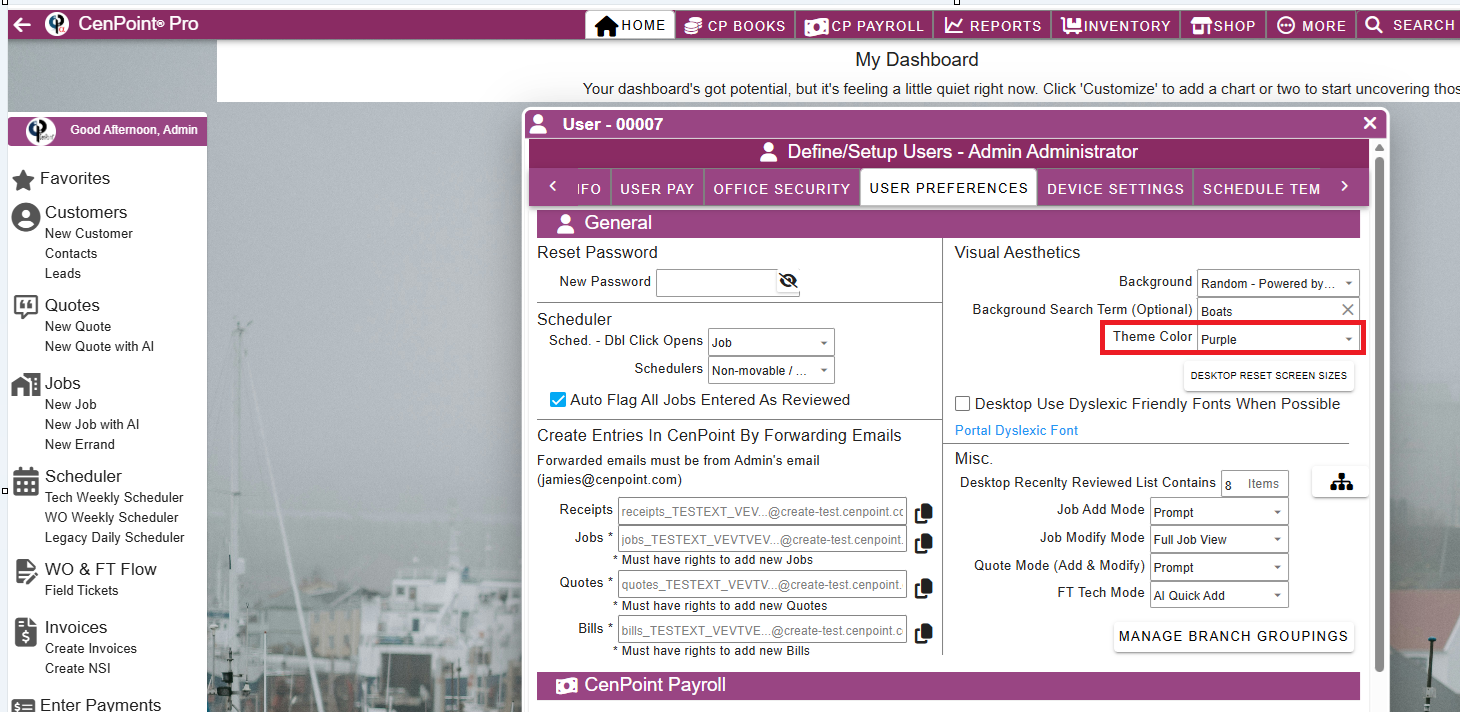
Go to the "User Preferences" tab and click on the Background.
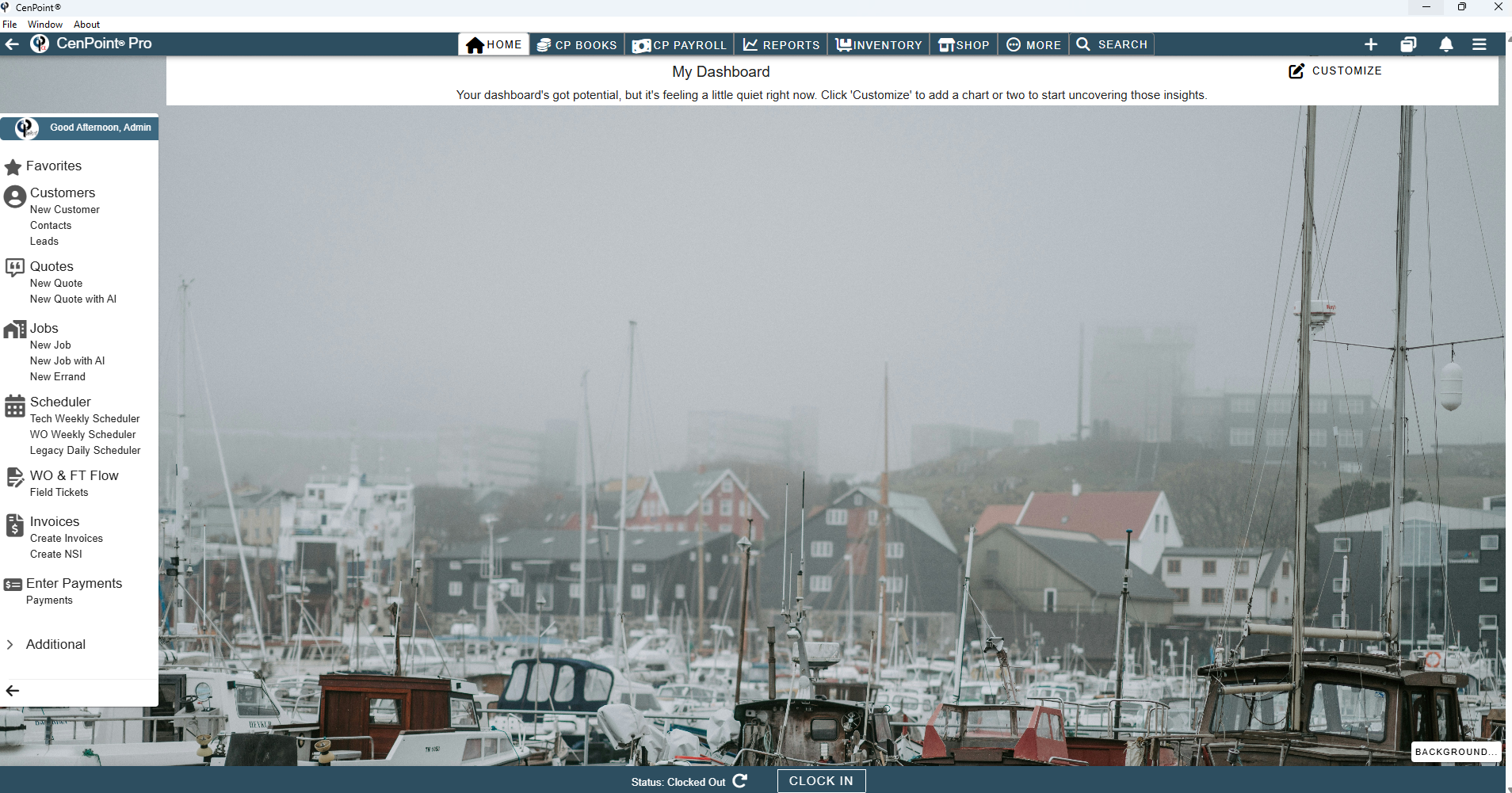
"Random - Powered by Unsplash" displays cool random Photos.
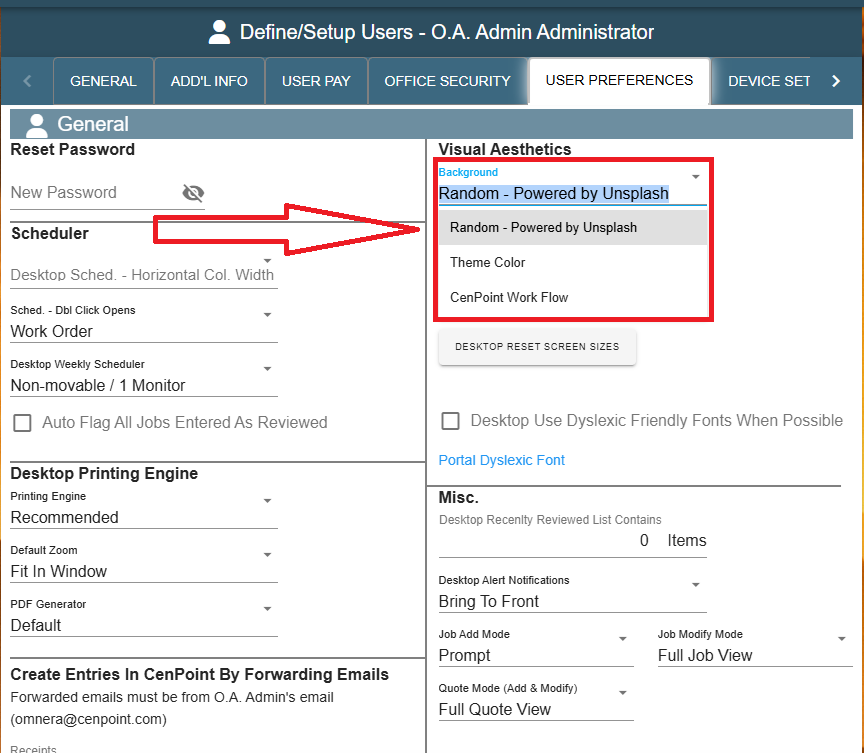
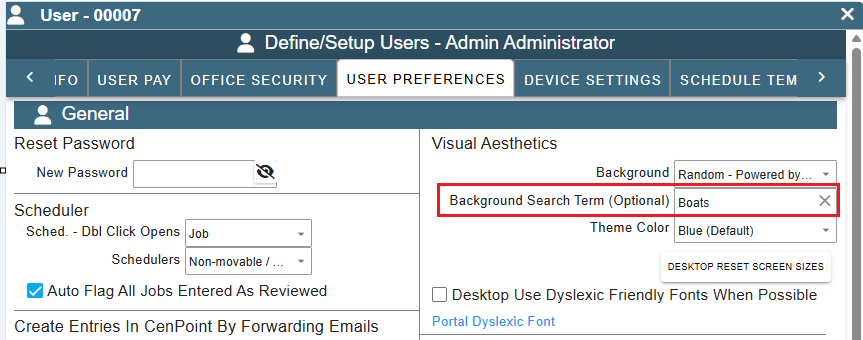
If you choose your background Random Powered by Unsplash you can also select a search term.
This will try to find only backgrounds with your search term in it. Example we used the search term Boats so all the background will usually have to do with boats.
Theme Color will leave your background a solid color. No photo or but no distractions either.
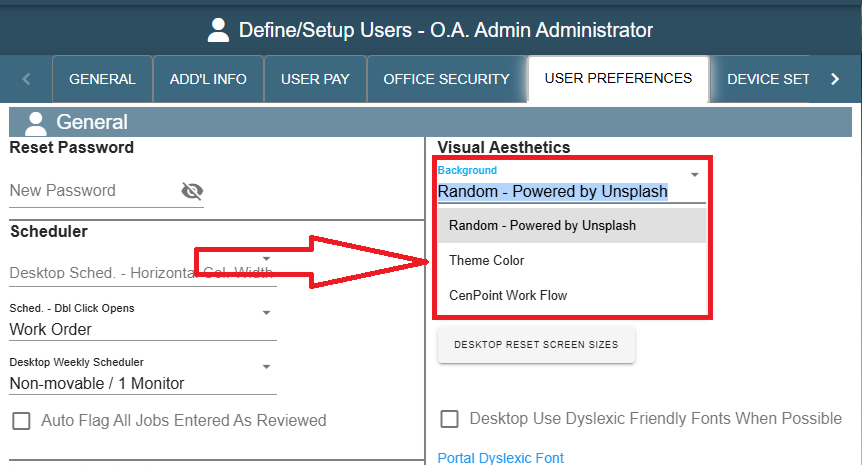
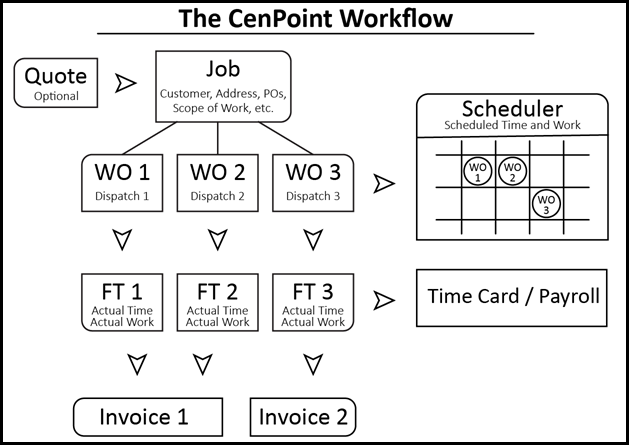
CenPoint Workflow will display an image of the CenPoint Workflow as your background.
Here's what the CenPoint Workflow looks like for reference:
Theme Color will change your Headers, Footers and Labels in CenPoint to the color you selected.
In this example Purple was chosen
Additional Background Control
There is another place that, if you have the random background set, where you can do some playing around with the background
Down in the bottom right-hand corner, there is a button for BACKGROUND...
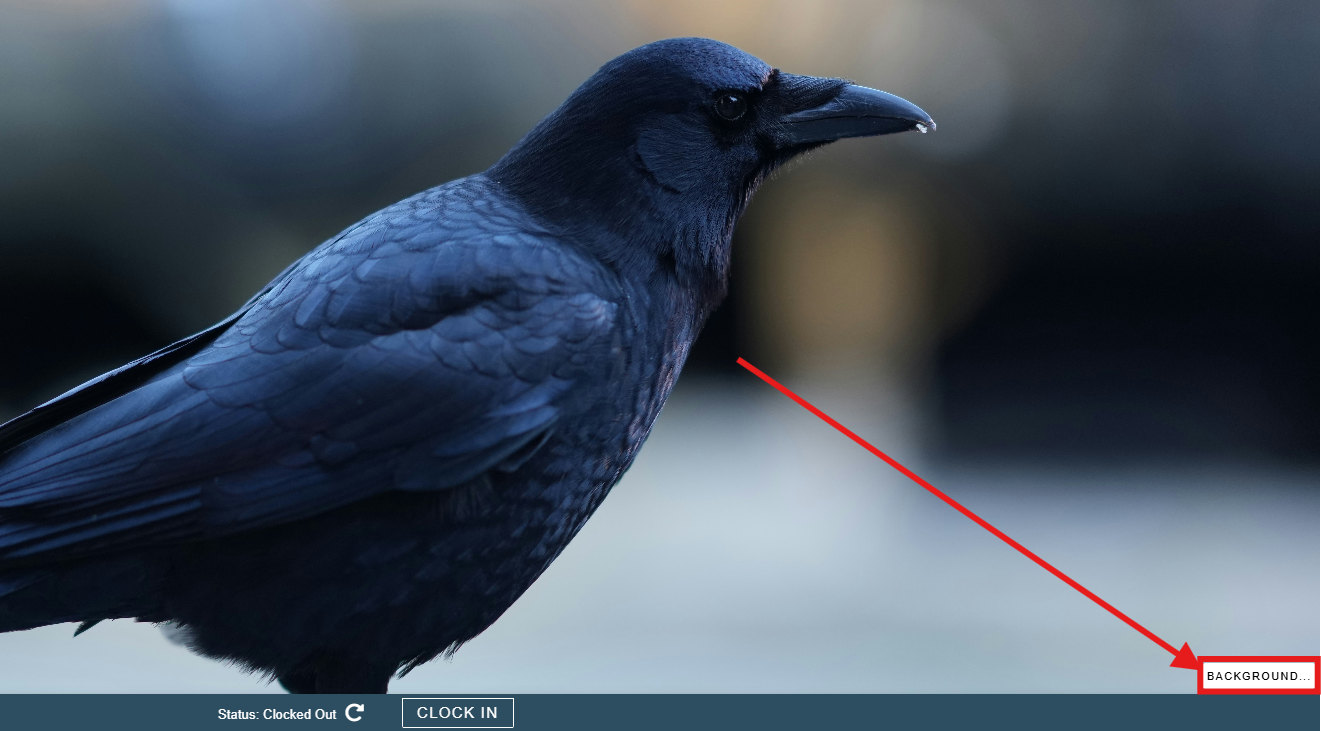
Clicking this brings up a little menu
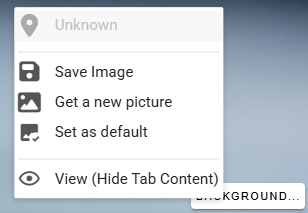
This will show you where the photo was taken, in this case, it wasn't reported, so it is showing Unknown.
Save Image will let you save the image in the background to a file on your system.
Get a new picture will get you a different random image, it will update in real time so if you have a rather ugly looking bird, you can replace it with a prettier one instead with just a couple of clicks!
Set as default will let you set the image in the background as the default image that is loaded up on log in each time.
View (Hide Tab Content) will close the background tab contents. So, if you have any of the top tabs selected, their contents will hide so you can look at the majestic background images you have!