Crews
Create a Crew
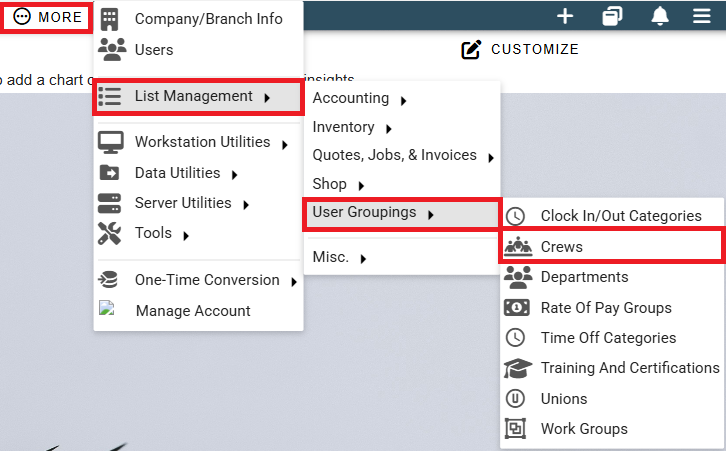
Instead of adding additional workers to a work order one by one, you can create crews of users who commonly work together to simplify the process. To set up your crews go to . . .
More -> List Management -> Users -> Crews
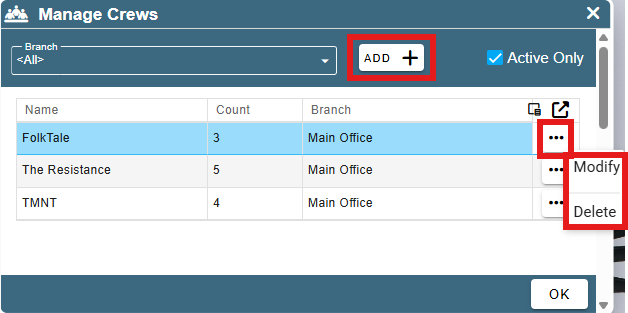
Click the “Add” button to create a new crew. Or, if you want to modify an existing crew, click the Ellipsis to modify or delete.
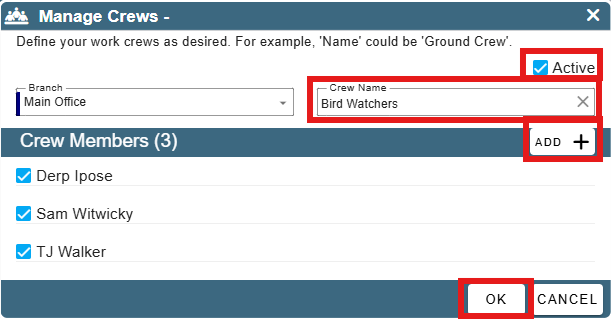
Give your crew a name and add in the workers that belong to that crew.
For this crew to be used throughout CenPoint, make sure the "Active" box is checked.
Mark Crew Member as Crew Lead
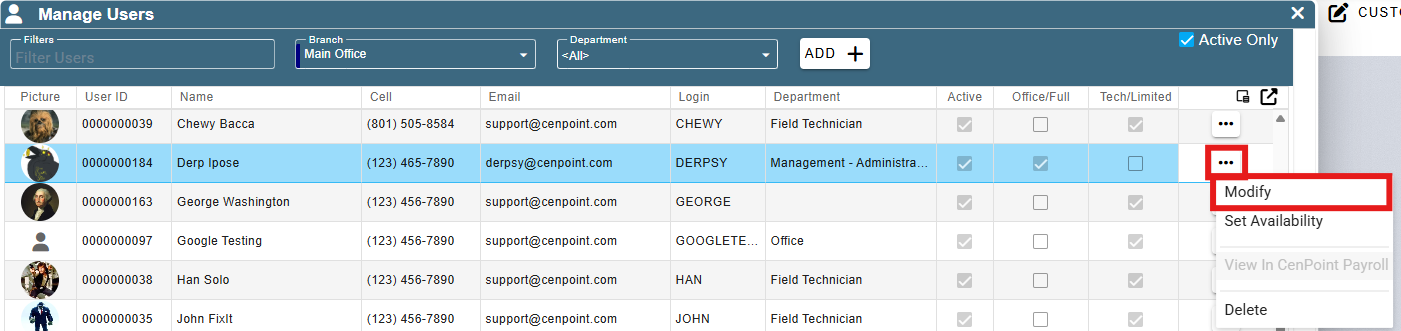
Go to More -> Users
.png)
Find your user and then double click on them or click the Ellipsis -> Modify
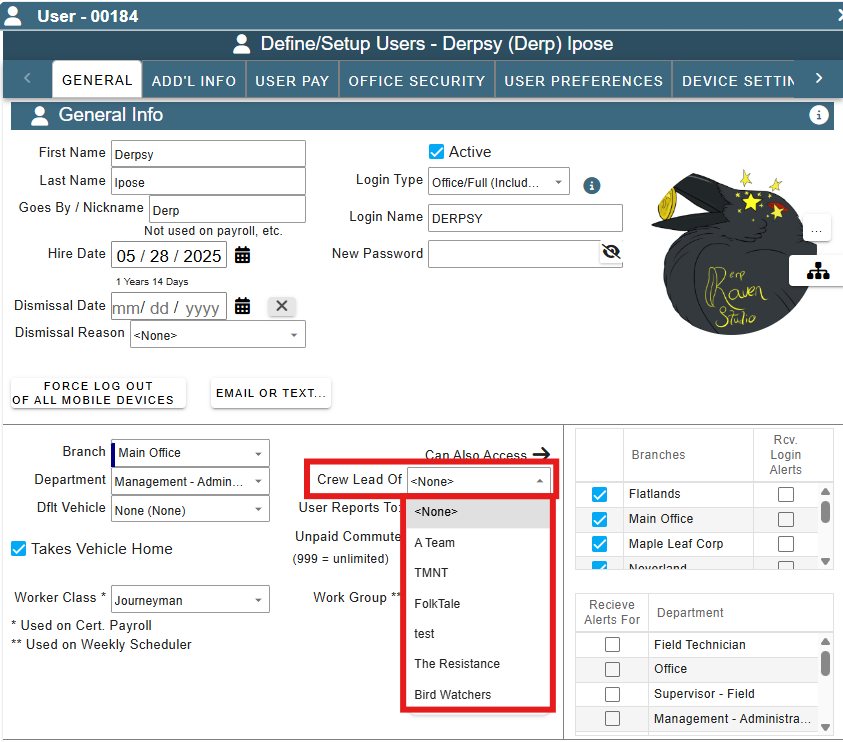
Go to the General Info tab, click the dropdown labeled "Crew Lead Of" and select the crew that you'd like this user to be the lead of.
Assign a Crew to a Work Order
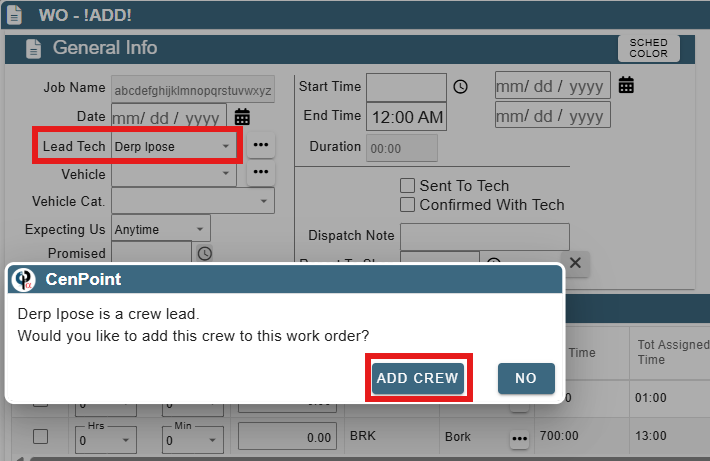
When adding a crew to a Work Order, put the Crew Lead of your desired Crew as the Lead Tech for the Work Order and CenPoint will ask if you want to add their crew.
The remaining crew members will be added as Add'l Workers on the Work Order.