
Go to ->More -> List Management -> Quotes, Jobs, & Invoices -> Tasks: New Task Pricing Method - Formula.png)
Select a task and modify the task or add a new task
.png)
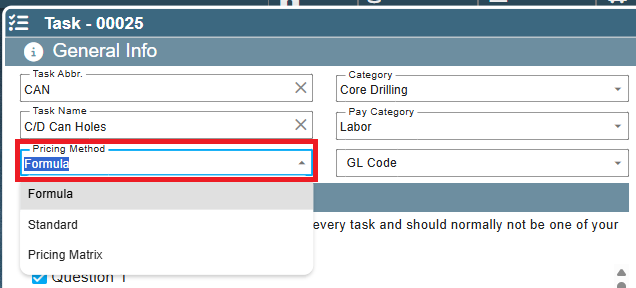
Choose formula as the Pricing Method
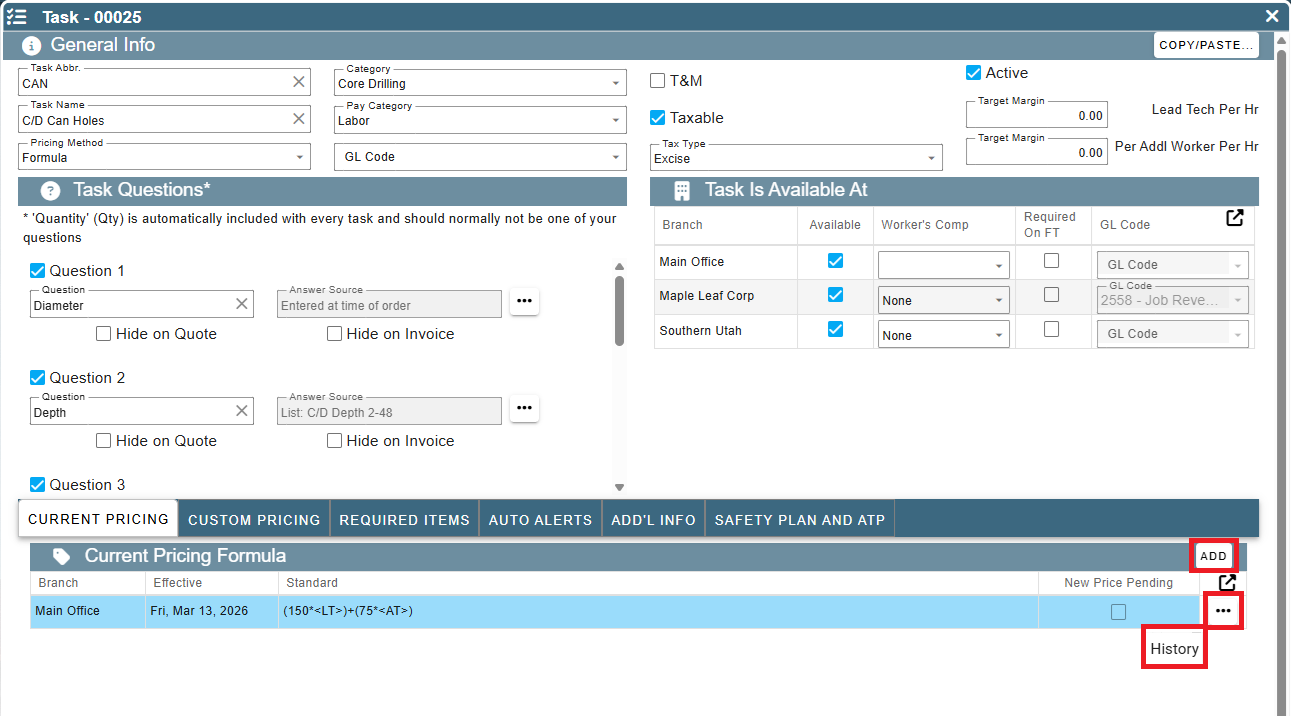
Under Current Pricing select "Add" to add a formula or select the ellipsis on an existing record to view the history and/or make changes.
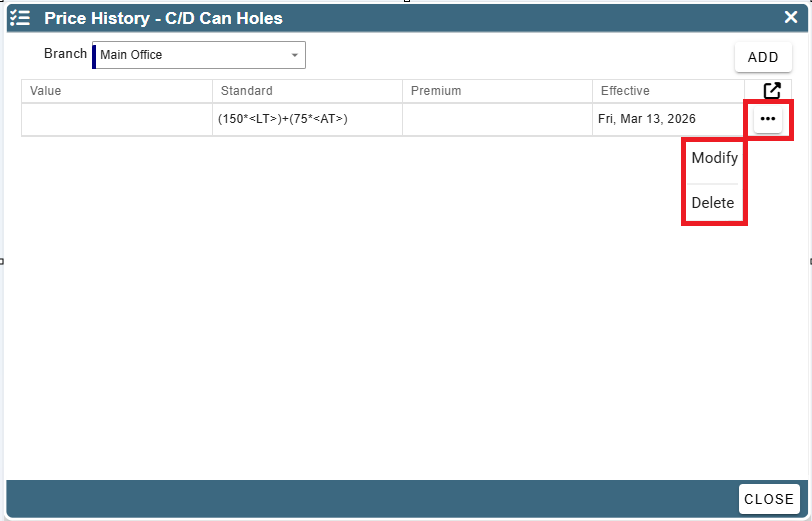
On and existing formula once in the history to make a change click the ellipsis to get the options to modify or delete.
Use the codes section to help set up formulas, click on the codes to copy.
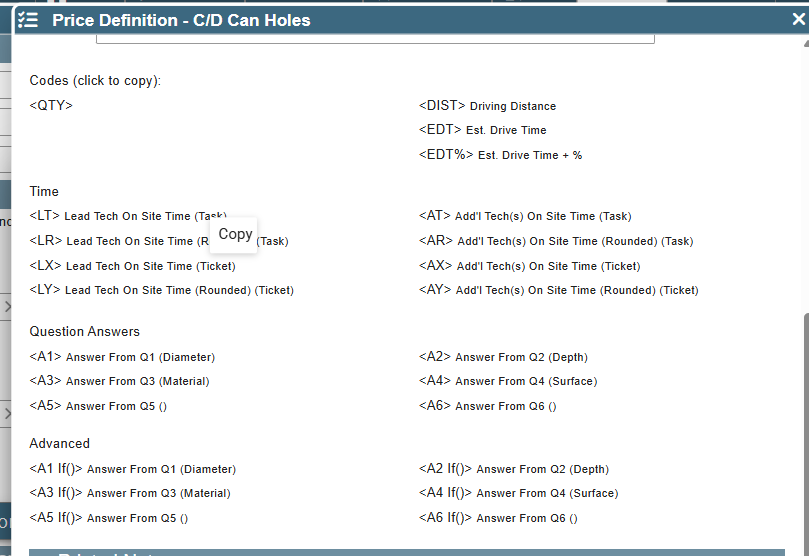
For more information on how to make these formulas and what the codes mean, please go to the Codes section of this article
Once you have your formula in click validate to see if your formula will work
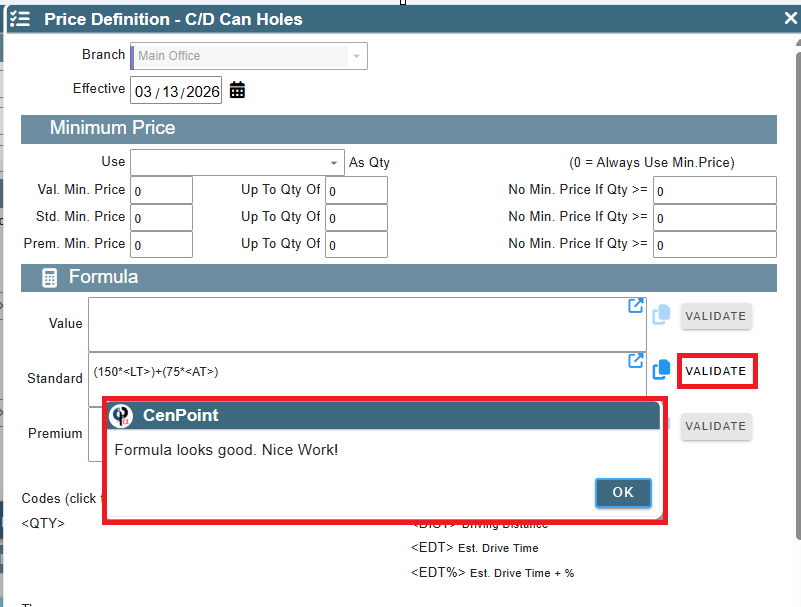
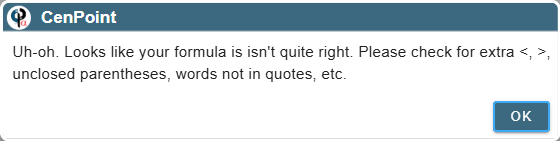
If your formula is not quite right you will get a prompt of things to check
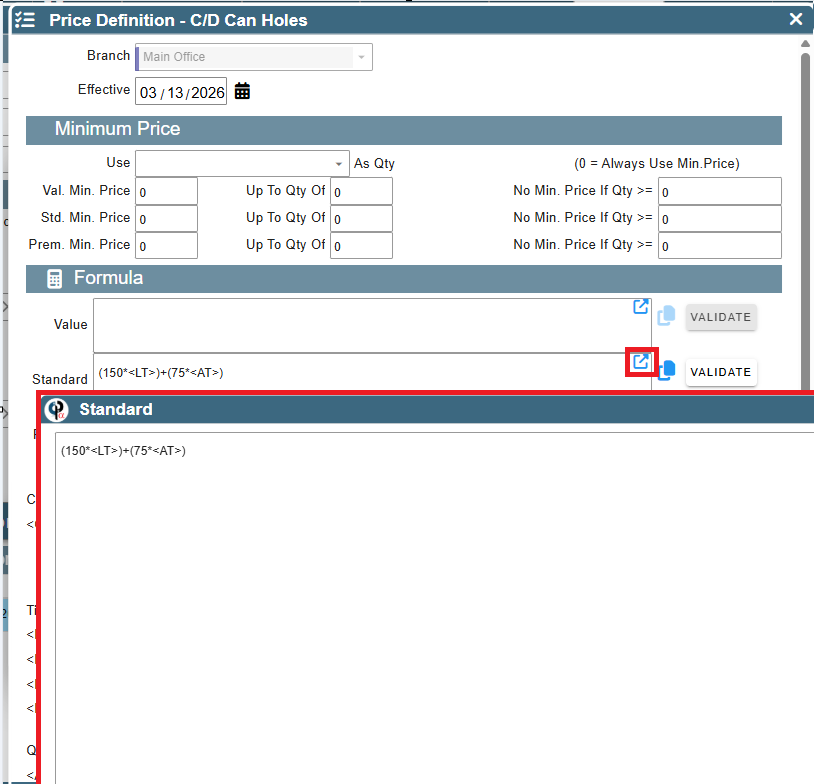
Need more room to work, click the box with the arrow sticking out to open the note in a larger format
When complete, click OK to save when exiting
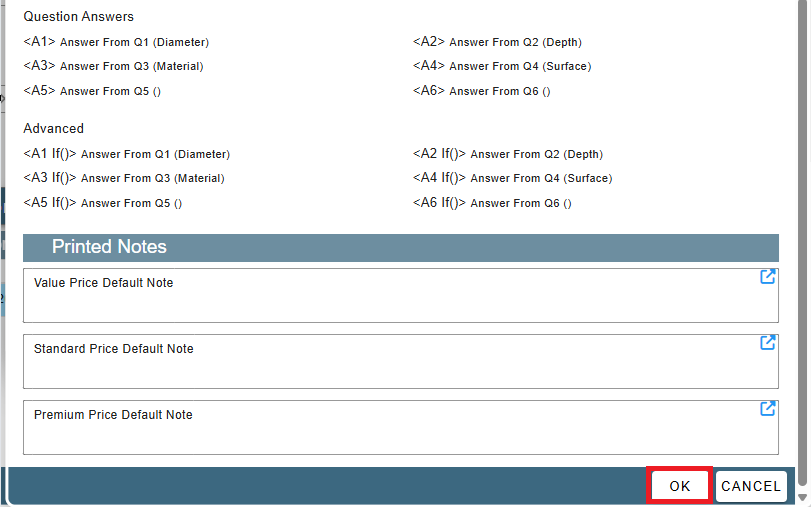
How to create formulas
Codes
Generic
There are several different kinds of codes here, so let's break them down for you
<QTY> - This is for the quantity of an item. If you want to price items out per each, you would use this one.
<DIST> - This is for the distance traveled (in miles) in estimate. This is useful for when you have a travel cost and want to charge the customer for milage costs to recoup gas money. NOTE: This is calculated from the office to job site, not job site 1 to job site 2 if you have a tech out for multiple jobs during the day.
<EDT> - This is for the drive time if you want to charge per hour driving instead of per mile. NOTE: This is calculated from the office to job site, not job site 1 to job site 2 if you have a tech out for multiple jobs during the day.
<EDT%> - This is for the drive time plus an additional percentage. This one is useful if you want to charge a premium on the drive time. NOTE: This is calculated from the office to job site, not job site 1 to job site 2 if you have a tech out for multiple jobs during the day.
<AC> Additional Worker Count- This is for when you have multiple workers on a job that you want to charge for
Time
<LT> - This is Lead Tech On Site Time as a task. What this means is that if you want to charge a premium for the lead tech's time for an individual task, you can do it using this code.
<LR> - This is Lead Tech On Site Time Rounded as a task. This means that it rounds to the nearest hour and charges a premium for the lead tech's time for an individual task using this code.
<LX> - This is Lead Tech On Site Time as a Ticket, or for the job. This means that for the ticket, or job, you can charge a premium for the TL's time per the entire field ticket using this code.
<LY> - This is Lead Tech On Site Time Rounded as a Ticket, or for the job. This means that for the entire field ticket, you can charge a premium for the TL's time rounded to the nearest hour per field ticket using this code.
<AL> - This is Additional Tech On Site Time as a task. What this means is that if you want to charge a premium for an additional tech's time for an individual task, you can do it using this code.
<AR> - This is Additional Tech On Site Time Rounded as a task. This means that it rounds to the nearest hour and charges a premium for an additional tech's time for an individual task using this code.
<AX> - This is Additional Tech On Site Time as a Ticket, or for the job. This means that for the field ticket, you can charge a premium for the additional tech's time per field ticket using this code.
<AY> - This is Additional Tech On Site Time Rounded as a Ticket, or for the job. This means that for the field ticket, you can charge a premium for the additional tech's time rounded to the nearest hour per ticket using this code.
Question Answers (These will only show and work if you have questions that have pickable NUMERIC options that are active)
<A1> Answers from question 1
<A2> Answers from question 2
<A3> Answers from question 3
<A4> Answers from question 4
<A5> Answers from question 5
<A6> Answers from question 6
<A7> Answers from question 7
Advanced (These are ones that have more complicated if statements, meant for things that are more string{text for the non-programmer} related)
These require more explanation than just that brief overview. These are if statements. If you don't know what that is, that's alright. I'll try to explain as non-programmer friendly as possible. :)
These are ways to say things like: If the answer to Q1(Material) is Concrete, then we charge $7 per hole. If it's asphalt, then it's going to be $18 per hole. These are set up to be VERY non-programmer friendly, so you can work with it from this even with no experience with the terrifying code scape. :D
<A1 If()> Answer From Q1
<A2 If()> Answer From Q2
<A3 If()> Answer From Q3
<A4 If()> Answer From Q4
<A5 If()> Answer From Q5
<A6 If()> Answer From Q6
<A7 If()> Answer From Q7
<CERTIFIED> Certified- This is for when you have a job that's certified and want to charge the certified job differently than a non-certified job.
<UOM> Unit of measure- This is for the unit of measurement you are using.
Making a formula
Now that we know what each code means, we can put them together to make a formula.
Let's start with a small example to get started:
You want to charge $0.20 per mile driven for a job with a flat $20 rate for simply needing to drive in the first place, your Standard formula would look like this:
(<DIST> * 0.20) + 20Now, that we have a simple one, why don't we try one that's a bit more complex:
You want to charge $0.05 per mile driven with a driving rate of $10 per hour, your Standard formula would look like this:
(<DIST> * 0.05) + (<EDT> * 10)Still not too bad, so let's do one that's a fair bit complex:
You want to charge $20 for the Lead Tech to be on site (Ticketed) and we will round it, we also want to add an additional tech with site time but tasked out for $8 an hour, we also want to charge $25 per hour driving with a $0.10 mile charge. That's a lot, but don't worry, we got this. It would look like this:
(<LY> * 20) + (<AR> * 8) + (<EDT> * 20) + (<DIST> * 0.10)Generally, the order of things doesn't matter. You can change the order of any of these examples, and it would work just fine.
It just acts like a calculator with auto filling variables. Remember PEMDAS(Parentheses,Exponent,Multiplication,Division,Addtion,Subtraction) and you should be fine. If something is acting funny, put it in parenthesis and you should be able to fix the issue. If you are really lost, you can contact support and we would be more than happy to help you figure this out.
What about certified?
We’ve just added a new <CERTIFIED> variable to Formula Pricing. This lets you change your price depending on whether a task is certified or not.
Let’s say you have a task that normally costs $5.00, but you always charge an additional $1.25 when the task is certified. That means:
- Not Certified: $5.00
- Certified: $6.25
Here’s how you could set that up:
Formula
(<CERTIFIED> ? 6.25, 5)
Or:
5 + (<CERTIFIED> ? 1.25, 0)
That may look a little confusing at first, so let’s break it down!
What does the (?) mean?
Think of it as asking a simple yes or no question:
Is this task certified?
If the answer is yes, use the number before the comma.
If the answer is no, use the number after the comma.
So this:
(<CERTIFIED> ? 6.25, 5)
Basically means:
Is it certified?
Yes → $6.25
No → $5.00
You can think of the formula as:
(Question ? If Yes, If No)
For example:
(<CERTIFIED> ? 6.25, 5)
becomes:
(Is it certified? ? $6.25, $5.00)
The <CERTIFIED> variable will automatically be either true or false depending on the task.
Want to add an extra amount instead?
You can also use the formula this way:
5 + (<CERTIFIED> ? 1.25, 0)
This means:
Start with $5.00. If the task is certified, add $1.25. If it isn't certified, add nothing.
So you end up with:
Certified: $5.00 + $1.25 = $6.25
Not Certified: $5.00 + $0.00 = $5.00
If this still looks like complete nonsense, don't worry! You don't need to be a programmer to use it. You can also take the formula to your AI of choice and ask it to explain what it does, or give us a call and we can walk you through it!
Checking it on a task
To check that the pricing is behaving properly on a task, assign it to a job or WO, either will work. Even a FT will work too, but I'll use a job for the time being.