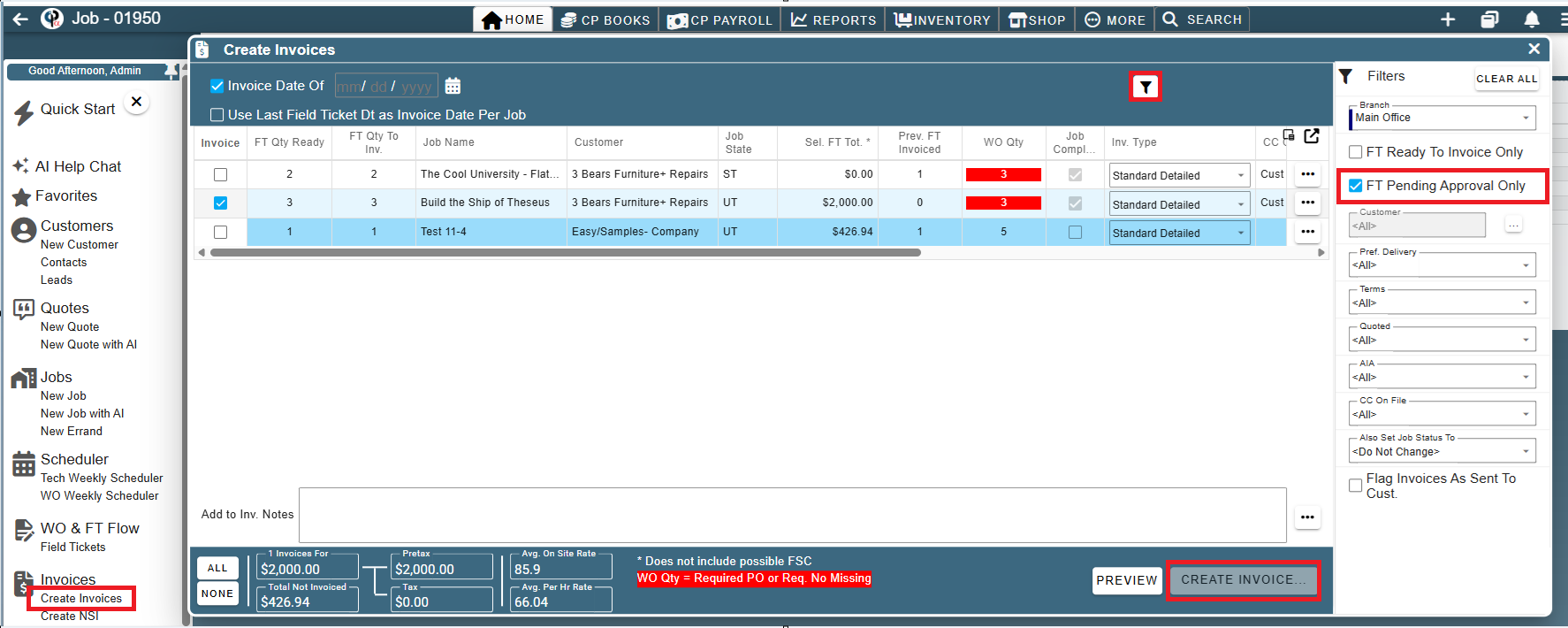
The Hold for Approval feature in CenPoint allows you to place a Field Ticket on hold while it awaits review. Field Tickets marked Hold for Approval can be easily filtered on the Find Field Ticket, WO/FT Flow and Create Invoice screen, making it easier to identify and pass them to the next person for review and approval before marking them Ready for Invoicing.
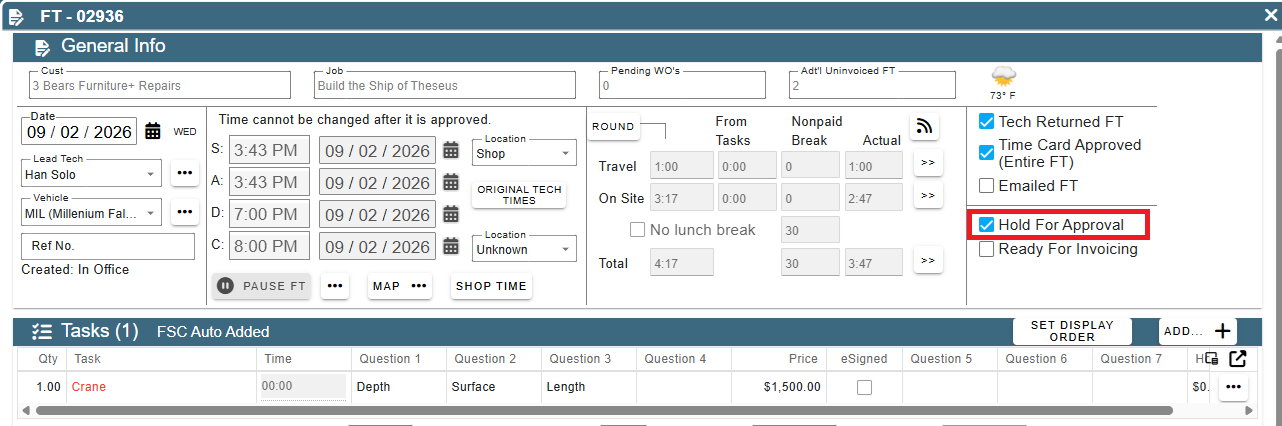
Mark a Field Ticket Hold for Approval by opening the Field Ticket and checking the Hold For Approval box.
When you mark a Field Ticket Hold for Approval you may be prompted to mark other Field Tickets for the same job
Click the box for any Field Tickets you want to mark then click the 'Mark' button otherwise select 'Don't Mark'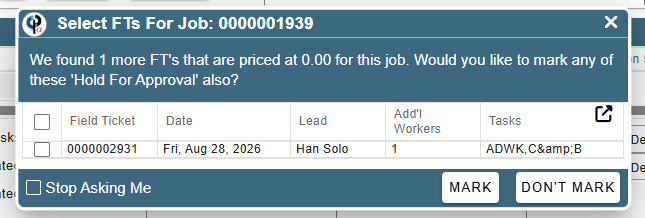
Once the Field Tickets are marked Hold for Approval the next person who needs to look at and approve would either go to the Find Field ticket screen to WO/FT flow.
Find Field Ticket Screen
From the menu select Find Field Tickets. On the Find Ticket screen open the filters by clicking the filter icon at the top of the page. In the filters select Hold for Approval under the invoiced drop-down list
and most likely sort by sales rep.
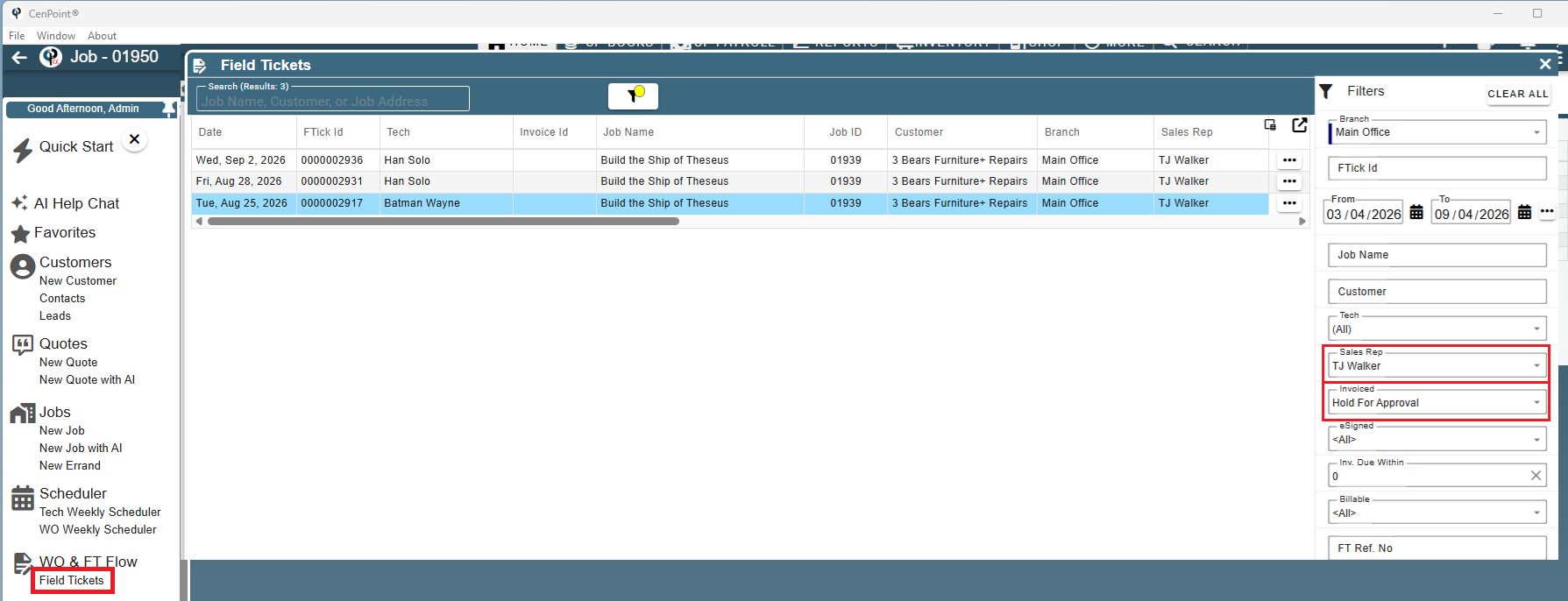
Click the ellipsis to open the Field Ticket or View All FT for Job (Preferred)
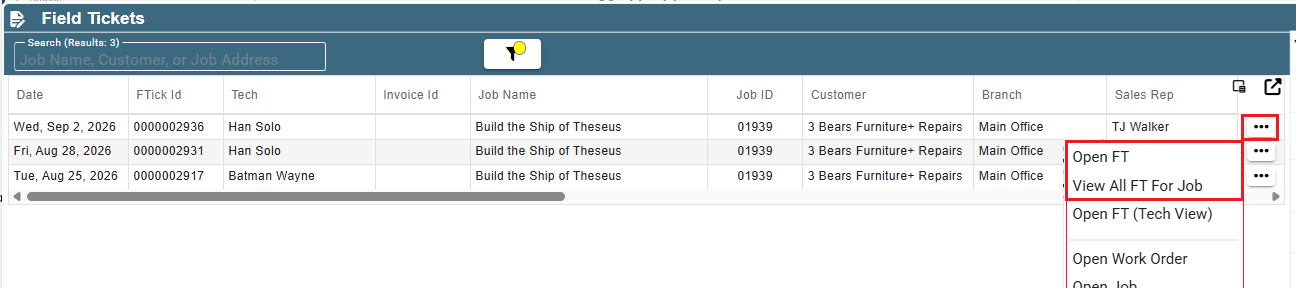
If you open a single FT you will mark that FT as Ready for invoicing after it has been reviewed.
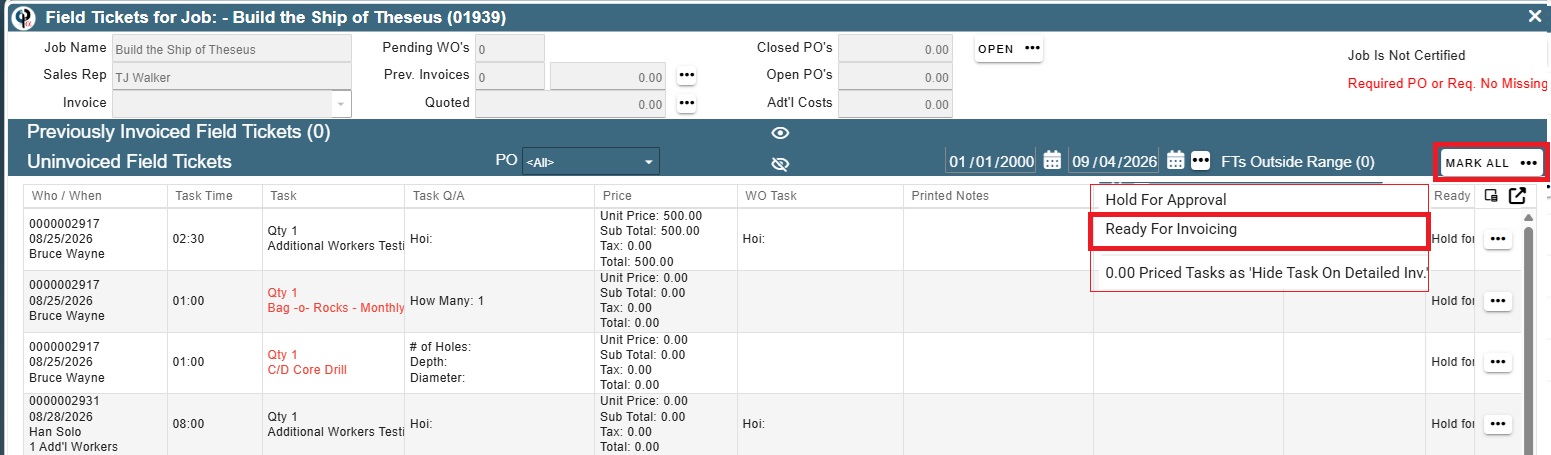
On the View all FT's for Job screen once all the FT's have been reviewed click the Mark All button to select to mark all the FT's as Ready for Invoicing.
The reverse can also happen in the View all FT's for Job , you can mark all FT's Hold for Approval.
WO/FT Flow
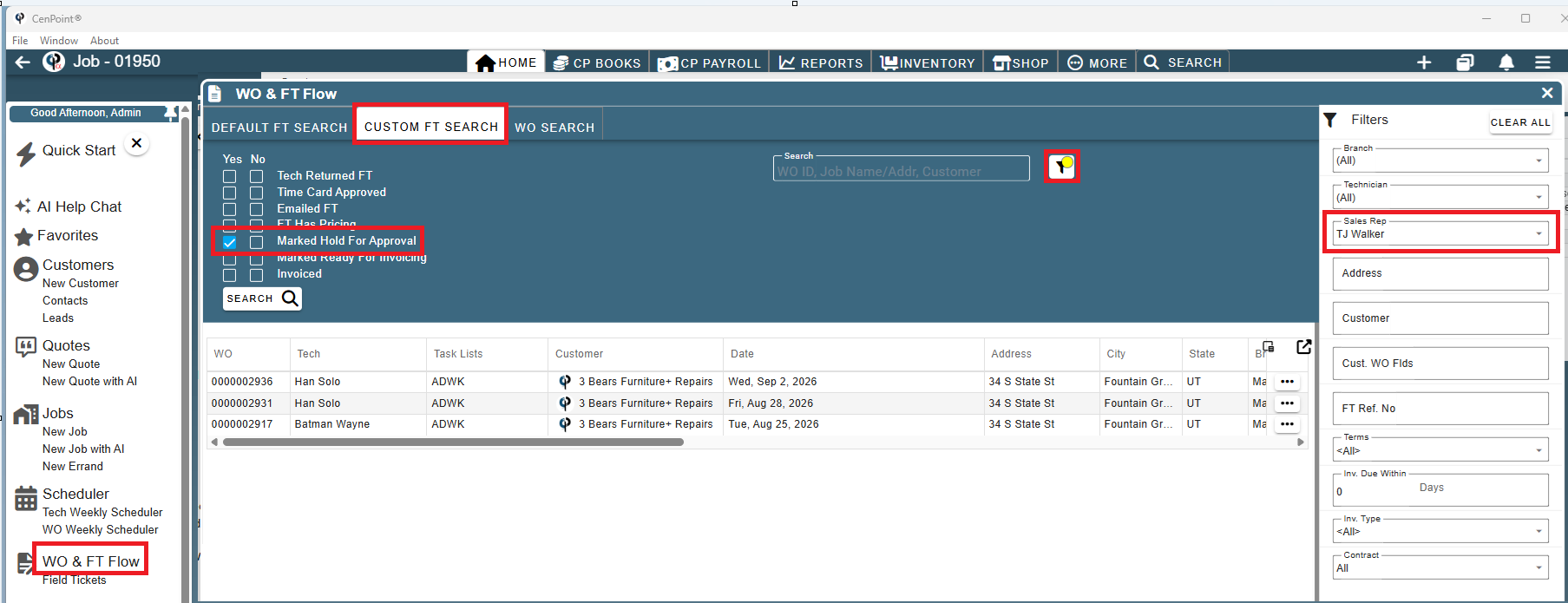
Open the WO/FT from the menu, Click Custom FT Search, Check the Marked Hold for Approval box, and most likely sort by Sales Rep in the filters
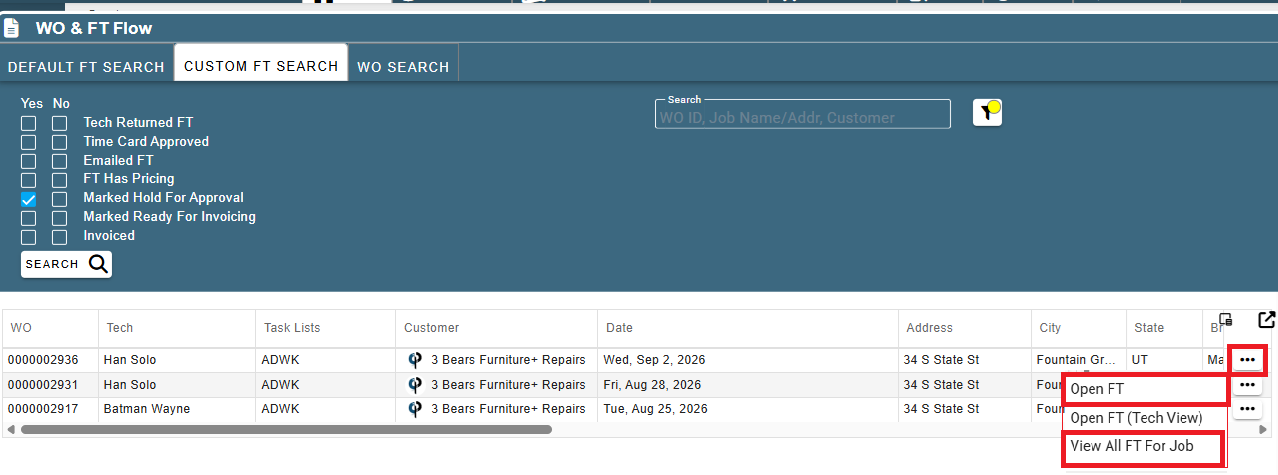
The same options for View FT or View all FT's for job are accessed through the ellipsis
Once all the Field Tickets are marked Ready for Invoicing the next person in the process can filter those FT's that are ready by using the Ready for invoicing filters. 🤗
Lastly, go to the Create Invoice screen by clicking Create Invoice from the menu.
Open the filters and click FT Pending Approval Only-these are the FT's that are still in Hold for Approval status
An invoice cannot be created for FT's in the Hold for Approval status as shown by the Create Invoice button being 'unclickable'