
Soft (Stayed Signed In): Refreshes the entire app, similar to reloading a webpage. This clears the cache in CenPoint, making it a more thorough refresh than simply closing and reopening the app.
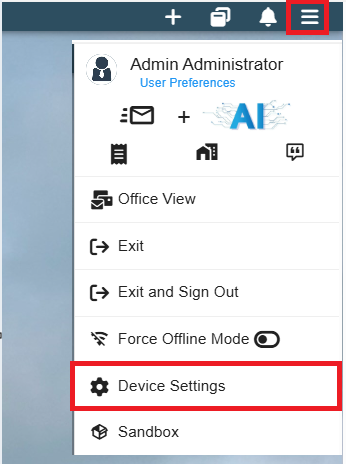
Click to the 3 line menu in the top right corner of the app. then select Device Settings
Scroll down until you find the Refresh App section then click Soft(stay signed in)
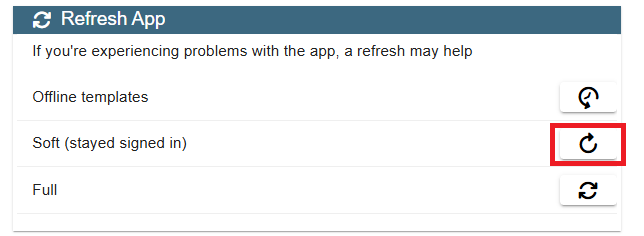
Once you click that the app may take a minute to clear the cache and refresh, but after that you should be good to go.