Overview of Different Types of Revenue Allocations
These Tech Revenue Allocations are used in many reports throughout CenPoint.
Some examples of these are Job Costing and Technician Report Cards.
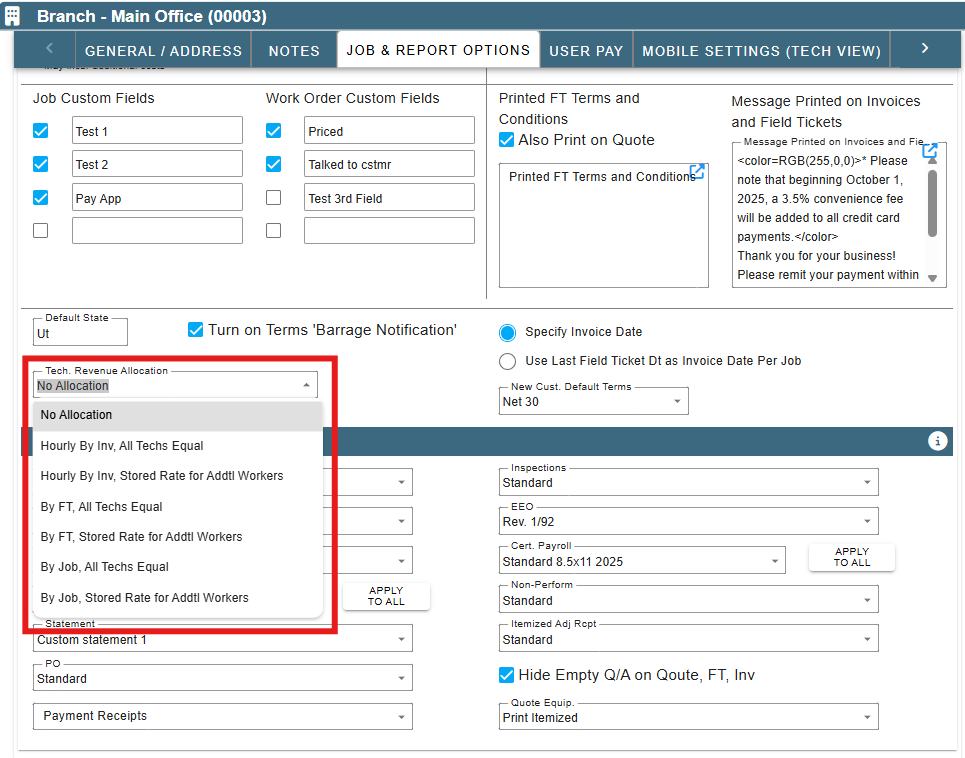
Hourly by Invoice, All Techs Equal
Example:
Invoice total is $1000.00
Tech 1 has 5 hours on the job
Tech 2 has 1 hour on the job
Tech 1 invoice total divided by the total hours, multiplied by the hours worked by that tech ($1000 /6) *5
Tech 2 invoice total divided by the total hours, multiplied by the hours worked by that tech ($1000/6) *1
Hourly by Invoice, Stored Rate for Addt'l. Workers
Example:
Invoice total is $1000.00
Tech 1 is the lead tech
Tech 2 is an additional worker with 1 hour on the job and a stored rate of $15.00
Tech 1 is allocated $985.00 ($1000.00-$15.00(or all additional worker stored rates per hour) = $985.00
Tech 2 is allocated $15.00
By FT, All Techs Equal
Tasks and Pricing must be filled out on each Field Tickets to allocate properly.
Example:
Invoice total is $1000.00 Multiple Field Tickets are going toward one invoice.
Tech 1 with 1 hour on FT 123 Priced at 0.00
Tech 1 is allocated $0.00
(Since there was no pricing on the FT there is no allocation given to Tech 1)
Tech 2 with 5 hours on FT 456 Priced at $1000.00
Tech 2 is allocated $1000.00 ($1000.00/ 5 hours) *5= 1000
By FT, Stored Rate for Addt'l Workers
Tasks and Pricing must be filled out on each Field Tickets to allocate properly.
Example 1:
Invoice total is $1000.00 Multiple Field Tickets are going toward one invoice.
Tech 1 with 1 hour on FT 123 Priced at 0.00
Tech 1 is allocated $0.00
(Since there was no pricing on the FT there is no allocation given to Tech 1)
Tech 2(lead tech) is on FT 456 with 2 additional workers (Tech 3 and Tech 4) FT is priced at $1000.00
Tech 3 has 1 hour on FT 456 and a stored rate of $15.00
Tech 4 has 2 hours on FT 456 and a stored rate of $20
Tech 2 is allocated $945.00 (1000-15-40)
Tech 3 (1 hr. * 15) = 15
Tech 4 (2 hrs. * 20) = 40
By Job, All Techs Equal
Example:
Invoice total $3000.00 with 20 hours on the job
Tech 1 has 5 hours on the job
Tech 2 has 15 hours on the job
Hourly rate= 3000/ (5+15) = 150 per hour
Tech 1 is allocated 5*150= $750 (hours on job* hourly rate for job)
Tech 2 is allocated 15*150=$2250 (hours on job* hourly rate for job)
By Job, Stored Rate for Addt'l Workers
Example:
Invoice total $3000.00 with 20 hours on the job
Tech 1 has 15 hours on the job
Tech 2(additional worker) has 5 hours on the job and a stored rate of $15.00
Tech 1 is allocated $2925.00 ($3000.00 -(15*5) additional worker)
Tech 2 is allocated $75.00 (15*5)
Tech Revenue Allocation
Set Tech. Revenue Allocation
Go to More → Company/Branch Info
.png)
Then double click on your branch or select the Ellipsis→ Modify
.png)
Go to the Job & Report Options tab and input the Tech. Revenue Allocation type you desire.
Store Allocation Rate for Additional Workers
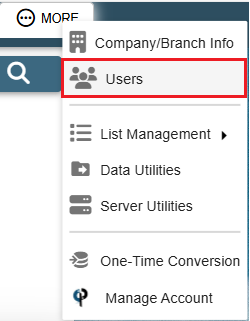
Go to More -> Users
Find your user and then double click on them or click the Ellipsis -> Modify
.png)
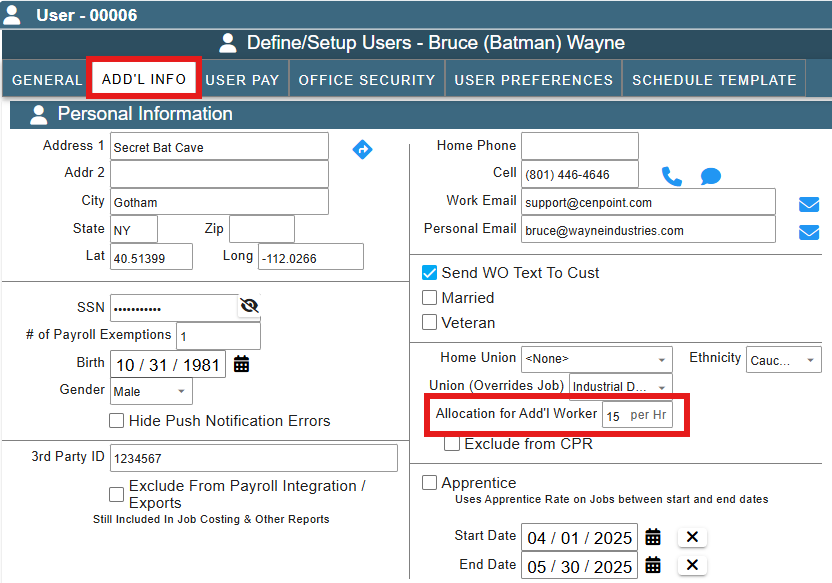
Under the Add'l Info tab update the Allocation for Add'l Worker data