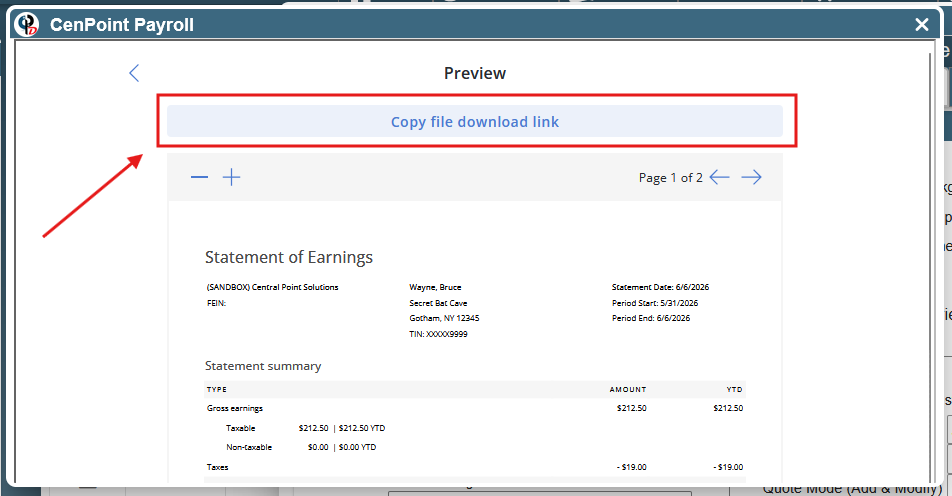
This article will show how to view a paystub for any user from the office view.
Finding a User’s Paystubs
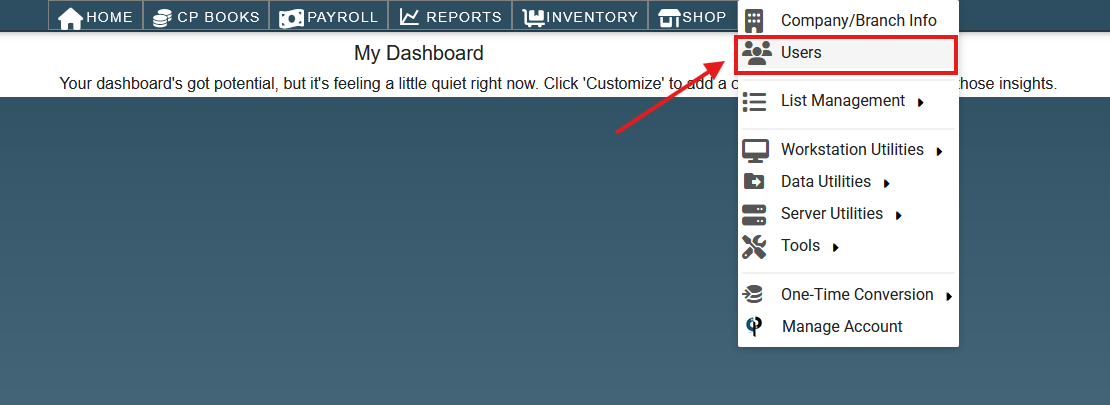
To view Paystubs for a user from the office view, go to ‘More → Users‘.
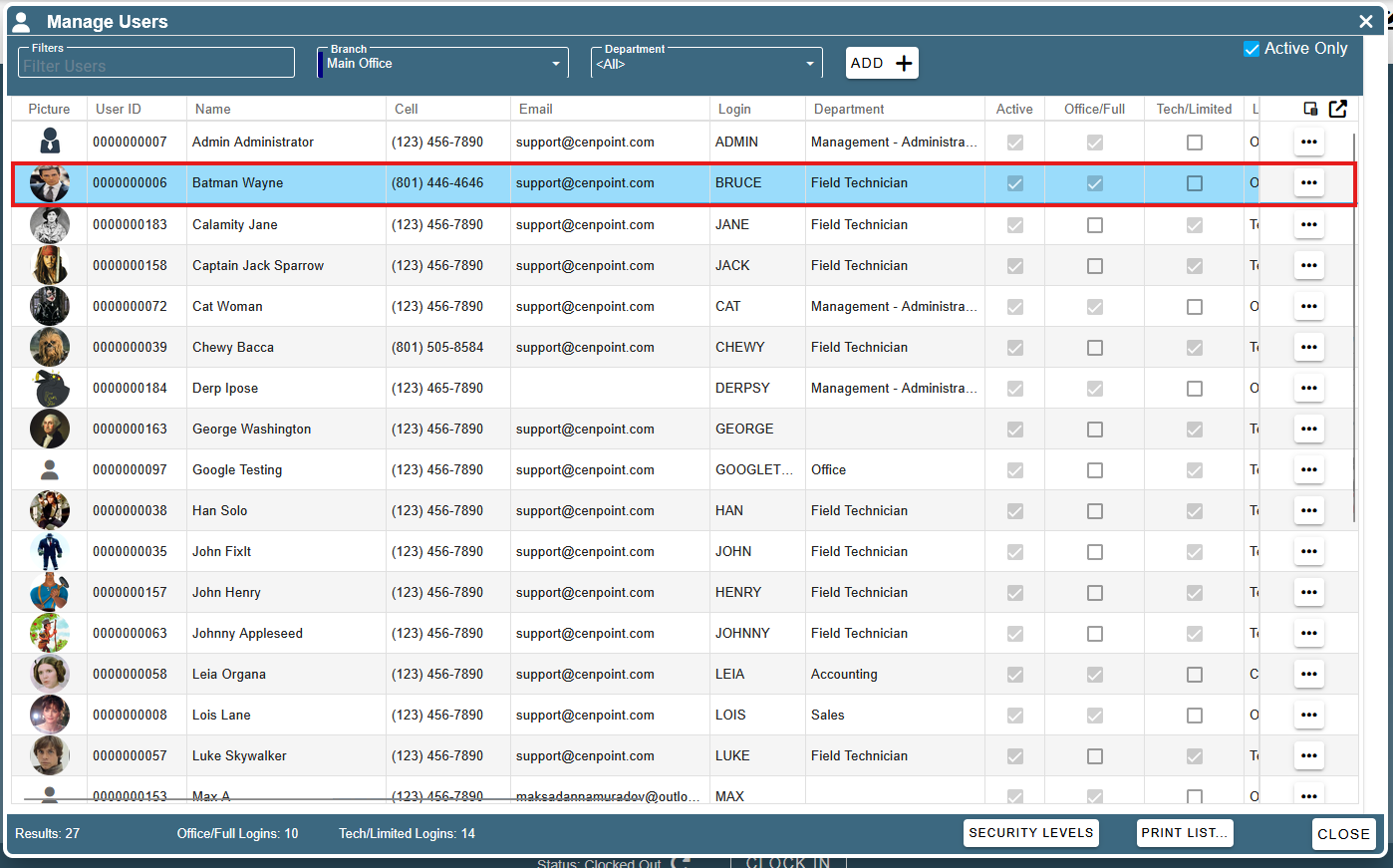
Select the user whose paystub you want to see.
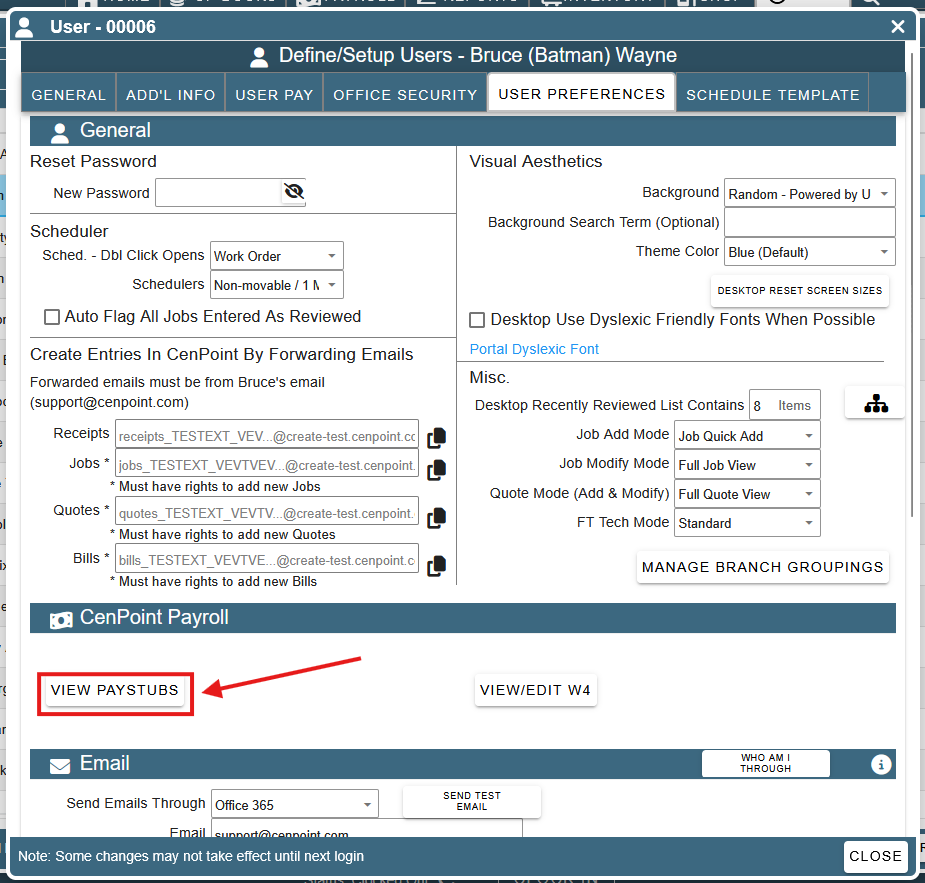
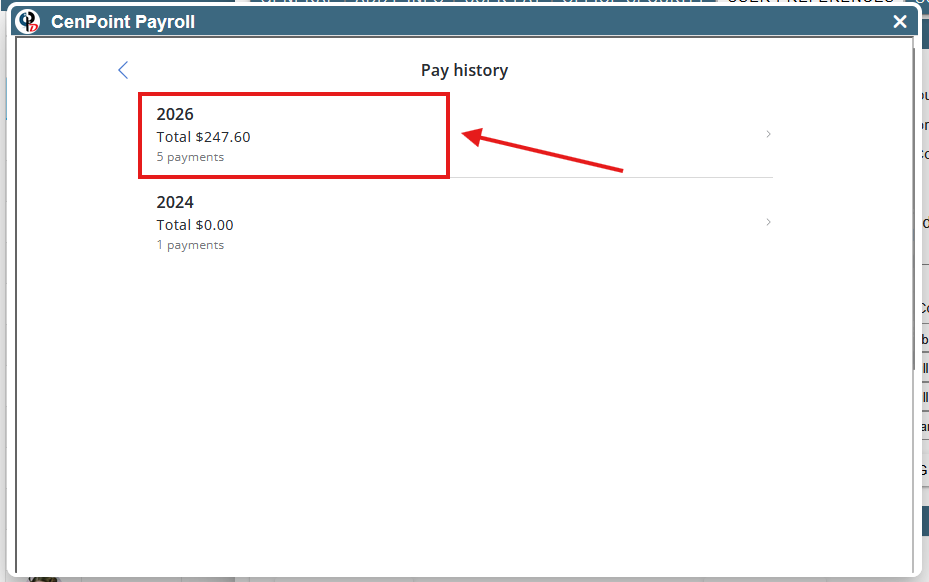
Go to ‘User Preferences → View Paystubs’ to view a list of years that have paystubs for the selected user.
Select the year you would like to view pay stubs for.
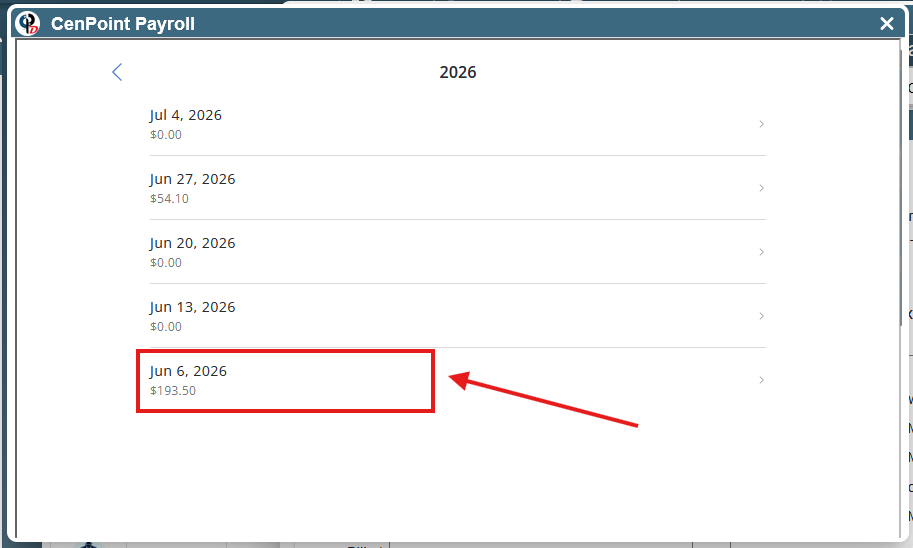
Select the pay stub you want to view.
View Payroll Details
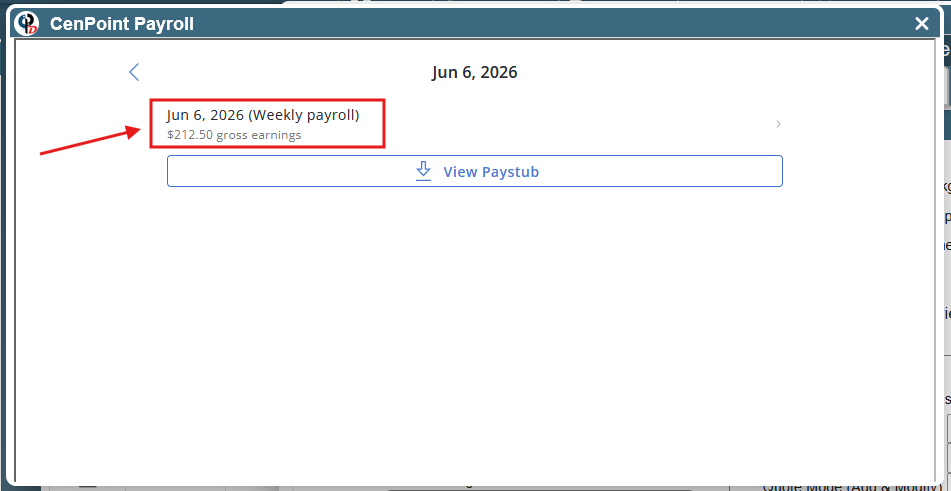
Once you’ve clicked on a pay stub, click on a weekly payroll entry or a payment to view payroll details.
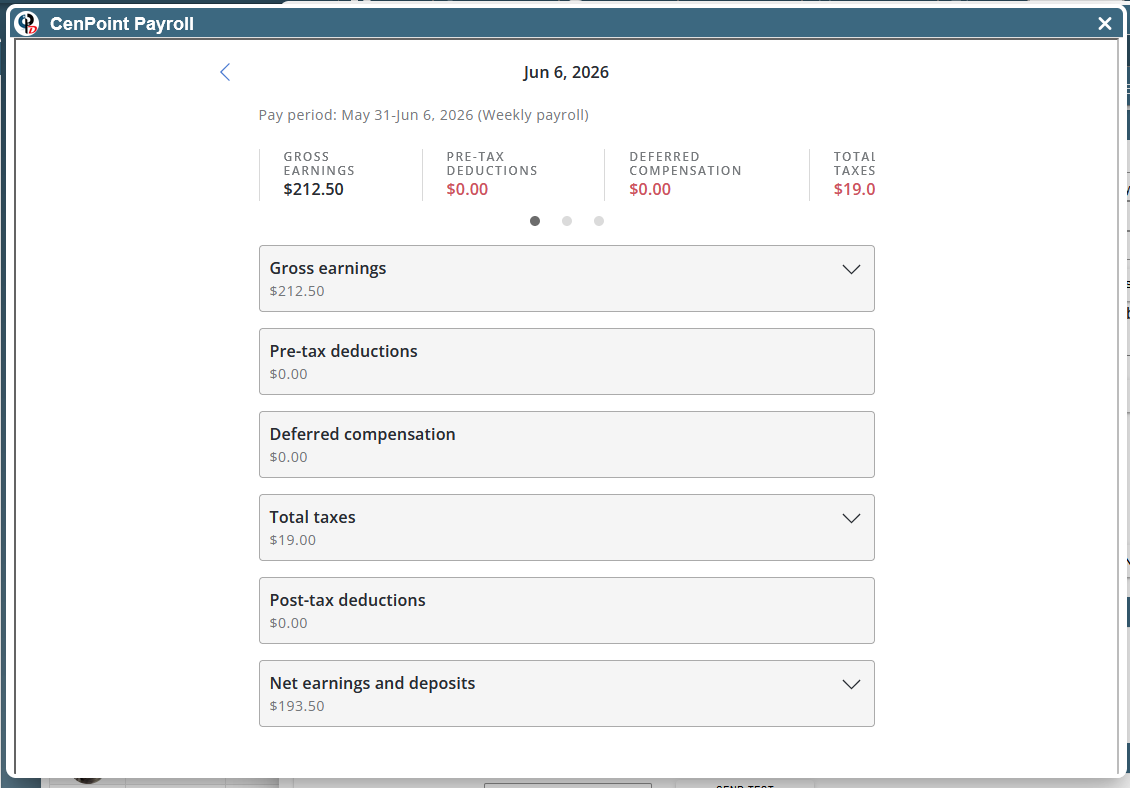
The details on this screen include gross earnings, net earnings, taxes, and deductions.
Download Pay Stub
Once you’ve clicked on a paystub, download it by clicking on the ‘View Paystub’ button.
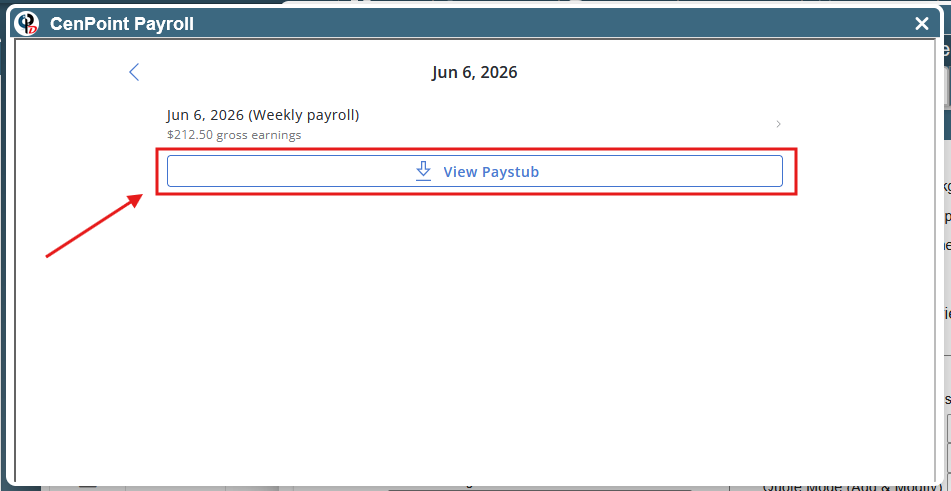
Click ‘Copy File Download Link’ and then paste it into your browser to download the file.