Service Shops
For more information on what shops are and how they're set up see this link: shop intro
Add Service Shops
Set up Service Shops for your Fleet Vehicles and Equipment to be serviced.
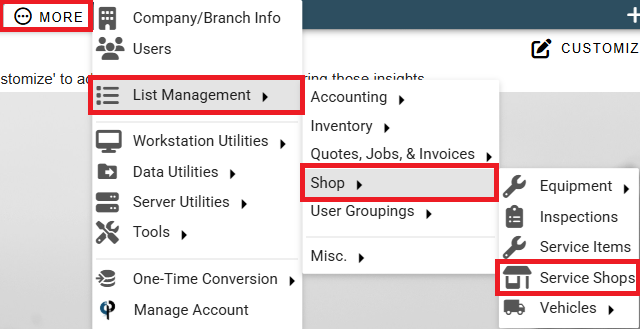
Go to More -> List Management-> Shop -> Service Shops
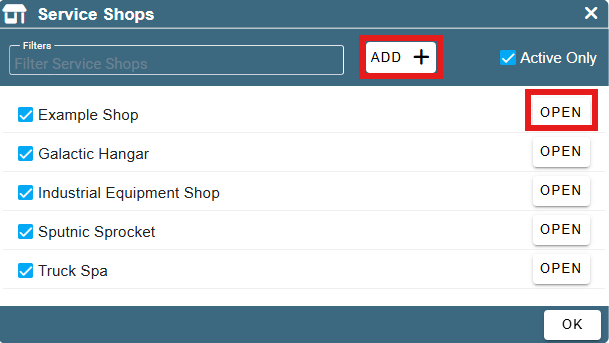
Click the 'Add' to create a new service shop.
Click the 'Open' to edit an existing service shop.
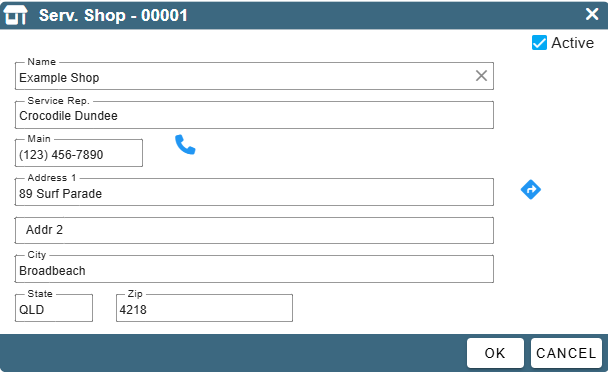
Fill out the desired information.
To remove a Service Shop from the list of Service Shops simply click on its name.
A popup shall appear asking you to confirm if you'd like to delete the Service Shop.
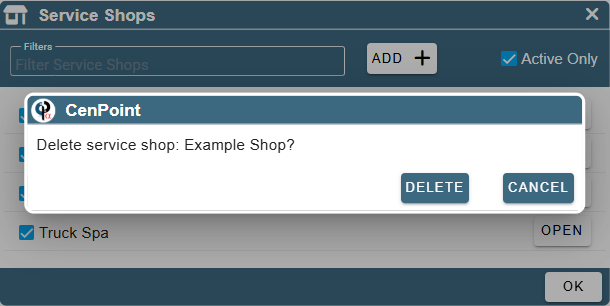
To undo a deletion of a service shop uncheck the 'Active Only' checkbox when looking at your list of Service Shops.
Find your previously deleted service shop and click 'Open'
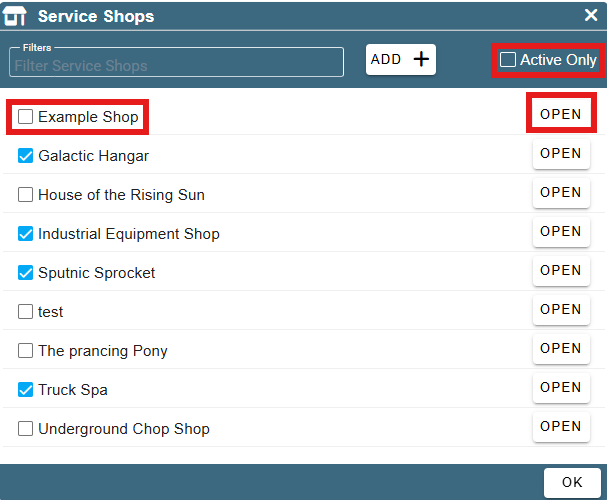
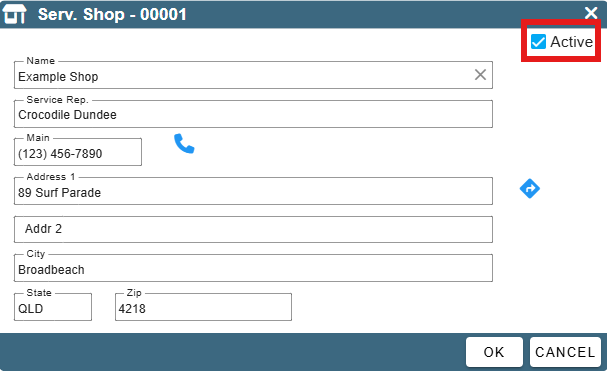
Click the 'Active' checkbox and then click 'OK'.
The service shop will once again appear in your list of options when selecting a Service Shop.