Tax Rates
Use the following links for Up more information on setting up and using Tax Rates.
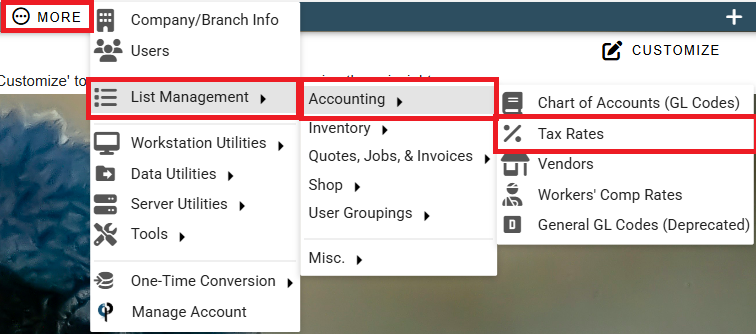
Set up tax rates by going to More -> List Management -> Quotes, Jobs, & Invoices -> Tax Rates
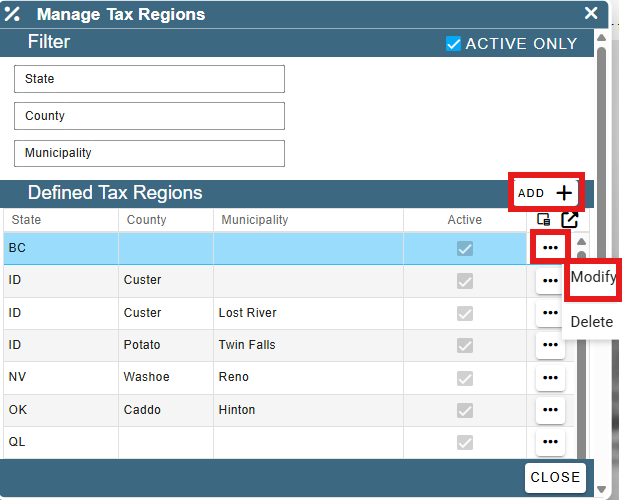
Click 'Add' to create a new Tax Region.
Click the Ellipsis -> Modify to edit an existing region.
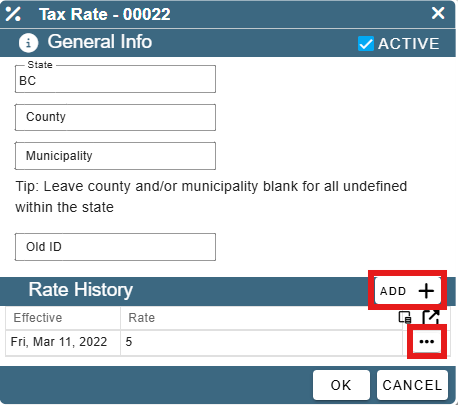
Click 'Add' to create a new Tax Rate.
Click 'Open' to edit an existing Tax Rate.
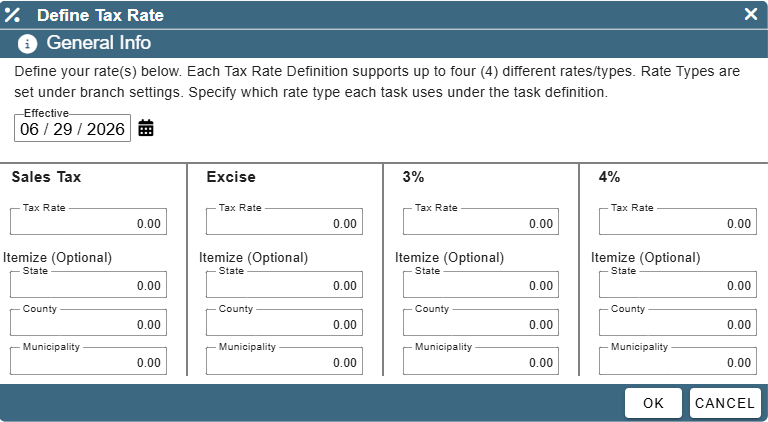
Set the Effective Date and enter in all relevant tax information. Click OK to save your changes and close the window.