
To save time and energy we can move all of the information in a Quote to a new Job. When we convert the Quote to a Job, the Quote is deactivated (hidden from your active Quote List), and becomes read only.
Converting a Quote to a Job
Create the Quote
For more information on how to make a quote, see the following link: Quote Overview
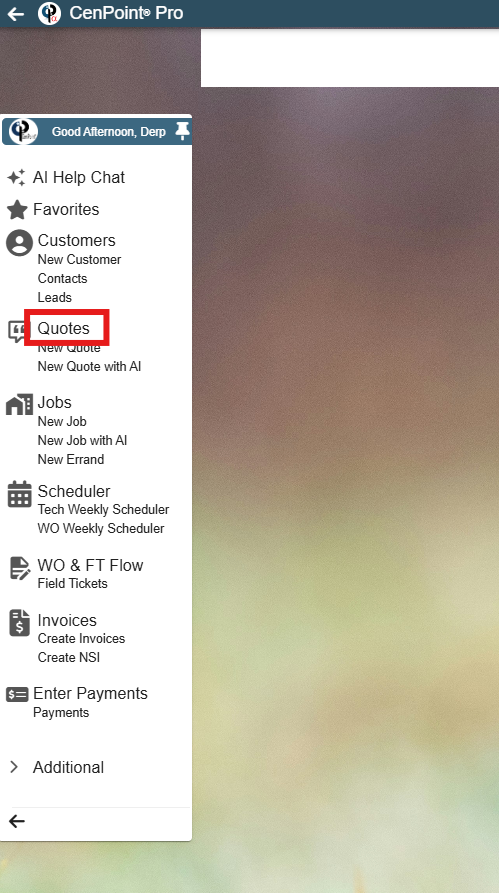
Step Two: Open the Quote Finder
Step Three: Convert To Job
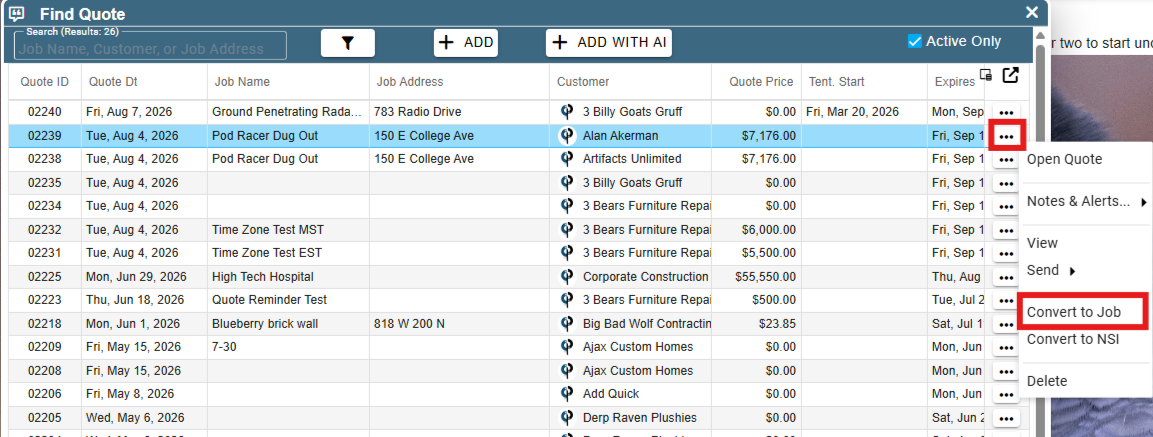
Find your desired quote and click on the ellipsis → Convert to Job. Click ‘Convert’ on the popup that will appear asking you to confirm your decision of converting the quote to a job.
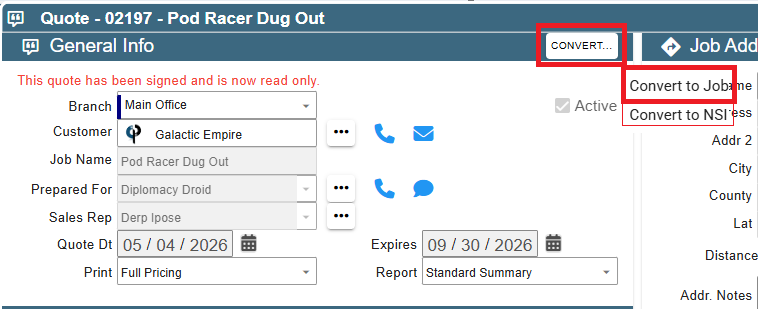
Additionally, you can convert the quote to a job by clicking on the ellipsis and click open quote and click Convert.
Congratulations! You’ve just successfully converted a quote to a job!